 Skip to content


You've got the profile live, the reviews are coming in, and the photos look decent, yet the phone still isn't ringing the way it should. For many UK local businesses, that frustration comes from one overlooked part of Google Business Profile, the Services section. It's easy to treat it like a housekeeping task, but it's often the place where Google learns what you sell, and where customers decide whether you're the right fit.
That matters even more in Britain, where Google Search is used by 94% of UK adults who go online according to Ofcom's Online Nation 2024 and Google's own support guidance on profile performance shows that owners can track how people found the profile and what they did next, including calls, directions, website clicks, bookings, and chats (Google Business Profile performance data). In other words, the Services section isn't a decorative list, it's part of a measurable conversion surface. If the services are vague, incomplete, or poorly prioritised, the profile can still look busy while underperforming where it counts.
Table of Contents
- Why Your Services Section Is Holding You Back
- Auditing Your Current Services Against Local Competitors
- Choosing Which Services to Prioritise for Maximum Impact
- Writing Service Descriptions That Convert Searchers into Customers
- Optimising Services for Multi-Area Visibility
- Tracking the Impact of Your Service Optimisations
Why Your Services Section Is Holding You Back
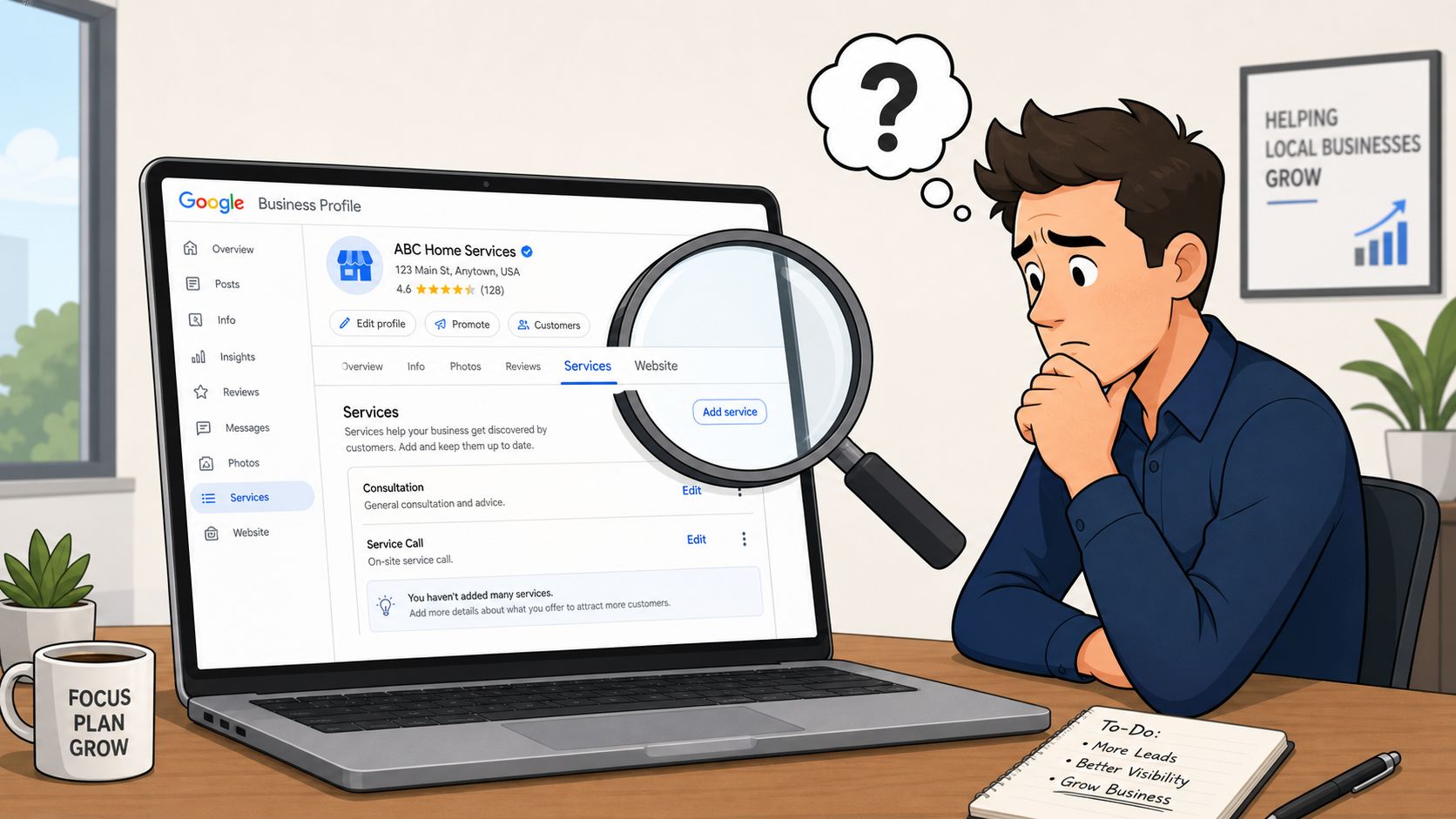
A business owner rings in after a month of steady review collection, fresh photos, and regular posting, then asks why the profile still feels invisible. The answer is usually plain. The profile looks active, but the Services section says very little about what the business sells. Google and customers both need clarity, and a thin services list makes the profile harder to interpret.
Why a static list underperforms
A profile with one generic service like “Repairs” or “Consulting” gives Google very little to work with. It also leaves a customer guessing when they are scanning for a specific fix, such as boiler servicing, emergency call-outs, or payroll support. The Services section performs best when it reflects real local demand, not when it reads like an internal departments page.
UK businesses should treat Google Business Profile as a live conversion channel, not a directory entry. Google's own performance view shows which actions people took after finding the profile, so the practical question is not just whether the business appears in Maps, it is whether the profile pushes people toward the right action. Google's Google Business Profile performance data can help owners see that behaviour. If the services do not match search intent, you can rank and still miss the enquiry.
What gets missed most often
The most common mistake is leaving services too broad. A second mistake is stuffing every possible category into the profile while the Services section stays vague, which weakens relevance and makes the business harder to understand. Search engines like structure, and people do too.
Practical rule: if a service would sound useless in a customer conversation, it is probably too vague for the profile.
For UK service businesses, the cost of neglect is subtle. You do not see a dramatic collapse, just fewer qualified actions, fewer meaningful clicks, and more wasted visibility. A better Services section helps the profile act like a sales page, because it gives Google clearer matching signals and gives customers a stronger reason to choose you.
Auditing Your Current Services Against Local Competitors
Before editing anything, check what the strongest local map listings are saying. Start with the top 3 to 5 competitors you see in Maps for your main service terms, then compare their service entries against your own. The point isn't to copy them, it's to understand which offers are being surfaced repeatedly in your market and which ones you've left out.
What to look for in a competitor audit
The first pass should be blunt. List the services you see on each competitor profile, then group them into three buckets, what they offer that you do, what they offer that you don't, and what they name more clearly than you do. That last point matters because Google can only interpret a service if the wording is explicit.
A tool like VisiLocali's competitor analysis approach is useful here because it lets you compare profiles side by side instead of guessing from memory. That side-by-side view is especially helpful when two businesses sell the same thing but describe it differently, because the gap is often in wording rather than in the actual service offer.
Where businesses usually lose relevance
A lot of profiles drift into category stuffing, where the owner tries to cover every possible angle with a handful of loose labels. That usually backfires. A long list of broad terms makes the profile less readable, not more relevant, and it often hides the services that drive revenue.
Google also lets you edit services directly and add descriptions, so use that structure instead of forcing everything into a category. Services should be specific enough that a customer knows what they're buying, but not so promotional that they read like ad copy. A good audit should reveal where your wording is too generic, where you're missing an obvious high-value offer, and where a competitor has just named the same thing better.
A quick way to decide what to keep
- Keep the service if it drives meaningful enquiries and the wording is already clear.
- Refine the service if you offer it, but the name is too broad or unhelpful.
- Add the service if local competitors list it and you genuinely deliver it.
- Omit the service if it's low demand, low margin, or something your team rarely wants to sell.
The best audit doesn't produce a long wish list. It produces a shortlist of services worth owning properly.
Choosing Which Services to Prioritise for Maximum Impact
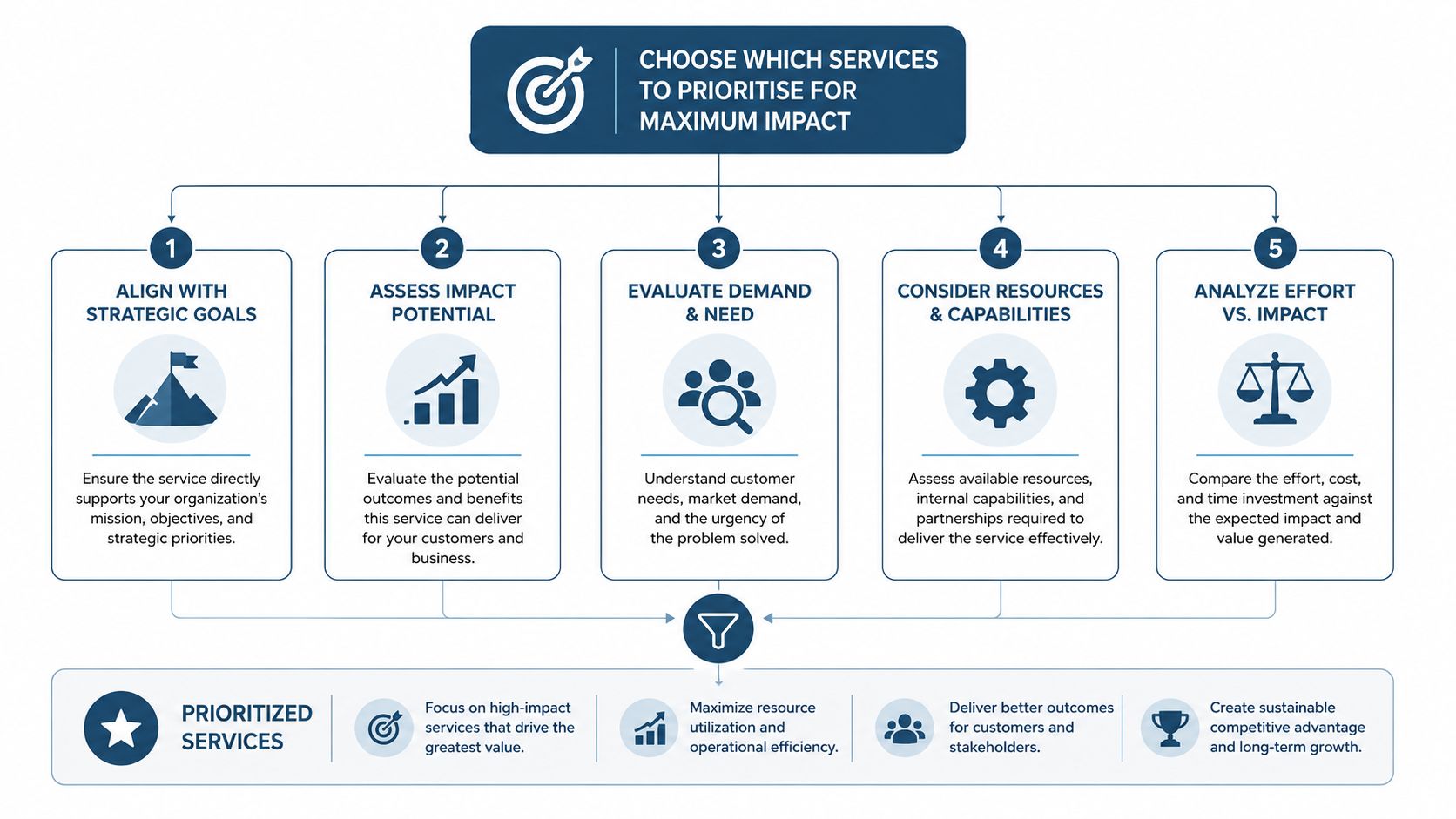
Adding every possible service sounds safe, but it often dilutes the profile. A business can end up looking busy while sending Google mixed signals about what it wants to be known for. The smarter move is to choose services through a filter, not a flood.
Start with profit, not just popularity
The first filter is margin. If a service brings in lots of enquiries but ties up the team, creates awkward delivery, or barely pays its way, it shouldn't sit at the top of the profile. UK guidance from 11 Marketing says to include services you actively sell, staff, and want more of, then narrow the list by margin and search demand, which is exactly the right commercial lens (11 Marketing guidance).
That perspective matters because the Services section affects lead quality. A business that highlights its best-margin work usually gets fewer distracting enquiries and more conversations worth having. I've seen profiles improve operationally because the service list stopped promoting the wrong jobs.
Use demand and capacity as the second and third filters
Local search demand tells you whether people are looking for the service. If a service is profitable but nobody searches for it in your area, it won't help much in the profile. That's where competitor review and keyword judgement matter more than guesswork.
Operational capacity is the final filter. If a service is profitable and in demand but your team can't deliver it reliably, it shouldn't be the first thing customers see. Overpromising in GBP creates bad leads, poor reviews, and wasted admin time.
A tight service list often outperforms a bloated one, because it channels attention towards the jobs you want more of.
Build the list in layers
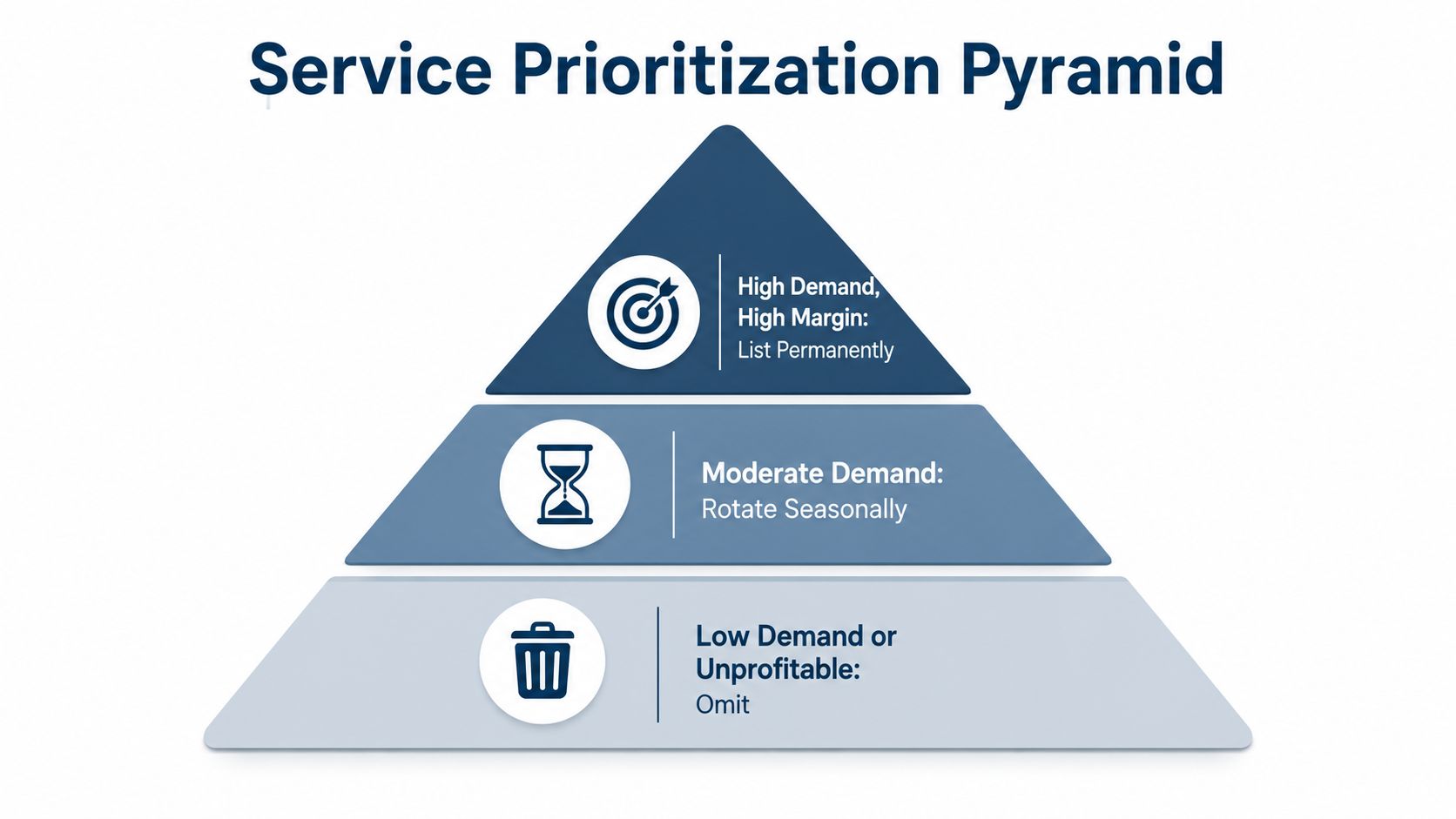
Think in terms of permanent, seasonal, and excluded services. Permanent services are your core revenue drivers. Seasonal services can move up and down depending on demand. Excluded services are the ones that add noise, pull in poor-fit leads, or distract the team from better work.
The goal isn't to fill every slot. It's to create a profile that reflects a real commercial strategy. When the Services section matches margin, demand, and capacity, it stops being a catalogue and starts becoming a lead filter.
Writing Service Descriptions That Convert Searchers into Customers
Once the services are chosen, the wording has to do two jobs at once. It needs to help Google understand the offer, and it needs to help a searcher feel confident enough to act. That means clear names, natural descriptions, and no fluff.
Name the service the way customers search
The service title should be straightforward. If people search for “boiler repair”, don't bury it under “heating solutions”. If they search for “bookkeeping”, don't label it “financial support services”. Clarity usually beats cleverness.
Google's own editing flow is simple, sign in with the Google account that manages the listing, search your business name in Google Search, choose Edit profile, then open Services. A practical approach is to add each service individually, write a short natural description of 2 to 3 sentences, save it, then check how it displays after a day or two (Slade Insights on editing services).
What a good description does
A strong description explains who the service is for, what outcome it delivers, and anything that helps a buyer choose you. It should sound like a human wrote it, not a brochure. If pricing is relevant and you're confident it won't date quickly, you can mention it carefully, but only where it adds clarity.
| Service Name | Weak Description | Strong Description |
|---|---|---|
| Boiler Service | We offer boiler services for homes and businesses. | Annual boiler servicing for homes and small commercial premises, with safety checks, fault spotting, and clear next-step advice if a repair is needed. |
| Bookkeeping | Professional bookkeeping support available. | Monthly bookkeeping for sole traders and small firms, including transaction categorisation, reconciliations, and tidy records ready for your accountant. |
| Office Cleaning | We clean offices to a high standard. | Regular office cleaning for local businesses, with flexible visit times, washroom cleaning, and a consistent checklist that keeps shared spaces presentable. |
What to avoid
Don't pack descriptions with repeated keywords. Don't use empty phrases like “best-in-class” or “custom solutions” unless the description also says what the service is. And don't write a paragraph that could describe ten different businesses.
The best service descriptions are short, specific, and easy to scan. They help the right customer say yes faster.
Optimising Services for Multi-Area Visibility
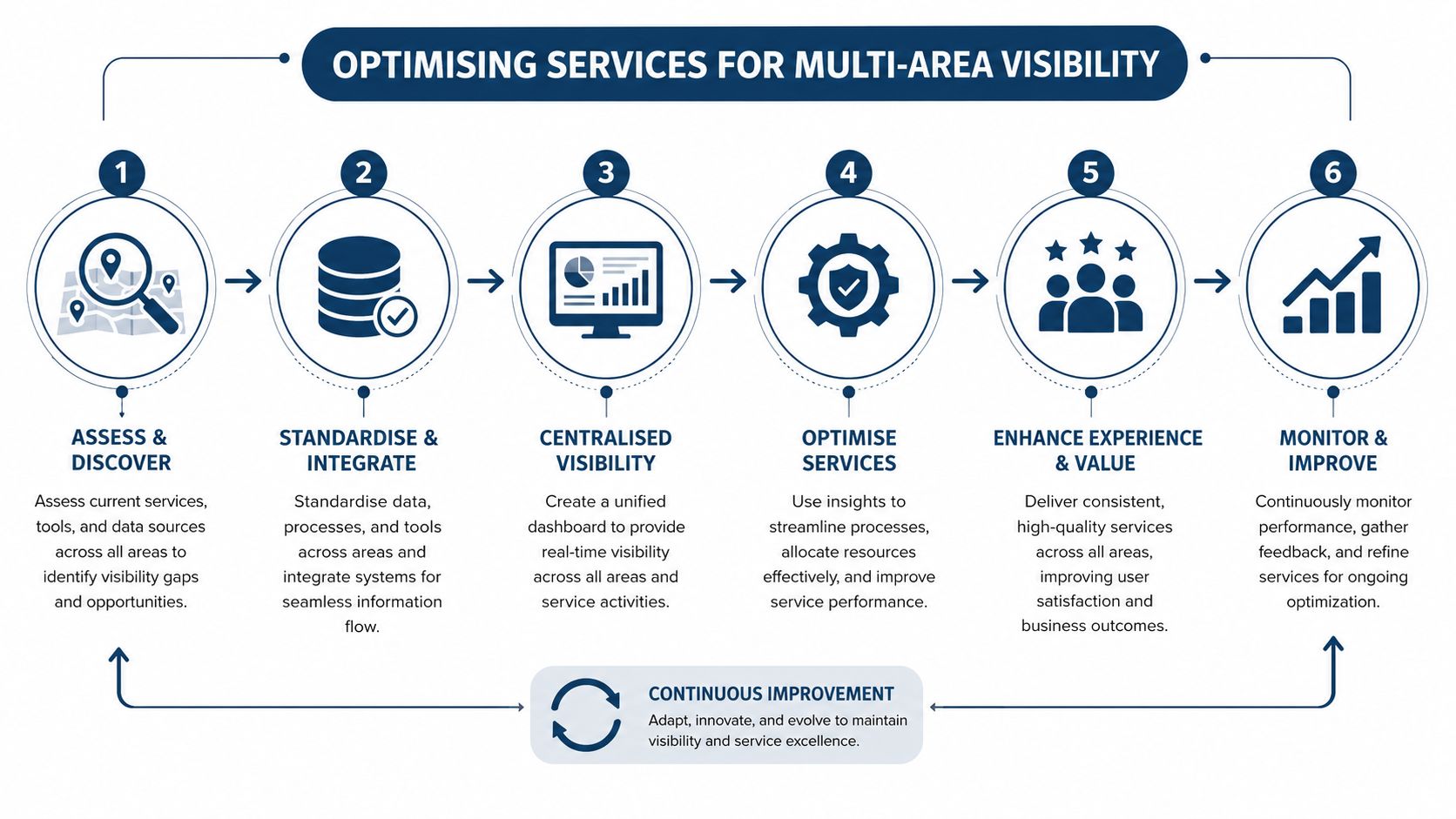
A single-town business can sometimes get away with generic wording. A business that serves several towns or boroughs usually can't. The service list has to work across geography, and that means thinking about where demand shows up rather than assuming the same wording lands everywhere.
Why geography changes the result
GBP visibility can vary sharply by location, even for the same service. A service that appears well in one town can be weak in the next one over, which is why a service-area business needs location-aware validation instead of blanket assumptions. The key question is not just whether the service is listed, but whether it surfaces in the map grid where you want enquiries.
That's where grid tracking becomes useful. A geo-grid view shows whether a service-led profile is visible across nearby areas, rather than only at the business address. For businesses working across multiple UK towns, that distinction matters because a strong service page alone doesn't guarantee local visibility everywhere.
How to frame services without overdoing location names
The wording should stay natural. You don't need to cram town names into every service title, and you shouldn't force awkward location variants into descriptions. Instead, make sure the underlying service is precise, then test how it performs across the area you serve.
A useful internal reference for this kind of planning is optimising a service-area business properly, because the logic changes once the business is judged across more than one town. Nearby areas often behave differently, so the profile has to be checked where the customers are, not only where the office sits.
What to adjust when locations differ
- Promote the service in areas where it already appears and converts well.
- Rewrite the service if it's clear at the office location but weak in outer towns.
- De-emphasise the service if it isn't showing up in the places that matter.
- Test again after changes so you're reacting to evidence, not assumptions.
The most useful mindset is local, not generic. Multi-area businesses win when the profile reflects where demand exists, not just where the business happens to be based.
Tracking the Impact of Your Service Optimisations
Optimising the Services section without measurement is just tidy guesswork. The useful signals are the ones Google already exposes in profile performance, especially calls, direction requests, website clicks, bookings, and chats. Those actions show whether the profile is producing enquiries, not just collecting impressions.
Read the right signals together
A service edit should be judged against two things, visibility and action. If the profile starts showing up better in the right places but engagement does not move, the wording may still be too broad, or the services may not match user intent closely enough. If engagement rises but the enquiries are poor quality, the profile may be attracting the wrong work.
That is why reporting should link back to the exact service changes you made. A sharper title, a clearer description, or a re-ordered list can all change how users read the profile. You do not need a complicated dashboard to spot that, just a disciplined habit of recording what changed and when. Pair that with insight reporting and the view becomes clearer, especially when you are comparing service intent against local demand.
Do not judge one edit in isolation. Judge the pattern after the profile has had time to settle.
Make reviews part of the same loop
Quarterly review works well for most businesses. Recheck whether the top services still match demand, whether the descriptions still reflect the work you want, and whether any low-value entries are cluttering the list. That keeps the profile aligned with changing customer behaviour without forcing constant tinkering.
A sensible review cycle is simple. Look at the services that drive meaningful actions, keep the ones that still fit your margin and capacity, and move the weaker ones down or out. That is where trade-offs show up, because a service that brings calls can still be the wrong service if it attracts poor-fit jobs or eats too much operational time.
The profile should evolve as your business does. If a service is profitable, converts well, and shows up in the areas you want to win, give it more prominence. If it fills the inbox with low-value leads, treat that as a signal to adjust the wording, reduce its priority, or remove it from the front of the list.
