 Skip to content


Most advice on how to optimise business photos on Google Business Profile starts with the wrong question. It obsesses over whether you should geotag every image, rename files with keywords, or add alt text, even though Google's own help pages only confirm basic file standards and visual quality, not those metadata tricks as ranking inputs. If you want more calls, more direction requests, and a stronger profile, the better question is simpler: which photo practices are worth your time, and which ones just feel clever?
For UK businesses, photo optimisation is a practical local SEO job, not a design exercise. Google has reported that businesses with more than 100 photos received 520% more calls and 2,717% more direction requests than average, which makes photo volume a real customer-action lever, not just a vanity metric (Google Business Profile photos guide). The job is to build a gallery that looks real, loads cleanly, and proves you're active.
Table of Contents
- What Actually Influences GBP Photo Performance
- Technical Specifications for GBP Photos
- Building a Complete Photo Gallery by Category
- Upload Workflow and Performance Tracking
- Competitor Photo Audit Using VisiLocali
- Monthly Photo Optimisation Routine
What Actually Influences GBP Photo Performance
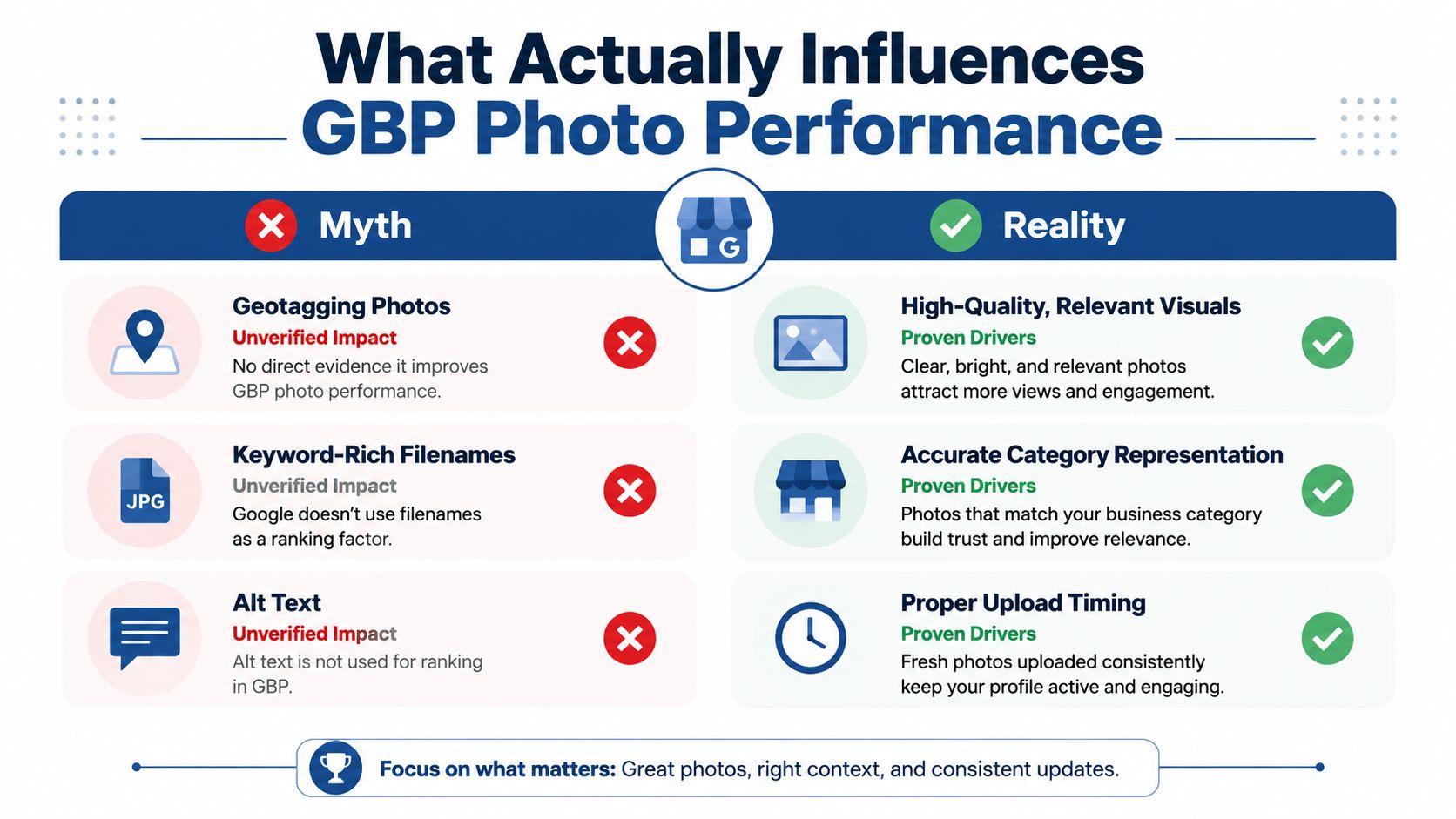
Geotagging gets talked about far more than it deserves. Google strips EXIF metadata on upload, so the location data baked into your camera file does not give you a meaningful visibility advantage, and Google's help pages do not treat filenames or alt text as ranking signals either (photo optimisation guide, Google photo quality help). The usual hacks are mostly cosmetic.
What Google cares about
Google gives a clear quality bar. Photos should be in focus, well lit, and should represent reality (Google photo quality help). In practice, a clean exterior shot that helps someone find your shop is more useful than a dramatic but misleading image of a generic storefront. A picture that matches what customers will see when they arrive also cuts friction after the click.
Practical rule: if a customer would feel misled by the photo, it is the wrong photo.
The clearest performance signal in the available data is still volume. Google's own reporting on businesses with more than 100 photos links that level of coverage to much stronger call and direction behaviour (Google Business Profile photos guide). That does not mean you should spam uploads. It means you need enough real images across the business to make the profile feel active and trustworthy.
What stays in the cosmetic bucket
Keyword-rich filenames, alt text, and geotags can help your internal workflow if you use them to stay organised. They do not have proven influence on Maps visibility in the UK from the sources available here. The safer play is to treat them as admin conveniences, not ranking levers.
The same applies to freshness. Fresh uploads are useful because they keep the profile active, and current optimisation guidance suggests 4 new photos per month or 1 to 2 photos per week to avoid a stale listing (Google Business Profile photos guide). That cadence is a content habit, not a magic algorithm trigger.
VisiLocali's local SEO best practices are a sensible reference point if you want the broader profile work around photos to stay consistent.
Technical Specifications for GBP Photos
A lot of photo work fails before the image is even judged. Google's accepted constraints are narrow enough that you can avoid most rejections by checking format, size, and dimensions before upload. For GBP photos, the safest baseline is JPG or PNG, a file size between 10 KB and 5 MB, and a minimum size of 250 × 250 pixels, with 720 × 720 pixels the recommended standard for clear display (photo specs guide, photo optimisation guide).
The settings that matter most
A square image usually works best for standard profile photos. If you upload a smartphone image shot at 4000 × 3000 pixels, that's usually far too large for a clean GBP workflow, so resize and compress it before posting. The goal is not to preserve every raw pixel, it's to keep the image sharp after Google processes it.
Cover images are a bit different. Several current guides treat them as 16:9, with 1080 × 608 pixels used as a practical example (photo optimisation guide). If you ignore that ratio, Google may crop the image in a way that cuts off signage, people, or important context. That's especially frustrating for service-area businesses that rely on storefront visibility or branded vehicles.
GBP Photo Technical Requirements
| Specification | Requirement | Notes |
|---|---|---|
| File format | JPG or PNG | Use common image formats Google can process reliably |
| File size | 10 KB to 5 MB | Compress oversized files before uploading |
| Minimum size | 250 × 250 pixels | Lower sizes risk poor display or rejection |
| Recommended size | 720 × 720 pixels | Strong default for standard images |
| Cover ratio | 16:9 | Example format: 1080 × 608 pixels |
| Metadata | EXIF geotagging not useful | Google strips EXIF on upload |
These limits exist for a reason. Files that are too large can upload badly or get compressed harder than you'd like, while undersized images look blurry and make the profile feel neglected. If you're choosing between a crisp phone photo and an over-edited stock image, use the photo every time.
Clean compression beats fancy editing. A sharp, honest image in the right file range usually performs better than a large, overworked file that loads badly or looks artificial.
How to use Google Business Profile Manager is a useful internal resource if you need the operational side of uploads to stay tidy after the images are prepared.
Building a Complete Photo Gallery by Category
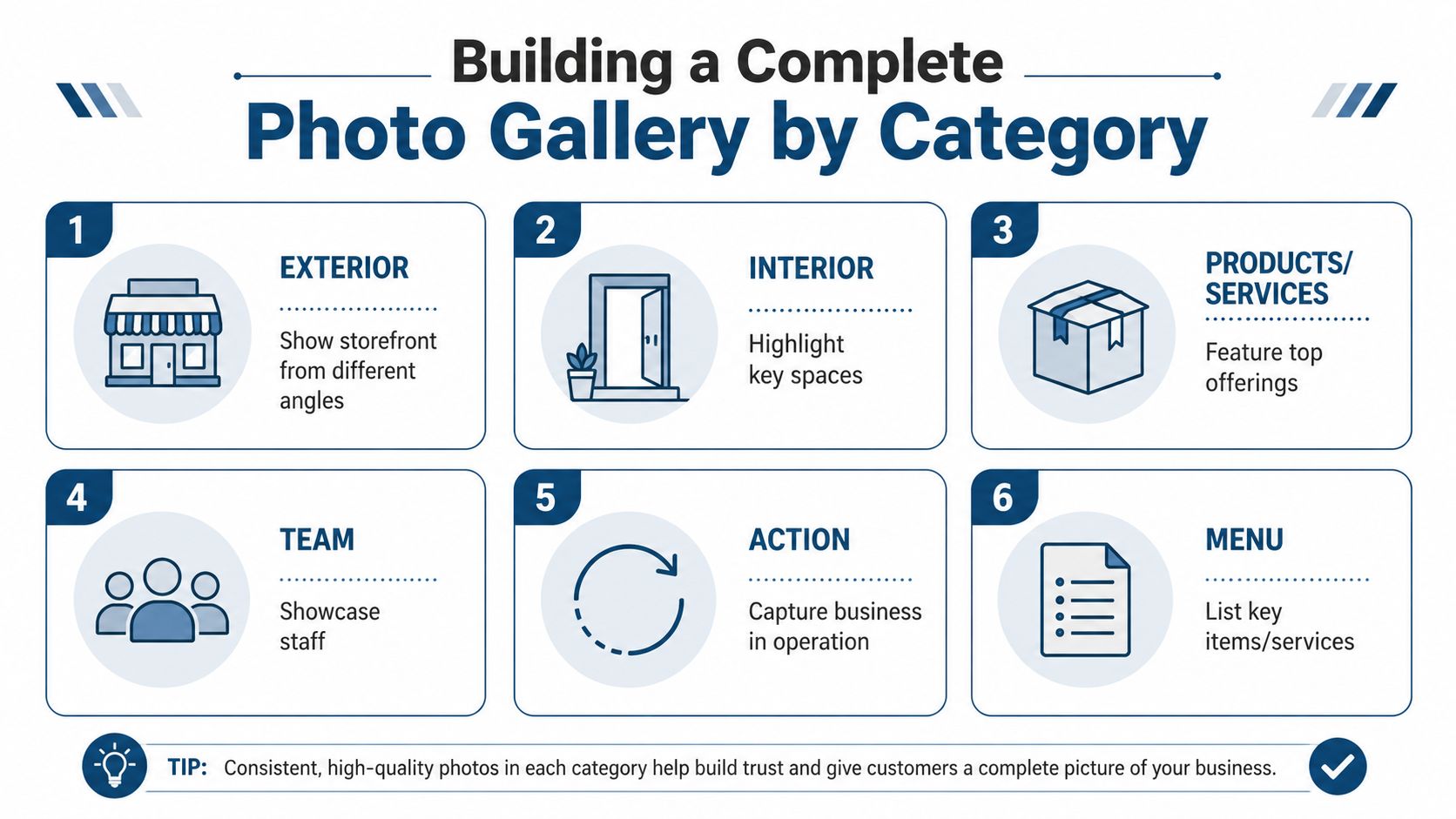
A strong gallery doesn't happen by accident. It comes from coverage, meaning the profile answers the obvious customer questions before they ever call. At minimum, a useful gallery should include at least three images in your core categories, so the profile doesn't overrepresent one angle of the business while ignoring the rest (photo optimisation guide).
Build around the categories customers actually use
Exterior photos matter because people need to recognise where to go. Shoot the front of the building from more than one angle, especially if the entrance is tucked away or the signage is small. Include daylight shots and, if relevant, a night-time view so visitors can match the building to what they see on arrival.
Interior images do a different job. They show space, cleanliness, atmosphere, and scale. A restaurant should prioritise seating, lighting, and table presentation. A clinic should show reception, waiting areas, and the general feel of the space without crossing privacy lines.
Team photos build trust fast. Customers want to know a real business is behind the listing, not a shell account with generic visuals. Keep these natural, well lit, and current, not over-styled.
Match the gallery to the business type
A restaurant needs stronger food, menu, and ambience coverage than a trades business. A plumber benefits more from team, tools in use, and completed work photos than polished interiors. The point is relevance, not symmetry.
Products or services photos should show the actual offer, not a broad brand concept. For example, a salon can show cut and colour results, while a dentist can focus on treatment rooms and service-specific equipment without being clinical to the point of looking cold. The best galleries make the business understandable in seconds.
Google's reporting that businesses with more than 100 photos see stronger calls and direction requests makes this category work more than aesthetic decoration (Google Business Profile photos guide). It's a coverage benchmark, not a design prize.
Upload Workflow and Performance Tracking
Bulk dumping every image at once is a bad habit. It makes it harder to see which photos help, and it usually leads to a messy gallery where the weakest assets stay live because nobody has reviewed them. A controlled workflow works better, because you can compare uploads against profile behaviour instead of guessing.
Use the GBP app in small batches
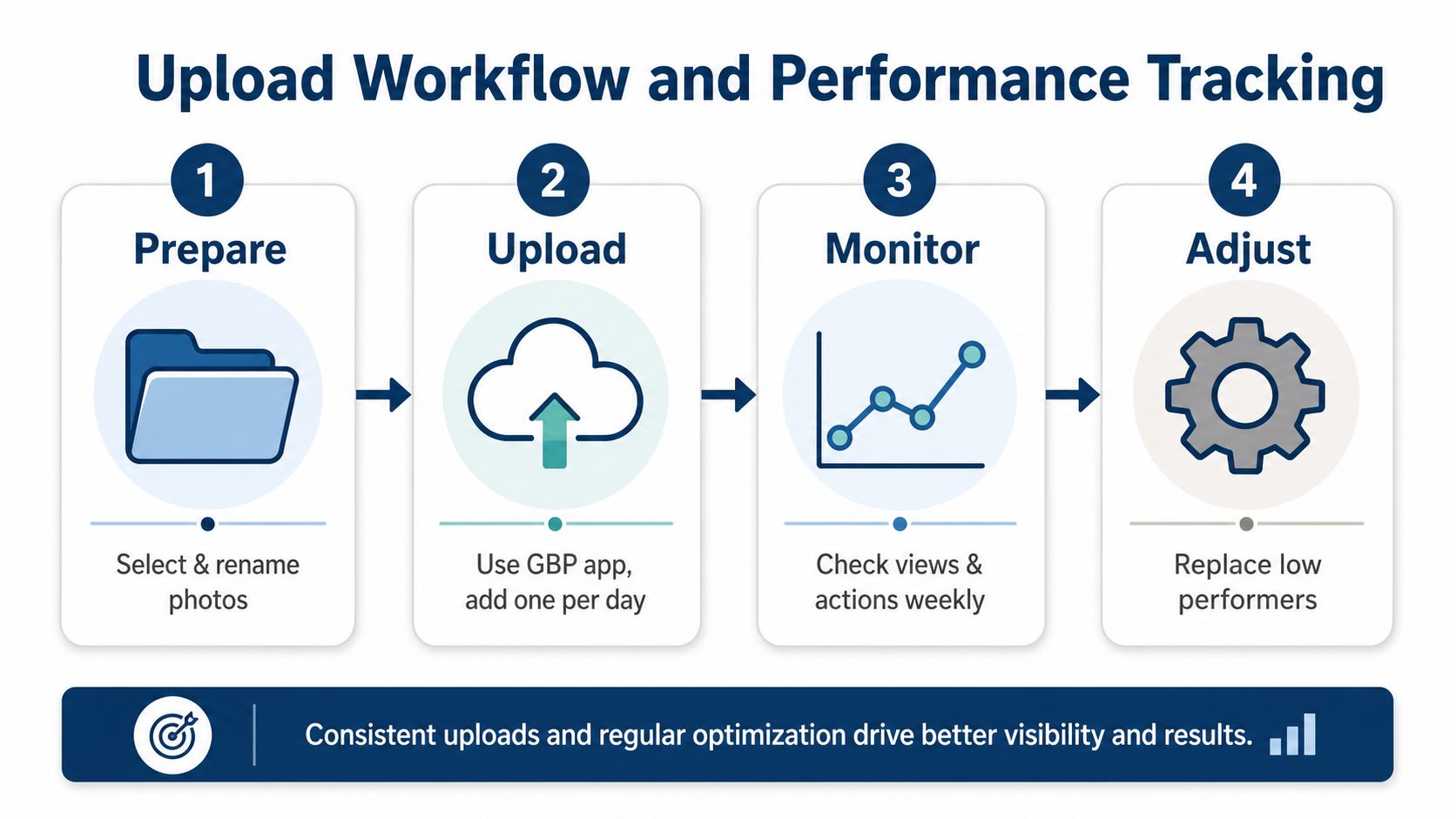
Google's Business Profile app supports selecting multiple photos or videos in one action (Google Business Profile app help). That makes it easy to upload in batches, but small batches are still the smarter move. A few photos at a time makes it easier to spot which visual themes are gaining traction and which ones are dead weight.
The working cadence that keeps profiles fresh is 4 new photos per month or 1 to 2 photos per week (Google Business Profile photos guide). That's enough to show activity without flooding the profile with near-duplicates. If you shoot a month's worth in one session, stagger the uploads so the gallery doesn't go stale overnight.
Read Insights like a local SEO report
GBP photo Insights should tell you which images get views and which ones get ignored. Use that to replace poor performers instead of assuming every upload deserves to stay live. If exterior shots outperform generic branded images, keep shooting more usable arrival photos. If team images underperform but service images attract attention, shift the next batch accordingly.
Best-performing photos usually solve a customer question. They show where to go, what the space looks like, who they'll meet, or what the service actually involves.
The key is to keep your upload process tied to action, not vanity. How to use Google Business Profile Manager is the right place to keep that workflow organised, especially if you're managing more than one location or handing the work between staff.
Competitor Photo Audit Using VisiLocali
The fastest way to improve a gallery is to compare it with what nearby competitors are already doing. Not to copy them, but to identify what they've missed. If your rivals all have exterior shots and you don't, that's an immediate weak point. If they all ignore team photos, that's a visible opportunity to build trust where their profiles feel anonymous.
Compare coverage, not just appearance
A useful audit looks at photo count, category coverage, and freshness side by side. Profiles with strong counts and regular updates tend to feel more active, which matters when customers are scanning several options in the same map view. VisiLocali's Profile Analyser is built for this kind of comparison because it places your profile alongside statistically competitive businesses and selected competitors, so the gaps are easy to spot.
That matters because a nice-looking gallery can still be incomplete. A solicitor might have polished office shots but no team images. A trades business might show vehicles but no completed jobs. These aren't aesthetic mistakes, they're trust gaps.
Turn the audit into actions
Use the audit to list quick wins first. Outdated exterior shots should be replaced before you spend time on polished brand visuals. Missing category coverage should be fixed before you chase extra uploads. If nearby competitors have stronger coverage in a specific service line, your next photo batch should answer that weakness directly.
VisiLocali's AI-powered recommendations analyse your profile and competitor data together, which helps turn the audit into practical tasks rather than a vague scorecard. Its geo-grid rank tracking also shows where visibility is stronger or weaker across the map, so you can see whether your photo changes align with better local performance in the areas that matter.
How to analyse local competitors is the right resource if you want to structure that comparison properly without guessing what nearby businesses are doing.
Monthly Photo Optimisation Routine
A monthly routine keeps photo work from turning into a one-off admin chore. The businesses that stay visible are usually the ones that make photo updates part of the calendar, not something they remember after a slow week. The routine doesn't need to be fancy. It just needs to be repeatable.
Keep the loop short and honest
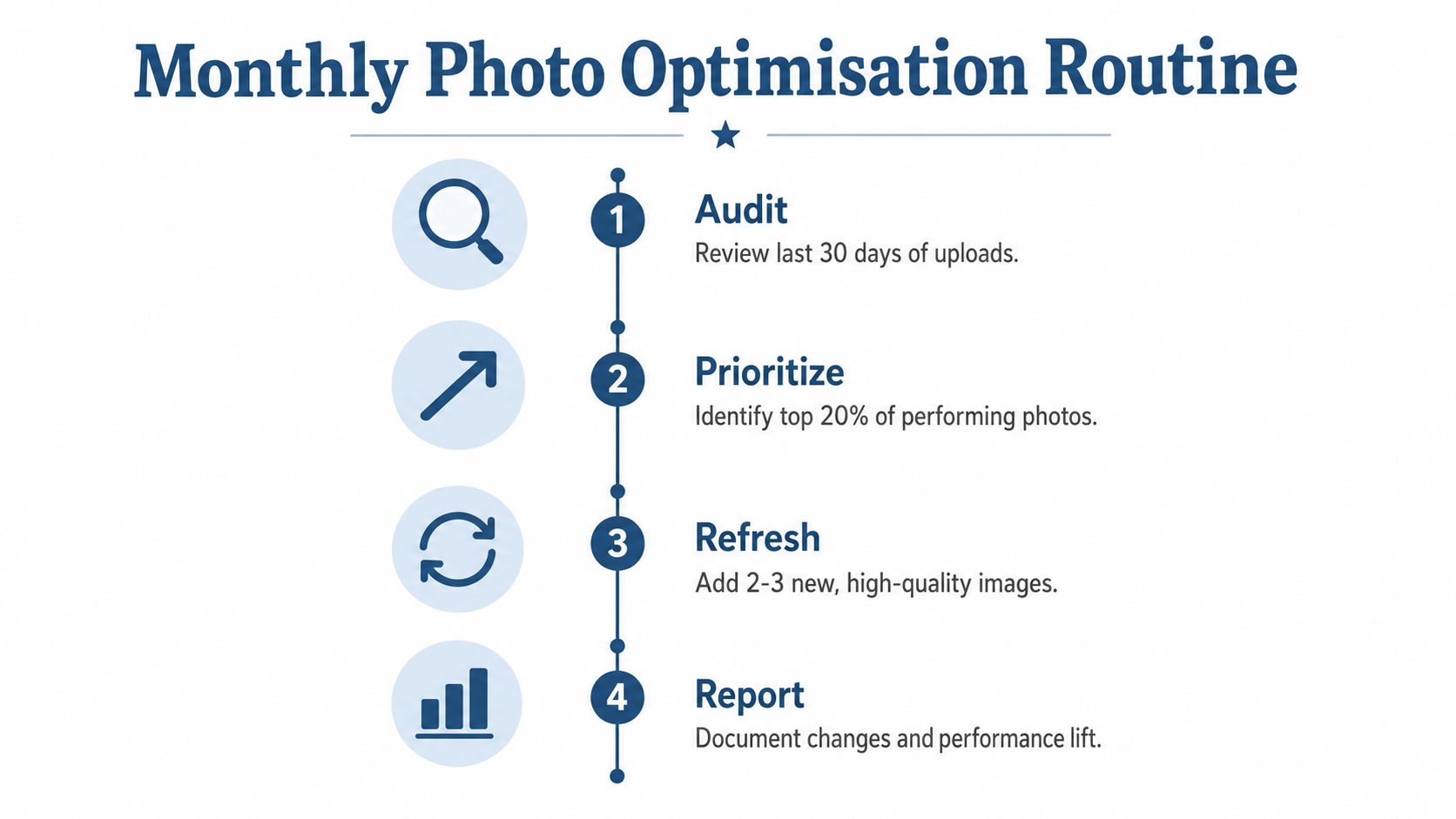
Start with an audit of the last month's uploads. Check which images gained attention and which ones didn't. Then prioritise the top-performing themes, not the prettiest shots. That usually means more of whatever made the business feel real, easy to find, and easy to trust.
Next, refresh the gallery with 4 to 8 new photos across the priority categories. If you're short on budget or photography skills, a smartphone is fine as long as the light is good and the image is sharp. Natural daylight, a steady hand, and a clean frame will beat a bad professional image every time.
Make reporting part of the habit
Track changes after upload, not just the uploads themselves. VisiLocali's performance reporting gives you daily metrics, which makes it easier to see whether fresh photos are supporting the profile over time instead of disappearing into the noise. That's especially useful if multiple people manage the profile and nobody wants to rely on memory.
A simple monthly rhythm works best:
- Audit: Review the last 30 days of uploads and remove weak patterns.
- Prioritise: Focus on the categories that already attract attention.
- Refresh: Add a small batch of strong, current images.
- Report: Record what changed and what happened after.
If you treat GBP photos as an ongoing operating task, not a design project, the gallery stays relevant and the profile keeps earning attention. Use VisiLocali's Analysers to benchmark your own profile against competitors, then book a monthly photo review and keep your next upload batch tied to what the data shows.
