 Skip to content
You've just searched for your own business on Google and found nothing useful. Perhaps you're a plumber serving several towns, a solicitor with an office above a shop, or a local retailer whose opening hours are wrong in Maps. Customers are already searching for what you do, but without a properly created and maintained Google Business Profile, they may struggle to find, contact, or trust you.
Google My Business is now called Google Business Profile. Creating the profile is only the starting point. The businesses that gain practical value from it treat verification as the launch line, then build accurate information, useful content, authentic reviews, and ranking visibility around it.
Table of Contents
- What a Google Business Profile Does for Local Visibility
- Preparing to Create Your Profile the Right Way
- Claiming or Creating Your Google Business Profile
- Verifying Your Profile and Getting It Live
- Optimising the Profile in the First 30 Days
- Fixing Common UK Setup Problems
What a Google Business Profile Does for Local Visibility
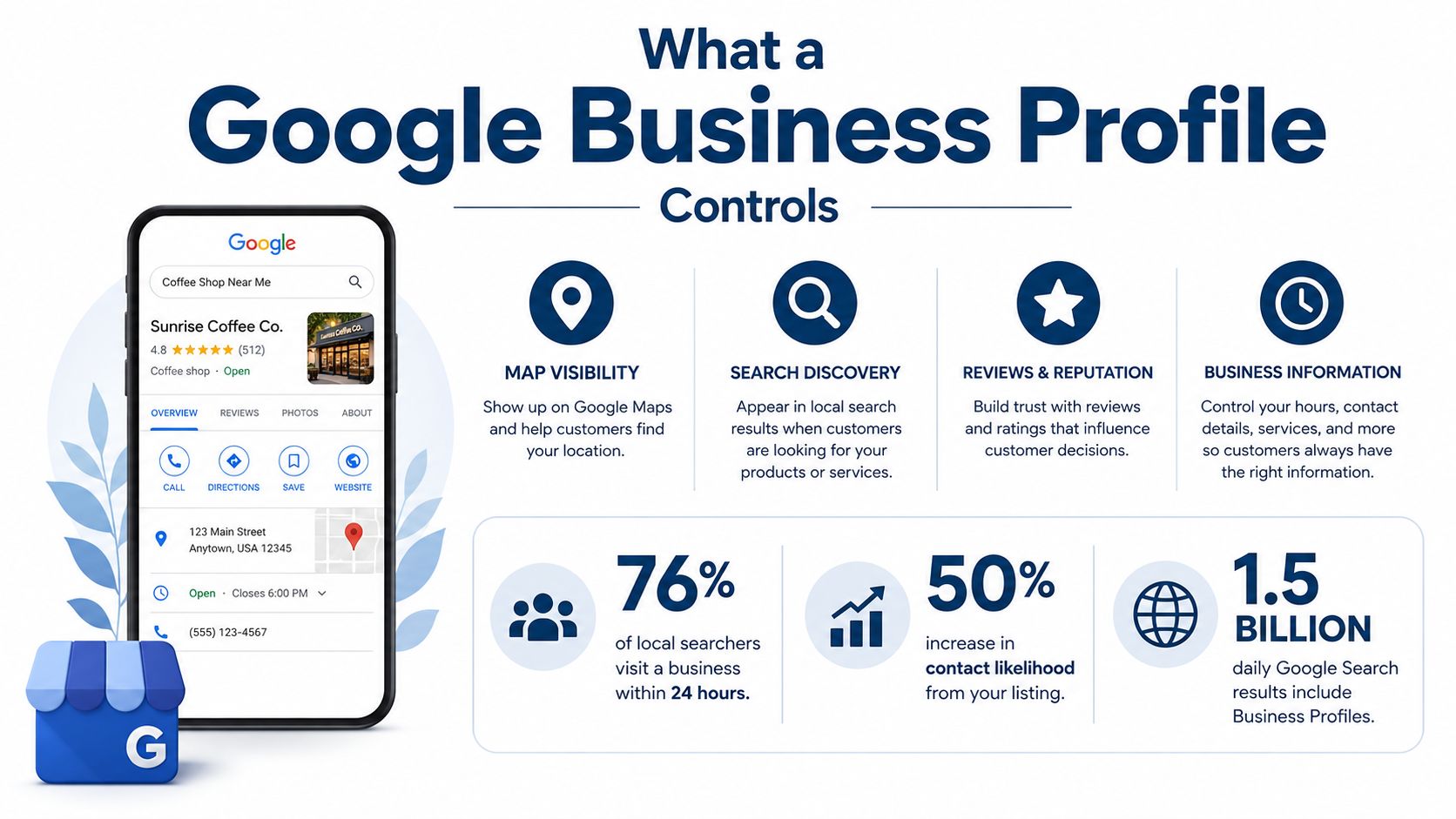
A Google Business Profile controls the information customers see when your business appears in Google Search and Google Maps. That can include your business name, category, address or service area, phone number, website, opening hours, photos, reviews, posts, directions, and contact actions.
For a corner shop, it can help a nearby customer check whether the shop is open. For a heating engineer, it can present a phone number and service area when someone searches for boiler repairs. For a solicitor, it can provide directions, website details, and reassurance through reviews. Google confirms that a listed business can be found on Google Search and Google Maps, making profile creation a foundation for local visibility rather than an optional directory exercise.
The profile also creates a measurable connection between search demand and customer action. Google's Business Profile Performance report can show activity such as searches, views, website clicks, calls, and requests for directions. That means you can assess whether people are discovering the business and what they do next, rather than relying only on vague impressions.
Practical rule: Treat the profile as a demand-capture asset, not as a form you complete once and forget.
BrightLocal's Google My Business Insights study found that an average local business in the UK appeared in 1,009 searches per month, including 157 direct searches and 852 discovery searches. Discovery searches accounted for 84% of searches in that result, while direct searches accounted for 16%. The study also reported a UK sample with 887 total monthly searches and the highest proportion of direct searches among the regions measured, at 19%. These historical figures show why a profile needs to target both people who already know the business and people looking for a service without a brand name in mind.
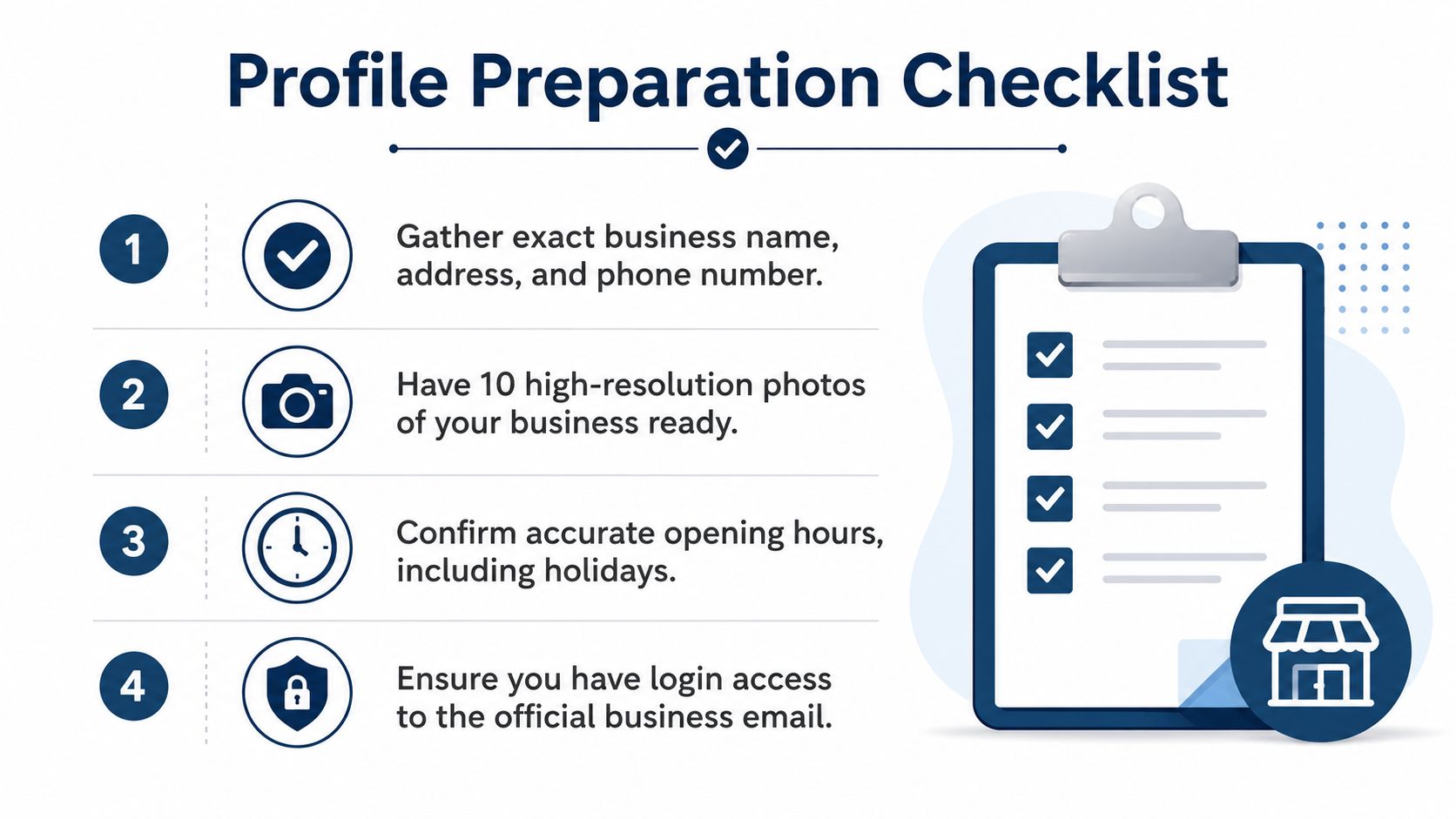
Before you open the dashboard, gather the facts that Google and customers need:
- Business identity: Use the trading name, not a string of keywords.
- Customer access: Decide whether people visit a public premises or whether you travel to them.
- Contact route: Prepare the phone number and website customers should use.
- Operating details: Confirm normal opening hours and UK bank-holiday arrangements.
- Proof of legitimacy: Keep signage, equipment, vehicles, or location evidence ready if Google requests verification.
If you want the wider ranking context before you begin, use this practical guide to rank in Google Maps. The immediate objective is simple: make the profile accurate enough to verify and complete enough to help a customer choose the next action.
Preparing to Create Your Profile the Right Way
Most avoidable problems start before the first field is completed. Someone uses a personal Gmail account, guesses a category, copies an old address, and discovers later that Google wants proof of a location the business no longer uses. A short preparation check prevents that chain of errors.
Build a reliable information pack
Use a Google account controlled by the business, ideally an official business email rather than an employee's personal Gmail. If that employee leaves, the business shouldn't lose access to its profile. Add other trusted managers through Google's access controls instead of sharing one password.
Prepare one reference document containing:
- Exact business name: Match the name used on your website and formal business materials. Where applicable, check the registered name against Companies House, while remembering that the public trading name must still follow Google's business representation rules.
- NAP details: NAP means name, address, and phone number. Record the exact spelling, punctuation, postcode, and telephone format you'll use everywhere.
- Category options: Choose the most accurate primary category. Secondary categories should describe actual additional services, not every phrase you'd like to rank for.
- Opening hours: Include normal hours, seasonal closures, and UK bank-holiday special hours.
- Service areas: List the towns, cities, or areas served by a mobile business.
- Media: Have at least 10 high-resolution photos ready, a common first-time completion benchmark in UK guidance such as this Google Business Profile guide for UK businesses.
Choose the correct business model
A storefront business has a location customers can visit. Use a real address that can receive mail, and make sure the map pin sits accurately on the premises.
A service-area business travels to customers, such as a roofer, electrician, cleaner, or mobile mechanic. If customers don't visit your premises, hide the public address and define the areas you serve. Sole traders working from home should normally avoid displaying their home address publicly. This is one of the most important distinctions in the Google Business Profile address guidance.
Once those decisions are made, the dashboard sequence is straightforward. Sign in, search for the business, claim an existing listing if one appears, or create a new profile if it doesn't. Don't rush the category or address choices. They affect the verification path and the profile's ability to match relevant local searches.
Claiming or Creating Your Google Business Profile
Start by signing in to the business-owned Google account. Search the business name in Google Search or Google Maps before creating anything new. Google may already have an automatically generated listing, or another person may have created and managed it.
Claim the right listing
If the existing listing represents your business and is unclaimed, choose the option to manage or claim it. If another person controls it, request access rather than opening a duplicate. Google's UK help centre explains the distinction between adding a business and claiming an existing profile, and its guidance warns that a business should have only one profile.
Duplicates create ownership confusion and can split customer signals between listings. Check the business name, telephone number, address, website, photos, and map location before deciding whether the listing is yours. If the details are wrong but the business is clearly the same, claim it and correct the information instead of starting again.
Complete the core fields carefully
Google's setup flow asks for the business name and primary category first. Choose one category that describes the main business accurately. A roofing contractor should not select several loosely related categories just because they sound valuable. The primary category should reflect the service customers most commonly associate with the business.
Next, choose the location model:
- Customer-facing premises: Enter the genuine address, check the map pin, and use an address that can receive verification mail.
- Mobile service business: Hide the address and enter the towns or areas where you provide services.
- Mixed operation: Show the public premises if customers visit it, then add service areas only where they represent real coverage.
Add the public phone number and website. Use a number that customers can answer, not a temporary personal mobile that may disappear when staff change. Write a concise description that explains what the business does, where it operates, and what customers can expect. Don't stuff it with repeated keywords or add promotional claims that make the profile look unnatural.
Enter normal opening hours, then plan separate special hours for bank holidays and temporary closures. Accurate hours reduce uncertainty for customers and prevent the profile from displaying warnings when the business is closed.
Separate setup from verification
Save the profile once the core information is complete. Google will then present the verification methods available for that business. Availability varies by business type, region, account history, and other signals, so choose from the methods Google offers rather than expecting a particular route.
Verifying Your Profile and Getting It Live
Verification confirms that the person managing the profile has a legitimate connection to the business. It isn't a box to tick casually, especially for a service-area business with no public shopfront. Use the fastest available method in the dashboard, but prepare evidence before you submit anything.
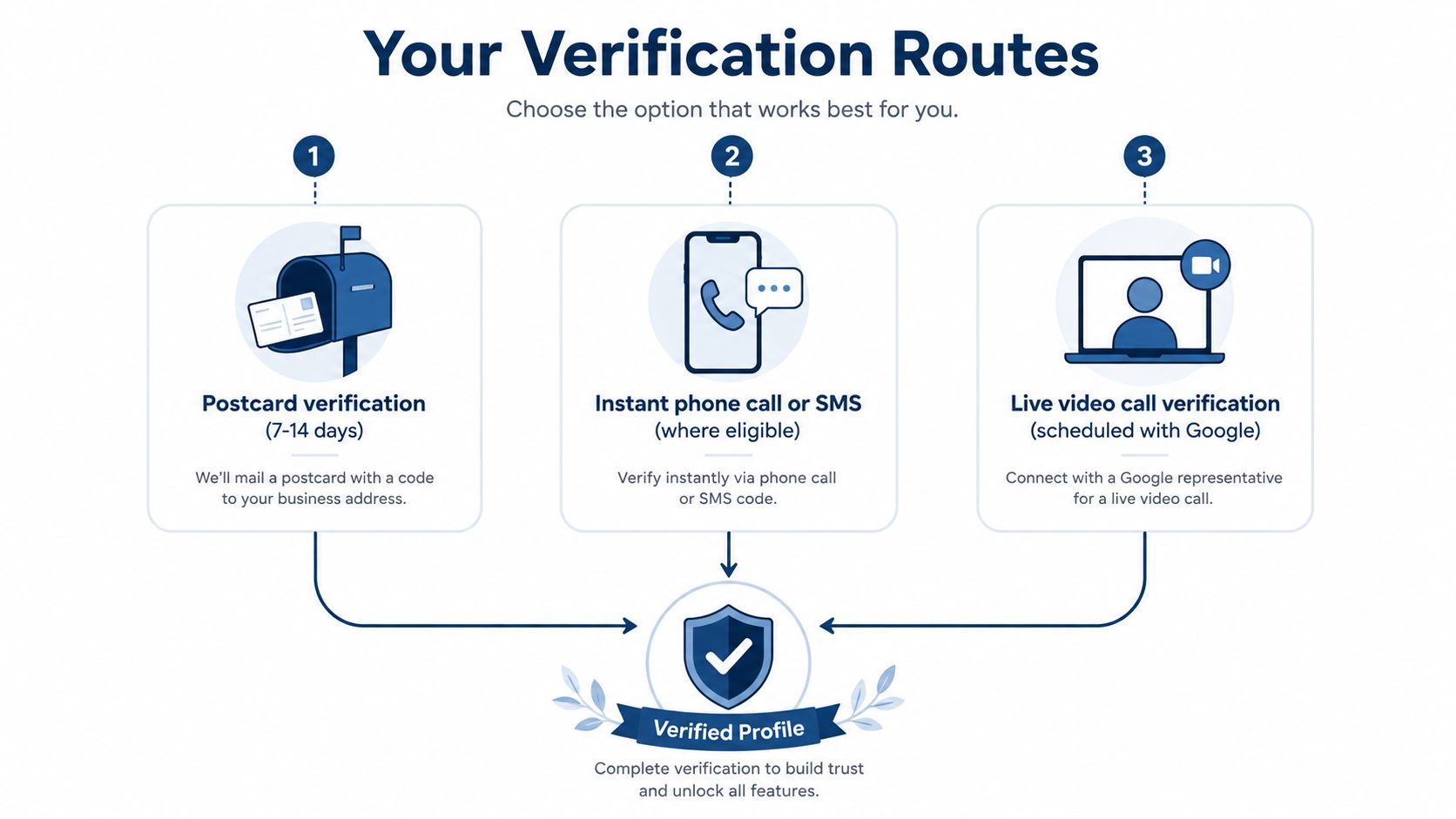
Google supports phone or text, email, live video call, and mail verification. Google's official Business Profile verification guidance says verification can take up to five business days. For UK businesses using a postcard, practical guidance commonly allows around 5 to 14 days for the code to arrive. Don't request repeated codes while waiting, because that can complicate the process.
Pick the available route
- Phone or text: Use this when Google offers a call or SMS to the business number. Keep access to the phone available and enter the code in the dashboard.
- Email: Use the listed business email if it's controlled by the organisation and you can access the verification message.
- Postcard: Make sure the address is real, complete, and able to receive mail. Don't use a virtual office, PO box, or an address where the business has no genuine operating connection.
- Live video call: Be ready to show the location, business signage, tools, vehicles, equipment, and your authority to manage the profile. The evidence should make the business and its operation clear without relying on a staged screen display.
Businesses with 10 or more locations may qualify for bulk verification, according to Google's Business Profile support materials. That route is more appropriate for a genuine multi-location operation than for a group of loosely related businesses.
Plan the first month before approval arrives
Verification doesn't guarantee ranking, and an approved profile may still be incomplete. Prepare the launch assets while you're waiting:
- Organise the photos: Include the exterior, interior, team, vehicles, equipment, completed work, and recognisable local context where appropriate.
- Write the first updates: Google's official process lets you select Posts, then Add post, as described in its Business Profile post instructions.
- Create a review request process: Ask real customers after completed work or a genuine purchase. Don't offer incentives or manufacture reviews.
- Prepare customer replies: Respond professionally to positive and negative feedback, focusing on the customer's issue rather than arguing publicly.
If verification fails, read Google's stated reason, correct the exact inconsistency, and submit the requested evidence. For deeper troubleshooting, review the common listing suspension causes before making another change.
Optimising the Profile in the First 30 Days
A live profile can still be weak. The first month should add evidence, answer customer questions, and establish a routine that keeps information current. The aim isn't to fill every feature for its own sake. Each update should help a searcher understand the business or take the next step.
Start with useful profile content
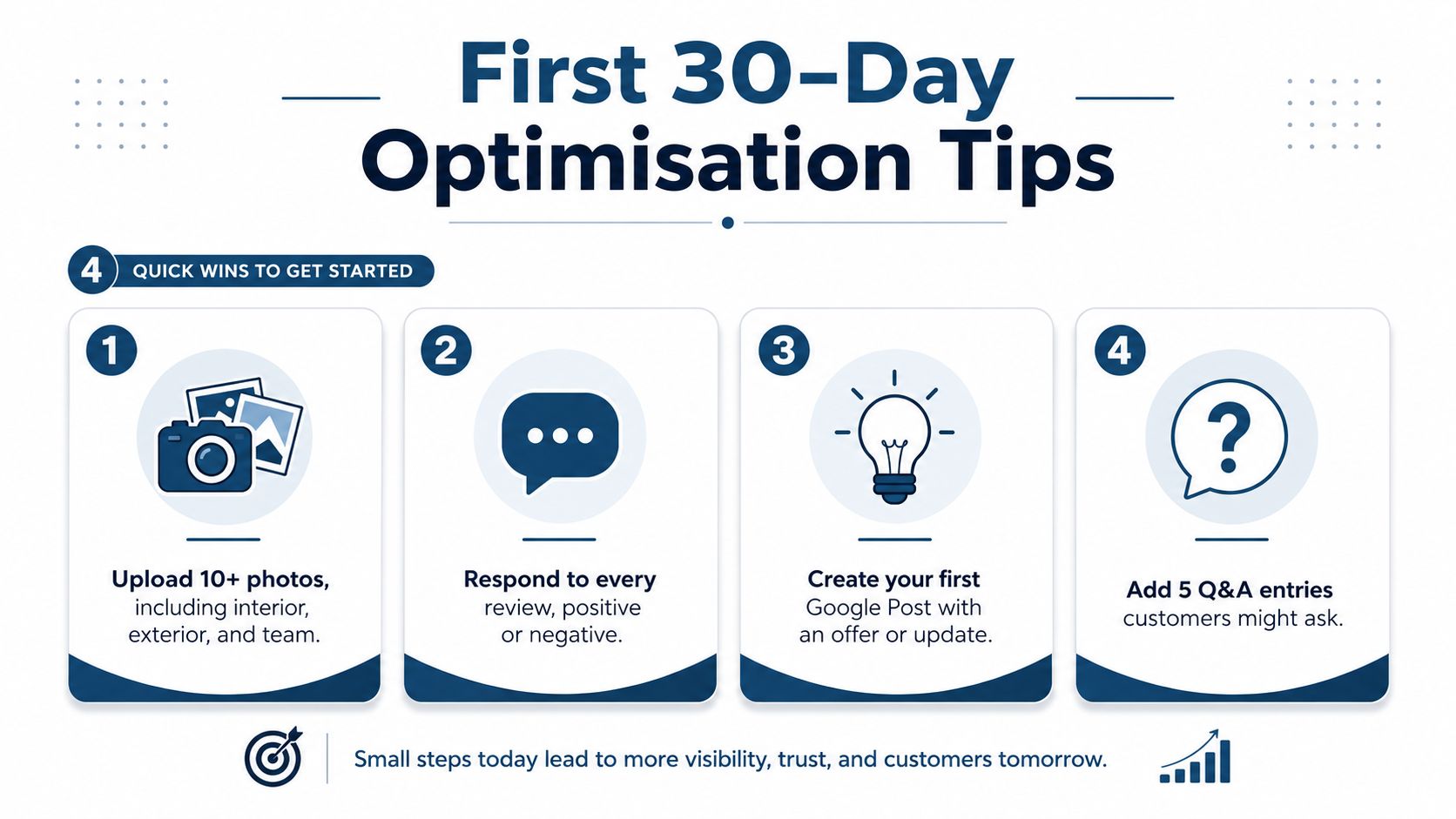
Upload at least 10 photos, following the practical UK completion benchmark shown in the preparation guidance above. A tradesperson might use completed jobs, branded vehicles, tools, and team images. A shop might show the entrance, shelves, products, counter, and accessibility features. Use clear, recent images rather than stock photography.
Publish a useful Google Post each week during the launch period. Use a completed project, seasonal service, appointment availability, customer notice, or relevant offer. Keep the wording natural and customer-focused. Google's Posts feature is useful because the update appears within the profile, where people are already deciding whether to call, visit, or click through.
Enable messaging if someone can answer promptly. An unanswered message channel creates frustration rather than convenience. Add relevant attributes, services, products, and Q&A information where Google makes those fields available for the business category.
Create a review routine
Ask genuine customers for feedback at a sensible point in the journey, such as after a completed installation or resolved service call. Give them a direct review link and make the request easy to understand, but don't tell them what rating or wording to use.
Reply to every review. A short, specific response demonstrates that a real business is paying attention. For a negative review, acknowledge the concern, avoid sharing private details, and offer an appropriate offline route to resolve it.
A review process works better when it follows the customer journey. Don't wait for people to remember unaided.
Set bank-holiday special hours before each relevant closure or altered opening period. This small operational detail matters to a UK audience because a normal weekly schedule may not apply on public holidays. It also prevents customers from relying on outdated hours.
Track what changes after launch. Search impressions alone don't explain whether visibility is localised around the premises or limited to a small area. A geo-grid scan shows ranking positions across a defined map, while competitor comparisons reveal whether another profile is stronger on categories, photos, reviews, posts, or completeness. Use those observations to decide what to improve next, rather than changing several fields without knowing what affected the result.
Fixing Common UK Setup Problems
Most profile problems have a recognisable cause. Diagnose the symptom first, then make one clean correction instead of repeatedly editing the listing.
NAP inconsistency: If the profile, website, directory listings, and signage use different business names, addresses, or telephone numbers, standardise them. Correct the profile and the website first, then work through important third-party listings. NAP means name, address, and phone, and consistency helps customers and Google connect the same business across locations.
Wrong primary category: Replace a broad or inaccurate category with the single option that best describes the main service. Don't add a keyword to the business name or select multiple categories as a substitute for a clear primary category.
Public home address: A sole trader serving customers at their properties should hide the home address and use service areas. If the profile already exposes it, edit the location settings, remove the public address where appropriate, and check the map view after saving.
Lost account access: Try the business-owned account, check existing managers, and use Google's ownership or access request process if another person controls the profile. Don't create a duplicate just because an employee or agency has disappeared.
Duplicate listings: Keep the verified profile that represents the business and request removal or merging guidance for the duplicate. Multiple profiles for one business can confuse customers and dilute management control.
Suspension or failed verification: Compare every field with the actual business, remove virtual-office or PO-box information, and prepare clear proof of location or service delivery. If Google asks for video evidence, show signage, tools, vehicles, equipment, and the operating environment rather than only a computer screen.
Bank-holiday hours may vary: Add special hours ahead of closures and altered schedules. Check them after publishing, then update them again when the seasonal arrangement ends.
Once the profile is stable, VisiLocali can turn it into a measurable local-ranking asset through Google Business Profile geo-grid scans, side-by-side competitor profile comparisons, and AI recommendations that identify practical next actions. That gives you a clearer view of where the profile ranks across nearby locations and which changes deserve attention first.
Start your VisiLocali 14-day free trial to track Google Business Profile rankings with geo-grid scans, compare your profile side by side with competitors, and receive AI insights and recommendations on the actions most likely to improve local visibility. Use the data after launch to keep improving a profile that ranks, not merely one that exists.
