 Skip to content

You open Google Maps on your phone, type in your main service, and there you are near the top. It feels reassuring. The problem is that this result often tells you more about you than about what your customers see.
That's where a proper Google Map ranking checker becomes useful. Not because checking rankings is exciting, but because bad rank data leads to bad decisions. If you think you're visible everywhere, you won't fix the areas where customers can't find you. If you rely on one quick search from your office, you'll miss how sharply rankings can change across a town, a suburb, or a service area.
Local SEO gets messy because Google Maps rankings aren't fixed in the way many people expect. They shift with location, context, and search behaviour. A result that looks strong from your premises can look weak a short distance away. That's why manual spot checks rarely give business owners data they can act on with confidence.
Table of Contents
- Why Your Google Maps Rank Is Not What You Think
- How to Manually Check Rankings and Why It Is Misleading
- The Professional Method Using a Geo-Grid Rank Tracker
- Interpreting Your Geo-Grid Scan Results for Insights
- Turning Rank Data into Your Next Marketing Actions
- Key Takeaways for Accurate Google Map Rank Checking
Why Your Google Maps Rank Is Not What You Think
Most business owners have done the same check. They search their service on their own phone, see themselves high up, and assume rankings are healthy. That's understandable, but it's often wrong.
Google doesn't show one universal set of map results. It tailors results to the person searching and the place they're searching from. So your screen can easily become a distorted mirror of your own business, not an honest view of the market.
Personalisation changes what you see
If you visit your own website, click your own Google Business Profile, search your own brand name, or request directions to your own location, Google picks up those signals. Over time, it can lean towards showing you businesses it thinks are relevant to you.
That means your search results may be nudged by:
- Your search history. Repeated searches for your own service or business name can bias what appears.
- Your device context. Mobile usage, app activity, and logged-in sessions can all shape results.
- Your previous interactions. If you've viewed your profile often, Google may treat it as especially relevant to you.
Your ranking isn't what you see on your own device. Your ranking is what customers see across the places they search from.
Proximity is the bigger trap
The second issue is proximity bias. In local SEO, proximity means how close the searcher is to the business when they search. Google Maps weighs that heavily. A business can appear strong close to its address and much weaker elsewhere.
That's why a single search from your office or home is so misleading. It measures visibility from one dot on the map. It doesn't measure your service area.
This matters even more for businesses that serve nearby towns, outer districts, or mixed urban and suburban areas. If you only judge performance by what appears near your base, you can easily overlook the areas where demand exists but visibility is poor. If your current Maps presence feels inconsistent, this guide on why businesses become invisible on Google Maps is a useful companion read.
How to Manually Check Rankings and Why It Is Misleading
Manual checks aren't useless. They can help you get a rough feel for how Google is presenting results in a moment. But “rough feel” is the key phrase. They're not dependable enough for strategy.
The basic manual process
If you want to check rankings by hand, keep the process as clean as possible:
- Open an incognito or private browsing window. This reduces some browser-level history effects.
- Log out of Google accounts if possible. That lowers some personalisation.
- Search the target keyword in Google Maps or Google Search. Use the phrase a customer would typically use.
- Change location settings where available. Try to view results from the town or area you want to test.
- Repeat the search for several locations. Check your office area, nearby districts, and priority service zones.
- Record what you see manually. Note the apparent position and the businesses shown around you.
Here's the visual summary.
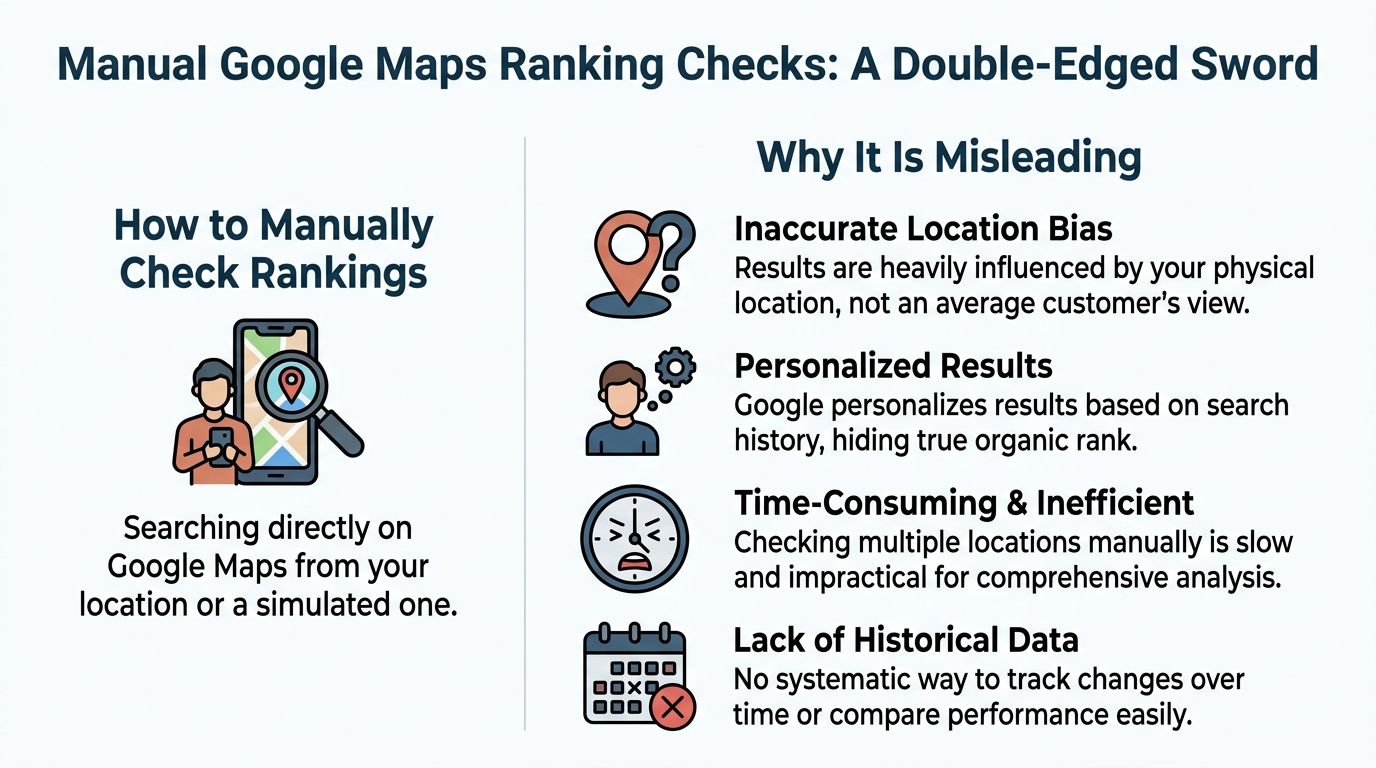
Why the result still isn't clean
Even after all that effort, the result is still shaky. Incognito mode doesn't erase location assumptions. Changing settings doesn't guarantee Google treats the search exactly like a real local customer search. Your connection, device, and search environment still leave fingerprints.
Manual checking also has another practical problem. It only shows isolated snapshots. You might test one street in one district and feel pleased, while another nearby area is effectively a blind spot.
| Feature | Manual Check | Geo-Grid Tool (VisiLocali) |
|---|---|---|
| Search neutrality | Partial at best | Designed to reduce personal bias |
| Area coverage | One spot at a time | Whole service area view |
| Speed | Slow when repeated | Faster for repeat scans |
| Consistency | Hard to replicate | Standardised setup |
| Historical tracking | Manual notes only | Structured comparison over time |
| Decision value | Limited | Much more actionable |
Practical rule: If a method only shows one location at a time, don't use it to decide your whole local SEO strategy.
There's also the issue of time. Once you start checking several keywords across several places, the task becomes repetitive and hard to maintain. Most business owners abandon it or rely on memory, and memory is terrible for rank tracking. If you want a quick way to compare your current options, this list of free rank checker SEO tools helps frame what manual checks can't do.
The Professional Method Using a Geo-Grid Rank Tracker
A proper Google Map ranking checker should show rankings across an area, not just from one point. That's the job of a geo-grid rank tracker.
A geo-grid is a map laid over your target area. Each point in the grid represents a search location. The tool checks how your business appears from each of those locations for a chosen keyword. Instead of one answer, you get a visibility pattern.
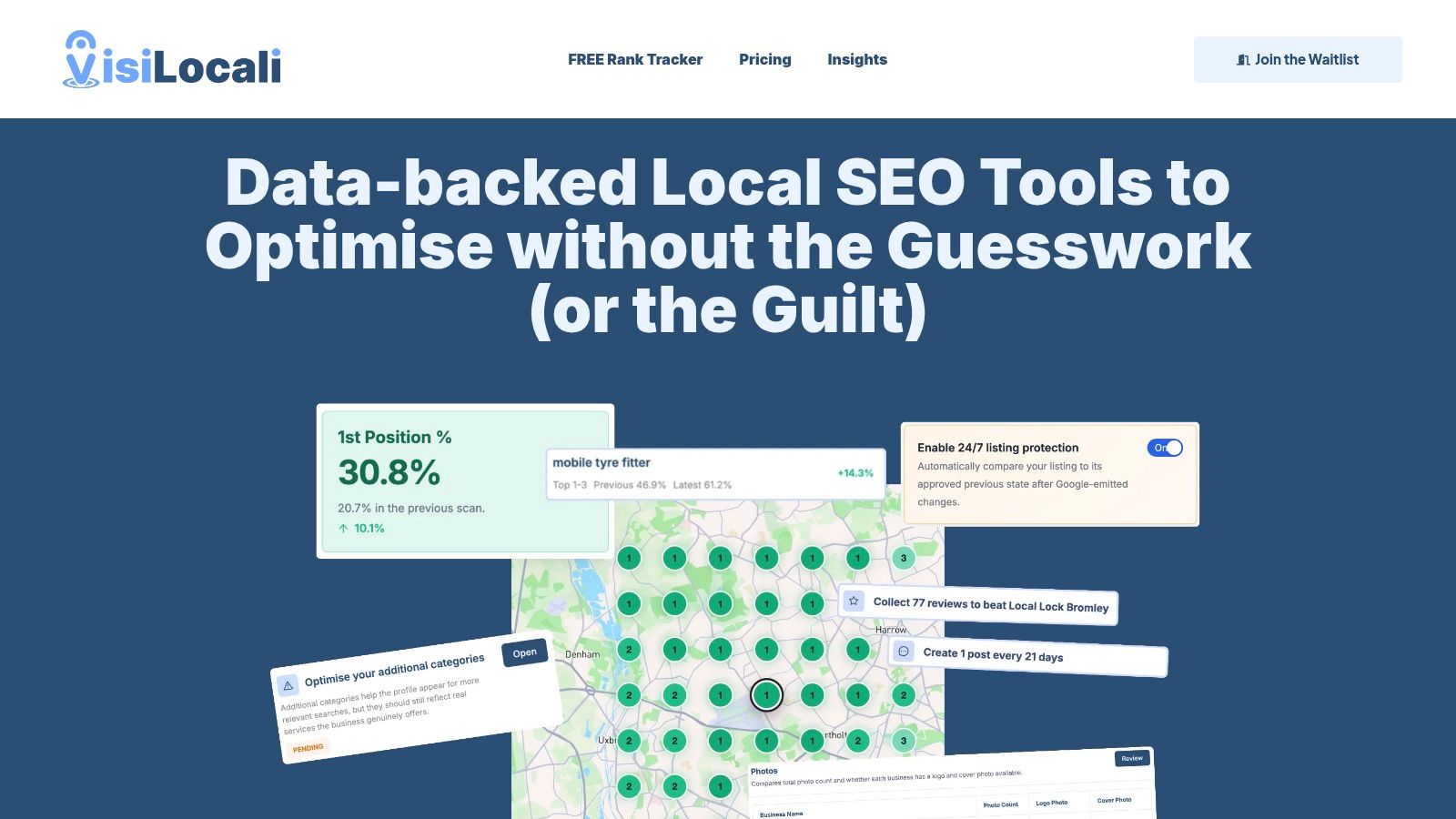
What a geo-grid actually shows
This changes the conversation completely. You're no longer asking, “Do I rank?” You're asking, “Where do I rank well, where do I drop off, and where are customers unlikely to find me?”
That distinction matters because local visibility is rarely even. One side of a town may be strong, another may be weak, and a nearby place name in the keyword may change the shape of the results again.
A geo-grid helps because it reveals:
- Coverage. You can see whether visibility is clustered close to your base or spread wider.
- Weak areas. Poor zones stand out quickly instead of hiding behind an average impression.
- Location intent. If customers search using a nearby town name, you can centre the scan there rather than at your office.
- Repeatability. The same scan setup can be run again later, which makes comparisons meaningful.
How to set up a useful scan
The quality of the scan depends on the setup. A careless grid produces noisy information. A thoughtful grid produces direction.
Three settings matter most:
Grid size
Choose a grid that matches how much detail you need. A smaller grid gives a broad pulse. A denser grid gives a more detailed shape of your visibility. For example, businesses often use options such as 5×5, 7×7, or 9×9 depending on how tightly or widely they want to inspect the area.
Distance between points
This controls how far apart each search location is. If your customers are spread across a wide region, broader spacing can make sense. If you care about neighbourhood-level differences, tighter spacing gives a clearer picture.
Scan centre
This is the setting many businesses overlook. The scan centre shouldn't always be your address. If you want to know how you perform in a nearby town for a keyword that includes that town name, set the scan centre there. That gives you a view anchored to the market you're trying to win, not just to your premises.
One example is VisiLocali, which supports geo-grid rank tracking with selectable grid sizes and a manually chosen scan centre. That setup is especially helpful when a business wants to understand how it appears in a target town rather than only around its own location.
A good geo-grid turns rank checking into area analysis. That's the difference between curiosity and strategy.
Interpreting Your Geo-Grid Scan Results for Insights
A grid full of coloured points looks useful, but its true value comes from reading the pattern properly. Don't stop at “green is good” and “red is bad”. The shape of the map usually tells a more interesting story than any single ranking position.
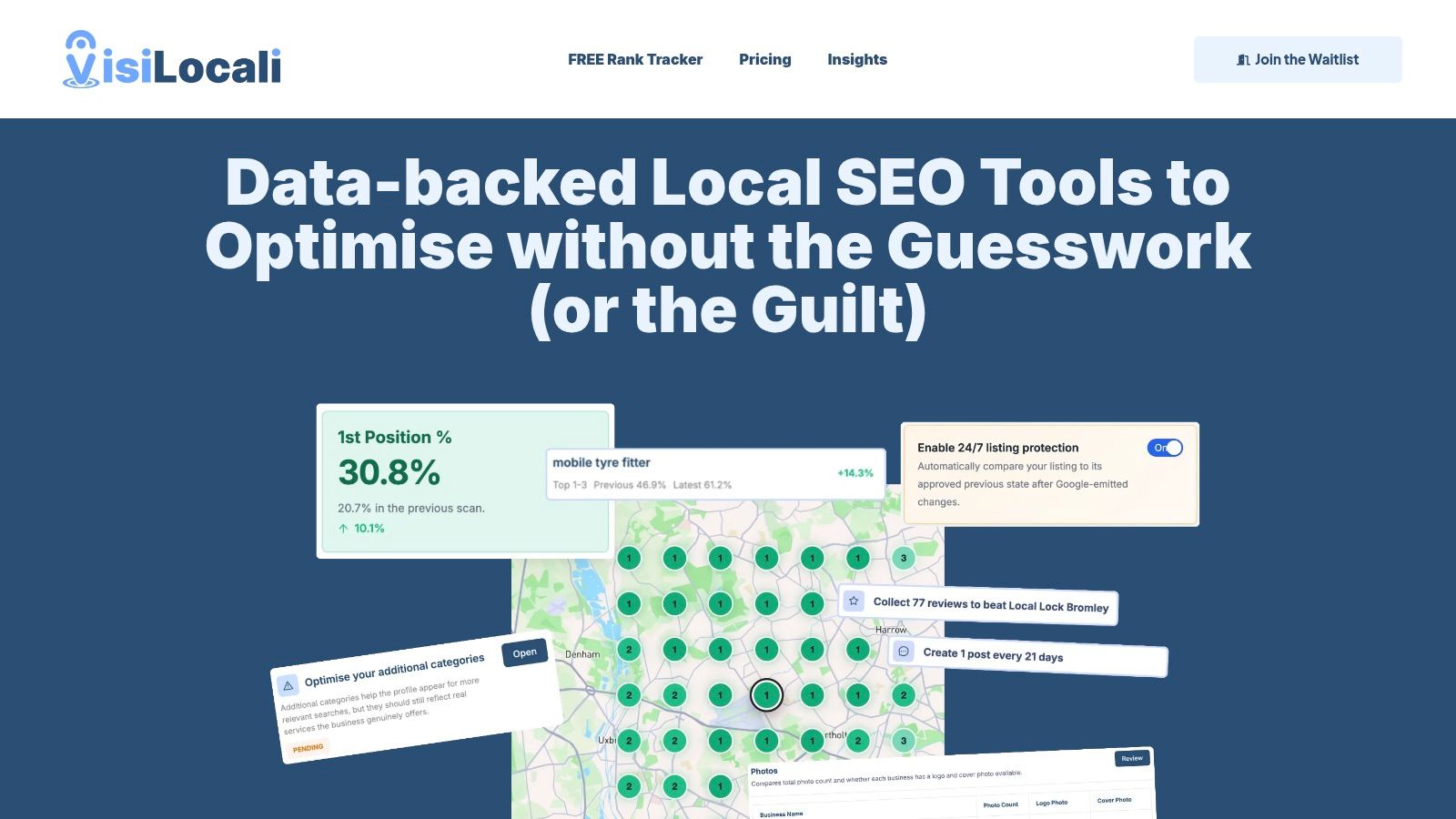
Patterns that matter more than single positions
Start by looking for drop-offs, clusters, and boundaries. A healthy scan usually shows some variation, but the variation should make sense. When it doesn't, there's usually something worth investigating.
Common patterns include:
- A tight strong core around your address. This usually means proximity is doing most of the work.
- A sudden drop in one direction. That can point to a competitor cluster, weak local relevance, or a target area where your presence feels thin.
- A strip of poor performance through the map. Sometimes roads, district boundaries, or different search behaviour create a visible dividing line.
- An isolated pocket of strength away from your base. This can happen when your business is especially relevant to one suburb or town term.
A diagonal line of weaker rankings across a map, for example, can suggest that your visibility isn't only fading with distance. It may be colliding with a competitor-heavy corridor or a part of the area where your profile and site signals don't match local intent well enough.
What weak zones usually suggest
When one neighbourhood performs badly while nearby areas hold steady, don't jump straight to “Google is random”. It's usually more productive to compare the underperforming area with the top-ranking businesses visible there.
Use the grid to ask practical questions:
- Which areas matter commercially. Not every weak patch deserves attention.
- Where competitors dominate repeatedly. A recurring name across one side of the map is a clue, not a coincidence.
- Whether your service area matches your visibility. If you say you serve an area but barely appear there, that gap matters.
For a deeper competitor review, this guide on how to analyse local competitors is worth keeping nearby when you study your scan.
Treat the map like a diagnostic image. You're looking for patterns, not chasing one flattering position.
Turning Rank Data into Your Next Marketing Actions
Rank tracking only earns its keep when it leads to a better next move. If the data sits in a dashboard and doesn't change your priorities, it's just decoration.
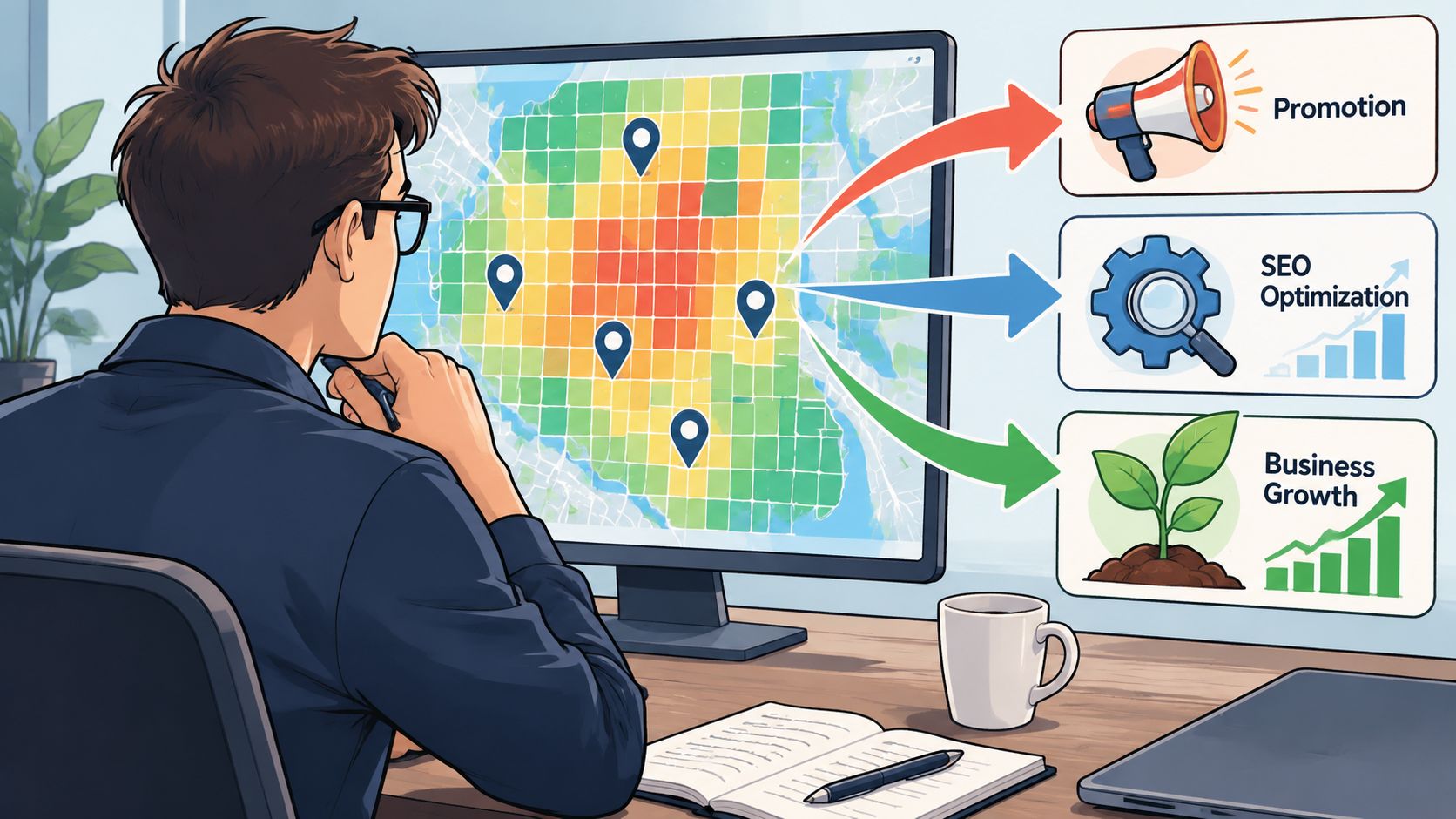
Match the problem to the next task
Different grid patterns call for different actions. The mistake is trying to fix everything at once.
Use the scan like this:
- Strong near the business, weak farther out. Review how clearly your Google Business Profile and website describe the broader services and places you want to appear in.
- Weak in one town you actively target. Check whether your location signals for that town are thin, vague, or inconsistent across your profile content and site pages.
- Competitor names keep appearing in one zone. Study those specific businesses before changing your own profile.
- Patchy visibility across the map. Look for incomplete profile elements, weak review coverage, outdated posts, or poor alignment between keyword intent and business category.
Use comparison before you change anything
Many local businesses often waste effort. They add random photos, rewrite a description, or post more often without knowing whether those changes address the actual gap.
A better workflow is:
- Identify the weak area in the grid
- List the businesses ranking there
- Compare your profile against theirs
- Prioritise the differences that are realistically fixable
- Implement changes and rescan
That comparison matters because local rankings are competitive by definition. You're not trying to become “better” in the abstract. You're trying to close the gap between your profile and the businesses outranking you in a specific place for a specific search.
If your workflow includes profile audits, review analysis, and post analysis, the ranking data becomes far more actionable. You can examine your Google Business Profile side by side with relevant competitors, spot missing elements, and turn those findings into concrete tasks such as improving business information, earning reviews from the areas where visibility is thin, adding more relevant photos, or creating location-specific posts.
The rank checker tells you where the problem is. The comparison work tells you what to change.
This is the difference between reporting and optimisation. Reporting says, “We're weak in the west side.” Optimisation says, “We're weak in the west side, these competitors are stronger there, and these are the profile gaps most likely to matter next.”
Key Takeaways for Accurate Google Map Rank Checking
If you only remember a few things about using a Google Map ranking checker, make them these.
- Don't trust your own phone search. Personalisation and proximity distort what you see.
- Manual checks are only rough spot checks. They can be helpful for a quick look, but they're too inconsistent for decision-making.
- Track an area, not a single point. Your customers don't all search from outside your door.
- Choose the right scan centre. If a nearby town matters, measure performance from that town.
- Read patterns, not isolated wins. One strong pin doesn't mean broad visibility.
- Focus on weak zones that matter commercially. Not every red patch deserves work.
- Compare before you edit. Look at the businesses outranking you in the areas you care about.
- Turn findings into tasks. Better categories, fuller profiles, stronger reviews, fresher posts, and clearer local relevance all become easier to prioritise when the map data is accurate.
A reliable Google Map ranking checker doesn't just answer “Where do I rank?” It helps answer the more useful question: “What should I improve next so more local customers can find me?”
If you want useful rank data, start with a tool that measures visibility across the places your customers search from, not just from your own device.
