 Skip to content
A business with a 4.8+ Google rating can see customer acquisition costs that are 30 to 40 per cent lower than a business sitting between 3.5 and 4.0 stars in the UK, according to UK review management data. That changes the conversation. Google review management isn't a tidy-up task for the marketing team. It's part of how local businesses win more clicks, more enquiries and better margins.
Most advice on reviews is too shallow to be useful. It says to ask for more reviews, reply quickly and be polite. That's fine, but it misses the operational side. You need a monitoring system, a response workflow, a compliant review request process, and a way to measure whether the work is improving visibility and conversions. In the UK, you also need to avoid illegal review gating and account for Google's newer reply moderation delays.
The workflow below is the one we use when helping businesses turn Google Reviews into something repeatable and commercially useful.
Table of Contents
- Why Google Reviews Are Your Most Powerful Local SEO Tool
- Building Your Review Monitoring and Alert System
- How to Respond to Every Review with Speed and Quality
- Proactively Generating a Stream of High-Quality Reviews
- Navigating Negative Reviews and Dispute Resolution
- Measuring Your Success and Improving Your Strategy
Why Google Reviews Are Your Most Powerful Local SEO Tool
Google owns the moment of local comparison. BrightLocal found that review platforms shape how people choose local businesses, and in practice Google carries the most weight because the rating, review count and recent feedback sit directly inside Search and Maps.
That placement matters more than many teams realise. A prospect can judge credibility before they reach your website, fill in a form or speak to sales. They see whether the business looks active, trusted and responsive, or neglected.
That is why we treat Google review management as part of demand capture, not just reputation work.
Reviews affect trust and discovery at the same time
Google Reviews influence two outcomes on the same screen. They affect whether you appear competitive in local results, and whether someone chooses you once you appear. Few channels do both this close to the buying decision.
The signals are visible and easy to compare. Rating. Volume. Recency. Reply quality. A business with fresh reviews and thoughtful responses looks safer to contact than one with a strong website but an outdated review profile.
For companies investing in local SEO visibility improvements, that makes review management one of the clearest ways to improve click behaviour alongside local rankings.
In UK campaigns, I see the same pattern repeatedly. When two businesses offer a similar service in the same area, the one with recent, believable reviews usually wins the first enquiry.
Reviews influence operations, not just marketing
Reviews also expose patterns your team can act on. Repeated praise for speed, friendliness or product quality shows what customers value. Repeated complaints about missed calls, unclear pricing or late arrivals point to problems that suppress conversion even when rankings are strong.
A structured workflow is essential. Generic advice tells businesses to ask for more reviews and reply politely. That is not enough if you manage multiple locations, need approval controls, or operate under UK rules that make review gating a legal and reputational risk. Google's own systems have also made review replies less predictable, with moderation delays that can slow publication. Teams need a process that accounts for that instead of assuming every response appears instantly.
Our platform helps clients run that process in order. It centralises incoming reviews, flags response risk, drafts replies with AI for faster turnaround, and keeps teams working from one queue rather than scattered inboxes and spreadsheets.
A strong review profile improves acquisition efficiency
The commercial value is simple. Better reviews reduce hesitation. Reduced hesitation means more calls, more direction requests and more booked jobs from the same level of local visibility.
There are trade-offs. Chasing volume alone can backfire if quality drops, reviews cluster unnaturally, or staff ask at the wrong point in the customer journey. Responding to every review also sounds easy until a location manager is juggling service issues, rota gaps and approvals. The businesses that get results solve those operational problems, not just the marketing ones.
The workflow we use is straightforward:
- Monitor every new review in one place: so the team sees issues before they affect conversion.
- Respond quickly with approval rules where needed: so speed does not create compliance or brand risk.
- Request reviews at the right moment: so volume grows without review gating or awkward asks.
- Measure trends by location and theme: so reviews improve both visibility and service delivery.
Google Reviews work best when they are treated as an operating system for local growth. That is the shift many businesses still miss.
Building Your Review Monitoring and Alert System
If you miss the review, the rest of the workflow breaks. Fast, consistent Google review management starts with one thing: reliable visibility into new feedback the moment it lands.
Many small businesses begin with Google's own notifications. That's a sensible start, but it has limits. Email alerts can get buried, access can sit with one person, and multi-location teams quickly lose track of who has replied, who is overdue and which issues are recurring.
Start with the native setup
At minimum, make sure the right people can see reviews inside Google Business Profile. For a single-location business, that may be the owner plus one operations lead. For a larger team, it should include the person who handles customer service and the person responsible for local marketing.
Use a documented process, not a verbal one. Decide:
- Who checks reviews daily: name the person, not the department.
- Who replies to routine feedback: this should be clear before reviews arrive.
- Who escalates complaints: service issues, billing disputes and safeguarding concerns shouldn't sit in a generic inbox.
- Who signs off sensitive responses: legal, regulated or public-facing issues need review.
If you need a refresher on the business profile interface itself, Google's own setup becomes easier to manage once the team understands how to work inside Google Business Profile Manager.
Why email alerts stop being enough
The weakness of email-first monitoring is that it's passive. Someone still has to spot the message, open it, assess the review and assign the response. That might work when volume is low. It doesn't work well when the business is busy, the team is distributed, or several locations are involved.
A proper alert system should answer four questions immediately:
| Need | What the system should show |
|---|---|
| What arrived | The latest review, rating and review text |
| How urgent it is | Negative feedback should stand out instantly |
| Who owns it | One person should be accountable for the reply |
| Whether it was handled | Clear status so nothing slips |
Without that visibility, businesses tend to become reactive. They notice reviews only after a complaint escalates or after a positive review sits unanswered for days.
A missed review is rarely just a missed comment. It's usually a missed service signal, a missed trust signal, or both.
Build a central source of truth
For agencies and multi-location businesses, centralisation matters more than speed alone. You need one dashboard where the team can review incoming feedback, assign ownership and track response status without switching tabs or relying on scattered screenshots.
That's where software helps. A centralised review workspace reduces the chance of duplicated replies, inconsistent tone and long response gaps. It also creates a usable record of what happened. When a branch manager says, “We replied to that,” the team can verify it.
The best monitoring systems don't just notify. They create operational discipline. Reviews stop being random interruptions and become a manageable queue, with clear ownership and a visible SLA inside the business.
How to Respond to Every Review with Speed and Quality
The standard for strong review handling is clear. Top-performing UK businesses target a 100% response rate and an average response time of under 4 hours. Responding to negative reviews within 1 hour, known as the Golden Hour, is a proven strategy to mitigate reputational damage and maintain customer trust, based on Shapo's UK-focused review management guidance.
That doesn't mean every reply needs to be long. It means every review deserves an answer that sounds human, matches the situation and moves the relationship forward.
What good positive review replies look like
Positive reviews are easy to waste. Businesses often reply with the same flat message every time. That ticks a box but adds very little.
A strong positive reply does three things:
- Acknowledges something specific from the review.
- Reinforces the service or experience the customer valued.
- Sounds like your business, not a template farm.
For example:
“Thanks, Sarah. We're glad the boiler repair was sorted quickly and that our engineer explained everything clearly. We appreciate you taking the time to leave a review.”
That works because it's specific. It reflects the service the customer mentioned. It also adds context for future readers who are scanning reviews to judge what the business is good at.
How to handle negative reviews without making them worse
Negative reviews need speed, calm and boundaries. The worst response is a defensive one. The second worst is silence.
Use this structure:
- Acknowledge the issue: show you've read the complaint.
- Avoid arguing in public: even when the customer is wrong.
- Offer an offline route: give a direct contact method or next step.
- Keep the tone measured: you're writing for future customers too.
Example:
“We're sorry to hear this visit didn't meet expectations. We take feedback like this seriously and would like to look into what happened. Please contact our team directly so we can review the details and try to put things right.”
That response doesn't admit liability. It does show professionalism and willingness to act.
Use AI for speed, but keep judgement human
A lot of teams either burn out or become robotic in these situations. Writing every reply from scratch takes time. Copy-pasting canned text damages trust. The practical middle ground is AI-assisted drafting.
AI can help with:
- First drafts for routine positive reviews
- Tone consistency across staff
- Summarising the issue in a negative review
- Creating response variants so replies don't all sound identical
It shouldn't make final decisions on sensitive complaints, refund disputes or potentially fake reviews. Human judgement still matters there.
A good workflow is to let AI generate a draft, then have a team member edit for accuracy, brand tone and local context. That keeps response rates high without lowering quality. It also helps businesses follow local SEO best practices for Google Business Profiles by keeping public engagement active and consistent.
A simple response matrix
Different reviews need different treatment. This keeps the queue manageable:
| Review type | Best response approach |
|---|---|
| Short positive | Brief thank-you with one personalised detail |
| Detailed positive | Mention the service, team member or outcome praised |
| Mixed review | Thank them, acknowledge the concern, note the improvement area |
| Negative but genuine | Respond quickly, stay calm, move discussion offline |
| Abusive or suspicious | Preserve evidence, assess policy breach, then decide whether to flag |
“The public reply isn't only for the reviewer. It's for everyone else deciding whether to trust you.”
If your team follows that matrix, maintaining full coverage becomes much more realistic. Speed improves. Tone improves. And reviews start working for the business instead of becoming a backlog.
Proactively Generating a Stream of High-Quality Reviews
The businesses with the strongest review profiles don't wait and hope. They ask. They ask at the right moment, through the right channel, and with as little friction as possible.
That doesn't mean pushing customers or trying to manipulate the outcome. It means making the request part of normal operations. If a customer has had a good experience, the review prompt should feel like a natural follow-up, not an awkward extra.
Make the ask simple and timely
The easiest review to win is the one requested while the experience is still fresh. For service businesses, that's often soon after the job is complete. For retail, it may be after purchase or collection. For longer delivery cycles, it may be after the customer has had time to use the product or service.
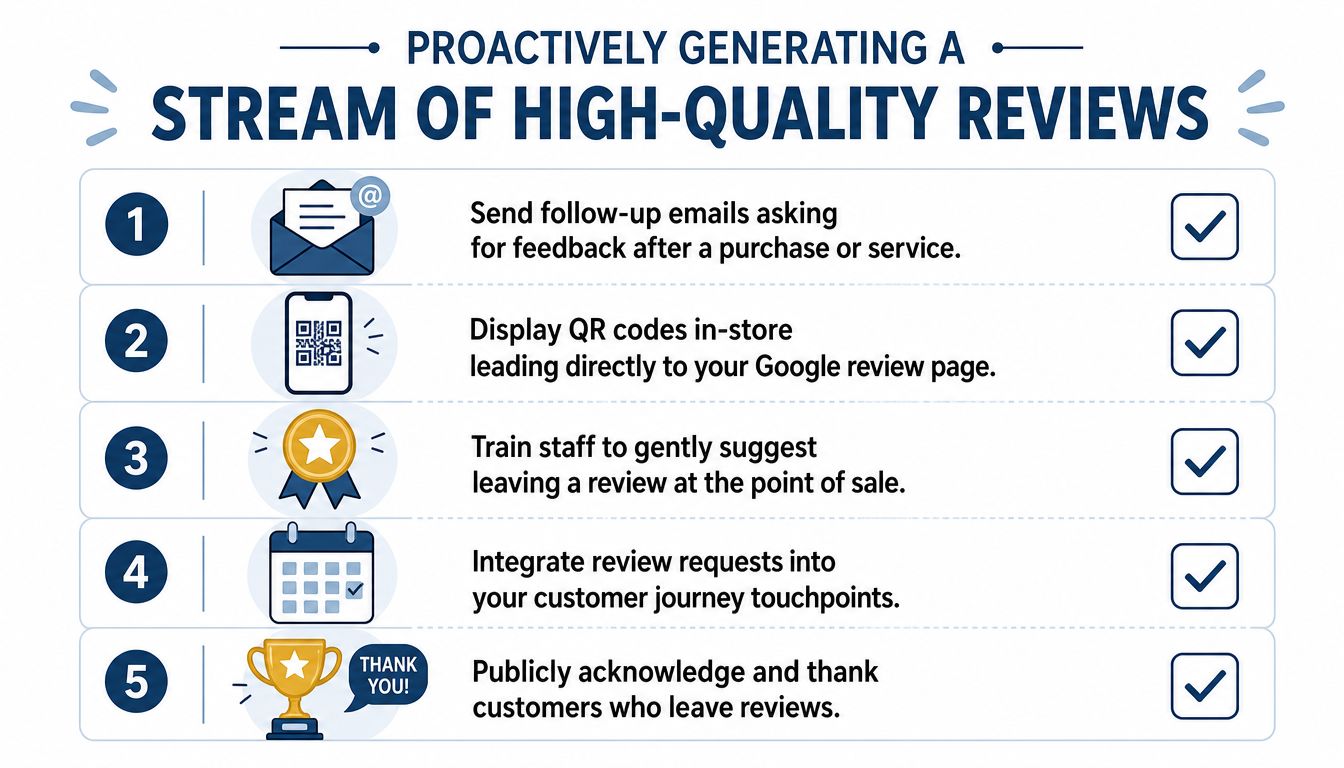
What matters most is reducing friction. Good businesses do that with:
- Direct review links: so customers don't have to search for the business.
- QR codes: useful on receipts, printed cards, counters and vans.
- Follow-up emails: short, polite and sent at a sensible moment.
- SMS prompts: especially effective for service businesses with mobile-first customers.
- Staff prompts: a simple verbal ask when the customer is already expressing satisfaction.
The message should stay brief. “Thanks for choosing us. If you've got a minute, we'd really appreciate a Google review.” That's enough.
The UK legal issue many guides get wrong
This is the part many articles mishandle. Review gating, where a business filters customers and only sends happy ones to Google, is explicitly illegal under UK Competition and Markets Authority rules, according to Birdeye's summary of Google reviews in the UK.
Review gating usually looks like this: a customer completes a satisfaction survey, happy customers are redirected to Google, unhappy customers are diverted into a private form or support route. Some businesses think that's clever. It isn't. It suppresses legitimate negative feedback and creates compliance risk.
Compliance point: Ask all eligible customers for reviews. Don't filter who gets the public review request based on predicted sentiment.
What to do instead
You can still protect your reputation without crossing the line. Use a two-track system that stays fair:
| Situation | Compliant action |
|---|---|
| Normal completed job | Send the same review request to every eligible customer |
| Customer raises an issue directly | Resolve the issue fast, then allow them to choose whether to review |
| Sensitive complaint | Handle service recovery privately, but don't suppress public feedback options |
That approach is slower than gaming the funnel, but it builds a profile that looks real because it is real. It also gives you operational insight. Negative feedback often points to process failures your team needs to fix.
Build a repeatable request system
The most reliable review growth comes from process, not enthusiasm. Assign the trigger, the timing and the channel. For example:
- After a completed visit: send an SMS with a direct review link.
- After a purchase confirmation: send a short email request.
- At point of sale: staff mention the QR code on the receipt.
- For repeat customers: ask after a clearly successful interaction, not every time.
If you do that consistently, reviews stop arriving in random bursts. They become a steady flow of current customer proof, which is exactly what a healthy local profile needs.
Navigating Negative Reviews and Dispute Resolution
Not every bad review should be fought. Not every bad review should be ignored either. The hard part is knowing the difference.
A genuine complaint, even when it's frustrating or exaggerated, usually deserves a public reply first. A clearly fake, abusive or policy-violating review may justify a flagging action. The mistake many businesses make is trying to remove anything negative. That burns time and usually doesn't solve the underlying issue.
Decide whether to reply, flag or do both
Use a simple decision filter.
Reply publicly when
- The customer appears genuine: even if the facts are disputed.
- The complaint reflects a service failure: late arrival, poor communication, unclear billing.
- Future customers need context: your response shows how you handle pressure.
A public reply is useful because it demonstrates professionalism. It also gives the reviewer a path back to resolution.
Flag the review when
- It contains hate speech, threats or harassment
- It appears to come from a fake account
- It describes an experience that clearly never happened
- It includes content that breaks Google's review rules
If you flag, keep records. Take screenshots, log the dates and keep any evidence that shows the reviewer was not a customer. That makes internal follow-up easier if the issue escalates inside the business.
The UK moderation delay changes response expectations
There's a newer operational wrinkle many teams still don't account for. In the UK, Google's system for review responses now includes mandatory moderation, which can cause delays of up to several days before a reply is published, as noted in Uberall's guide to reputation management.
That matters because a business may reply promptly, yet the public response won't appear instantly. Teams that don't know this often assume the reply failed, then submit duplicates or chase staff unnecessarily.
If a response has been written and submitted on time, but hasn't appeared yet, check for moderation delay before rewriting it.
Set an internal rule for disputed reviews
When negative feedback arrives, move through the issue in this order:
- Check whether the review is genuine
- Draft the public response
- Decide whether a policy flag is justified
- Log the case internally
- Follow up offline if the reviewer can be identified
This avoids the two extreme reactions. One is emotional public argument. The other is blind escalation to Google without any useful evidence.
Don't let one bad review distort your system
A poor review feels personal, especially for owner-led businesses. But the response process needs to stay procedural. If the review is real, use it to show accountability. If it's fake, document it carefully and pursue removal through the proper channel.
Either way, your public behaviour matters. Prospective customers often judge the response more than the complaint itself. A measured, factual reply makes the business look stable. A combative one does the opposite.
Measuring Your Success and Improving Your Strategy
Google review management only becomes valuable at scale when you measure it properly. Otherwise, you're just staying busy. The useful question isn't “Are we getting reviews?” It's “Are our review activities improving visibility, trust and conversion?”
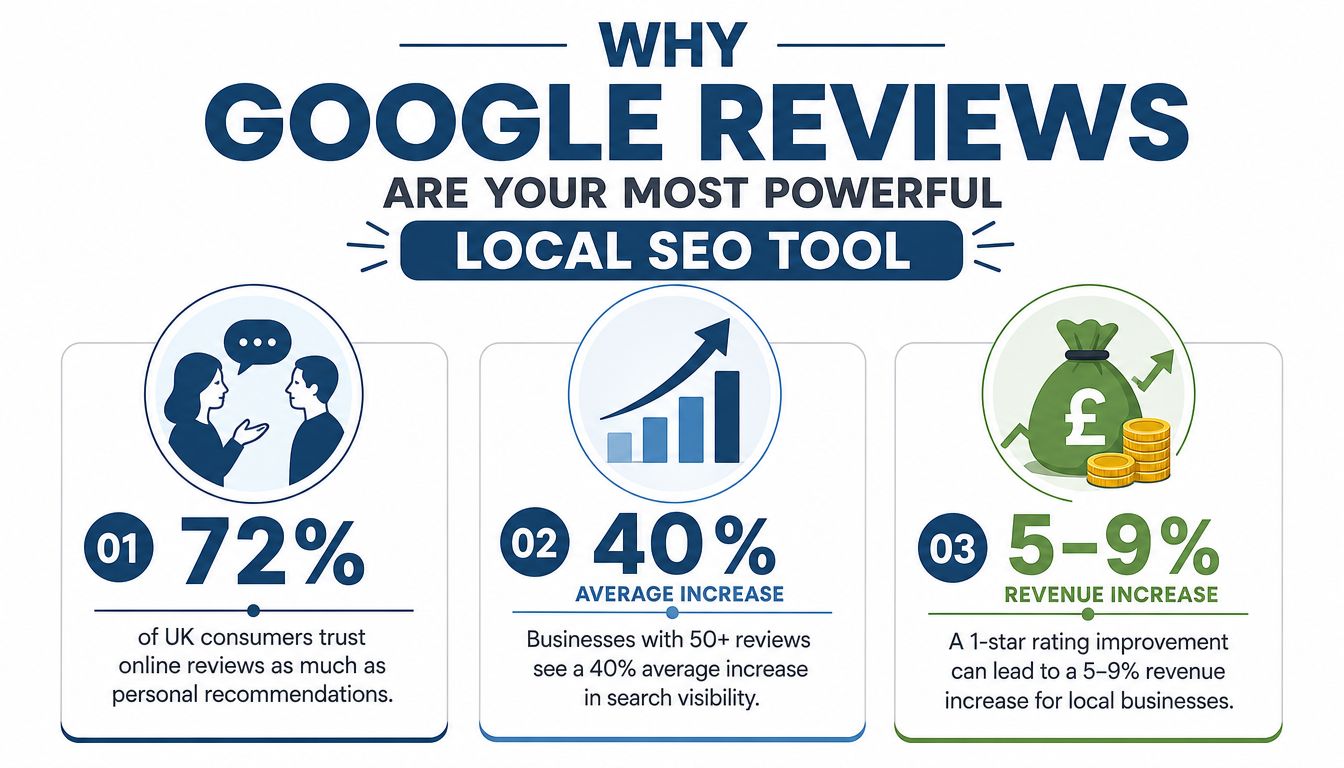
That question has commercial weight. For UK businesses, a one-star improvement in Google rating directly correlates to a 5 to 9 per cent increase in revenue, and every 10 new reviews earned correlates with a 2.8 per cent higher conversion rate, according to SOCI's review insights.
Track the few metrics that matter
Most businesses don't need a huge dashboard. They need a small set of indicators they can act on.
The core KPIs are:
- Review velocity: how consistently new reviews are arriving
- Average rating trend: whether sentiment is improving or slipping
- Response rate: whether the team is covering all incoming reviews
- Response speed: how quickly the business reacts
- Theme patterns: repeated complaints or repeated praise
Those metrics work best when reviewed together. A rising review count with a falling average rating is not a win. A fast response time with inconsistent quality is not enough either.
Turn feedback into operational decisions
Review data becomes more than just marketing data. If reviews repeatedly mention missed appointments, slow callbacks or unclear pricing, that's an operations problem. If they consistently praise one aspect of the service, that's a positioning clue you can use in your profile, posts and website copy.
A useful monthly review meeting should answer:
| Question | What to look for |
|---|---|
| Are reviews arriving steadily? | Check whether requests are being sent consistently |
| Are we handling feedback well? | Review response quality, not just response rate |
| What themes keep appearing? | Spot recurring friction or standout strengths |
| What should change next? | Pick one operational fix and one visibility action |
Monthly review habit: pick one customer experience issue to fix and one review generation bottleneck to remove.
Benchmark against the local market
Internal metrics matter, but local SEO is competitive by nature. Your review profile sits next to nearby alternatives, not in isolation. That's why benchmarking matters. Compare your rating trend, recency and response discipline against the businesses showing up around you in Maps for your core terms.
Dedicated review analysis tools are essential. A proper analyser makes it easier to spot gaps quickly instead of forcing the team to pull screenshots and build manual spreadsheets. Once you can see where the gaps are, the next action usually becomes obvious.
The strongest review programmes aren't complicated. They're monitored, timely, compliant and measured. That's what turns reviews from background noise into a dependable growth engine.
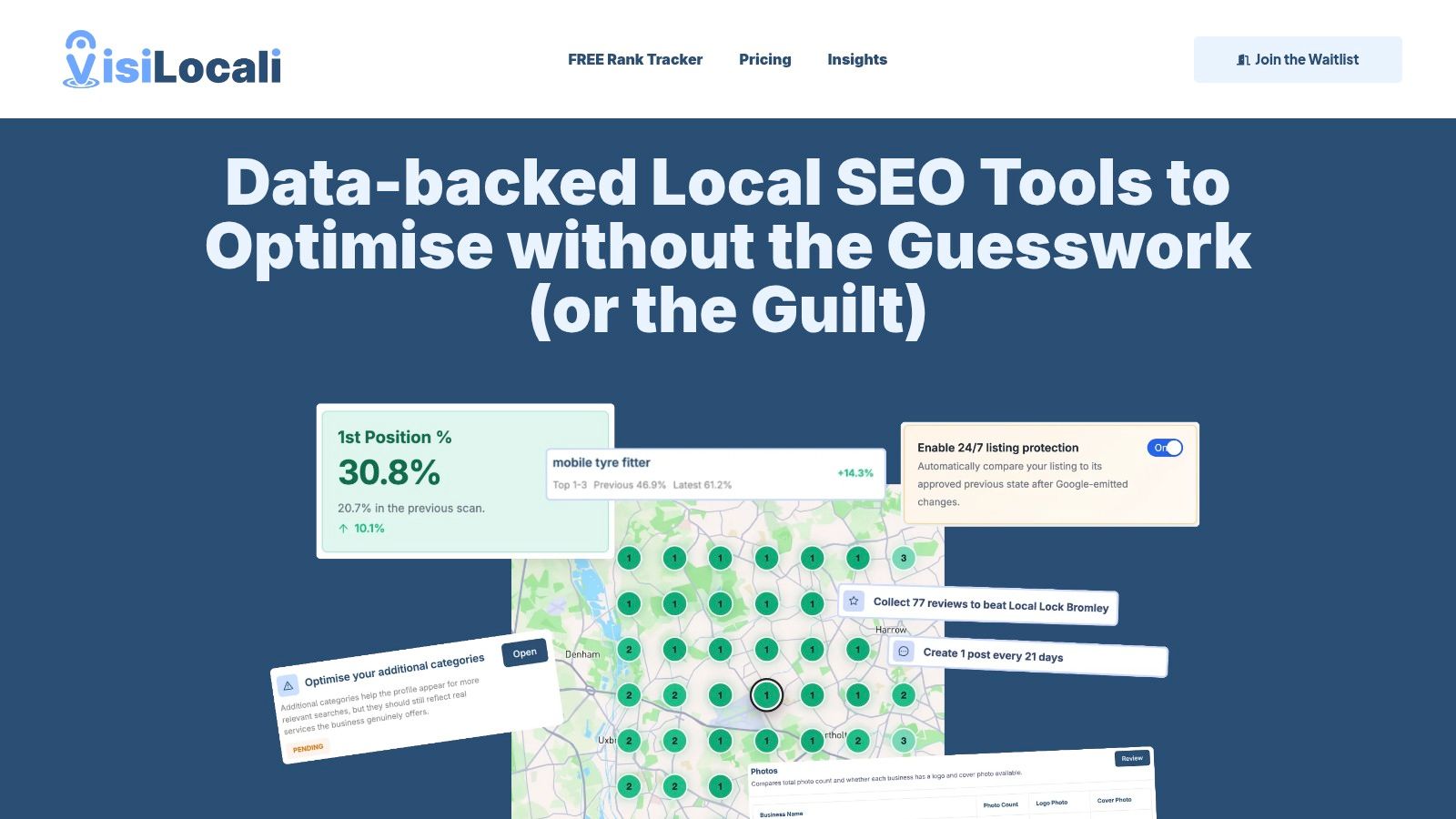
If you want a simpler way to run this workflow, VisiLocali helps small businesses and agencies manage local SEO without the bloat of traditional platforms. You can monitor Google Business Profile performance, analyse review gaps against competitors, respond to reviews with AI support, and get prioritised recommendations that answer the one question that matters most: what should you improve next to get more customers from Google?
