 Skip to content

You can spend hours tweaking a Google Business Profile and still miss the searches that bring in work. That's usually the point where owners realise the problem isn't the profile as a whole, it's the category set. One primary category is doing too much heavy lifting, and the wrong extra categories can make the whole profile blurrier, not stronger.
For UK service businesses, how to optimise additional categories on Google Business Profile comes down to discipline, not volume. The best category set is usually the one you can defend with real services, matching website pages, and evidence from the businesses already winning the Map Pack. Google's own help says to choose the most accurate category and keep it aligned with the actual offering, and the practical work starts there, not with guesswork Google Business Profile category guidance.
Table of Contents
- Why Additional Categories Matter for UK Local Rankings
- Adding Secondary Categories in Your GBP Dashboard
- Reading Competitor Categories Before You Add Your Own
- The Revenue and Website Tests That Decide If a Category Stays
- Categories Versus Services Where Each One Belongs
- Common Category Mistakes That Quietly Hurt Rankings
- Your Quarterly GBP Category Review Checklist
Why Additional Categories Matter for UK Local Rankings
A local business can rank well for one phrase and disappear for the next because Google is still unsure what it really does. That's where secondary categories matter. They are not a place to pile on keywords, they are a way to tell Google which kinds of jobs, appointments, or callouts genuinely belong to the business.
A primary category is the main label. A secondary category is an extra label that only makes sense when the business really does that work in a staffed, revenue-generating way. Independent guidance says to choose the most specific primary category and then use secondary categories only for related offerings, with Google Business Profiles supporting up to 9 secondary categories in addition to the primary category BirdEye guidance.
That limit matters because the category list is not a keyword bucket. It's a business type signal. Google's system is built to classify what the business is, so each extra category should sharpen that picture, not stretch it. In practice, that means a London heating engineer who installs boilers and services heat pumps may have room for a small, logical set of secondary categories, while a firm that once took a one-off job in a neighbouring trade usually shouldn't.
Practical rule: if a category would feel embarrassing to defend on your website or in a phone call, it probably doesn't belong on the profile.

The best way to think about additional categories is as a precision tool. Each one helps Google decide which Map Pack results you deserve to appear in, but only if the category reflects a real part of the business and not a hopeful expansion of reach. That's why the strongest profiles usually have fewer, better-fitted categories rather than a long list that tries to cover every possible search.
A good example is a domestic electrician that handles EV charger installs, consumer unit upgrades, and emergency callouts. A weak example is the same electrician adding categories for services that never show up on the invoice, the website, or the schedule. That kind of mismatch usually creates confusion rather than visibility.
If your profile feels stuck, look at the category set before you touch anything else. The issue is often not that you need more categories, it's that the existing ones aren't specific enough, or they don't reflect the actual shape of the business. For a related explanation of why that shows up on Maps, see this breakdown of invisible Google Maps listings.
Adding Secondary Categories in Your GBP Dashboard
A category edit should be a controlled change, not a guess made while you are already inside the profile. Open Edit profile, go to the categories area, and choose Add another category. Google's own guidance says to pick the most accurate category that reflects the business, so the field should only hold a service line the company offers Google Business Profile help.
The harder part sits before you save anything. Type only the category that matches a real part of the offer, not a nearby label that feels useful in search. If there is any doubt, check whether you can defend that category on the website, in the Services section, and on the phone with a customer who asks what you do.
What to check before you save
- Match the service reality: If the team does not actively deliver it, leave it out.
- Check spelling and naming carefully: Google may suggest close variants, but the cleanest fit usually beats a clever one.
- Keep screenshots: Save the categories section before and after every change so you can see what moved later.
- Review the visible profile: Make sure the business name, description, and Services section still tell the same story.
The dashboard will not always show the same options as a competitor's profile. Google surfaces category suggestions based on the profile, the business type, and the account state, so two similar businesses can see different lists. That is why category work should be treated like a measured edit, not a quick tap on mobile while you are guessing from memory.
A clean workflow helps if you only check the profile occasionally. Make one category change at a time, save it, and record the before and after state. If rankings change, you have a clearer trail for what caused it. If nothing changes, you still have a tidy record of what you tested.
If you need the broader dashboard steps outside the category field, the Google Business Profile Manager guide is the right companion to use alongside the edit screen.
Reading Competitor Categories Before You Add Your Own
The fastest way to waste a secondary category is to choose it from intuition. The better approach is to look at the businesses already winning the Map Pack for your target searches and compare their category mix. Neutral optimisation guidance points to the top 3 to 5 visible local competitors in Google Maps as the most useful benchmark set before you add your own categories competitor benchmarking guidance.
That shortlist matters because it keeps the analysis local. A Bristol roofer doesn't need to copy a national chain with a different footprint and different ranking advantages. The businesses that matter are the ones showing up for the exact searches you care about, in the exact geography you serve.
What to look for in the set
If several competitors share a category, that category is usually part of the local search language around the service. If only one or two use it, that can signal a useful gap, but it can also be noise. A category that appears only on weaker listings is often a clue that it's not worth chasing.
Good benchmark logic: compare what the strongest local profiles share, then ask which of those categories you can genuinely support on your own site.

Weight the evidence carefully. Recency matters, because categories on an old listing may no longer reflect what the company sells. Proximity matters too, because a business close to the searcher often shows up for reasons that have nothing to do with category depth. Reviews and brand strength can also skew what you see, so don't copy a profile just because it's prominent.
The practical output should be a shortlist, not a shopping basket. Two or three defensible secondary categories is often enough to capture genuine adjacent demand without muddying the profile. That's especially useful for UK service businesses operating in a tight radius, where local demand is narrow and category precision counts more than category volume.
For a deeper workflow on pulling that evidence together, use this local competitor analysis guide. It helps turn a messy Maps search into a clear category decision.
The Revenue and Website Tests That Decide If a Category Stays
Once a category survives competitor analysis, it still has to survive two filters. The first is the revenue test. Multiple guidance sources say additional categories should be a small part of the business, with one practitioner source putting that at roughly 10 to 20 percent of the business, and others warning against stuffing by keeping the set to about 1 to 3 secondary categories practitioner guidance. The second is the website test, which asks whether the business has a matching page that proves the service is real.
A category should describe work that is core, profitable, and supportable. If it's barely there in the business mix, it doesn't deserve a category just because it sounds relevant. That discipline is what keeps a profile clean.
A simple decision split
| Service idea | Stays as a category | Better as a Service field | Why |
|---|---|---|---|
| Main trade or practice type | Yes | No | It defines what the business is |
| Real, recurring adjacent service | Sometimes | Sometimes | Depends on revenue and website support |
| One-off or experimental job | No | Yes | It's too small to shape the profile |
| Seasonal or occasional offering | Usually no | Yes | It should not distort the business identity |
The website side is essential. If the profile says the business offers a service, there should be a dedicated page that explains it properly. That page doesn't need to be flashy, but it should clearly name the service, show how it's delivered, and fit naturally with the rest of the site. A category without on-site support looks speculative, and speculative categories are usually where profiles drift into over-optimisation.
Here's a useful example. An electrician who gets steady EV charger installations and has a dedicated page for that work has a strong case for a related category. An electrician who did one solar job last year does not. The profile should reflect real business structure, not isolated exceptions.
The hard truth is that there's a data gap here. Existing GBP guidance still leaves uncertainty around whether adjacent services should live in secondary categories or be moved into Google's Services fields instead, because Google confirms categories are editable but doesn't explain how extra categories affect performance data-gap guidance. That means the cleanest approach is to keep only what you can defend, and move the rest into Services where it belongs.
Categories Versus Services Where Each One Belongs
Categories describe what the business is. Services describe what the business does. That difference sounds small, but it's the main line between a focused profile and a bloated one.
If you run a dental practice, Dental clinic is a category-level choice. Teeth whitening is a service. If you're a plumber, Plumber belongs in categories, while Emergency leak repair is usually better placed in Services. The same logic holds for most UK service businesses.
Category vs Service Where Each Offering Belongs
| Offering | Belongs As | Why |
|---|---|---|
| Plumber | Category | It defines the business type |
| Dental clinic | Category | It defines the business type |
| Emergency leak repair | Service | It's a job the business does |
| Teeth whitening | Service | It's a specific offering, not the whole business |
| Boiler repair | Service or category, depending on business model | It may be core enough for a category in some trades, but not always |
| Bathroom renovation | Category only if it's a core revenue line | Otherwise it's better as a service or project type |
The trade-off is simple. If you keep pushing marginal offerings into categories, you dilute the profile. If you move them into Services, you keep the category set tight while still telling Google and customers what else you do. That usually gives you a better balance between clarity and coverage.
Use this rule on the spot. If the offering answers “what are you?” it belongs in categories. If it answers “what can you do for me?” it belongs in Services. That split keeps the profile readable and helps the website, the services section, and the categories all reinforce one another instead of competing for attention.
In audits, the profiles that look strongest are usually the ones that don't try to make every offering carry the same weight. The business identity stays in categories. The detail lives elsewhere. That's cleaner for Google and easier for customers to understand.
Common Category Mistakes That Quietly Hurt Rankings
The biggest category damage usually comes from overconfidence. Owners see a service they've done once, or a competitor category they don't fully understand, and they add it without checking whether it fits the business model. That's how a clean profile becomes noisy.
A 2026 field guide says additional categories should be genuine, bookable services and recommends re-auditing category accuracy quarterly as the business evolves 2026 field guide. That advice matches what shows up in live audits, businesses drift, and category sets often drift with them.
The four mistakes I see most often
Category stuffing
A profile gets filled with loosely related offerings because they all sound attractive. The result is weaker relevance, not stronger reach.Picking a generic primary category
If a more specific primary category exists, use it. A vague primary category makes the whole profile less precise.Copying bigger brands instead of local competitors
National chains don't win Maps the same way a local service business does. Their category sets can be misleading if you copy them without context.Never reviewing the set again
A business grows, drops a service, or changes its focus, and the profile never catches up.
A quarterly review is often enough to catch category drift before it turns into ranking noise.
The fix is usually boring, which is why it works. Tighten the primary category, remove anything that no longer reflects revenue, and move borderline items into Services if they still matter to customers. Then compare the profile back to local competitors and see whether the remaining set is still defensible.
A lot of businesses don't need more categories at all. They need a better category hierarchy and a habit of rechecking it before the profile drifts away from the business. That's especially true for trades and appointment-based services, where the business mix can change faster than the listing gets updated.
Your Quarterly GBP Category Review Checklist
A good category review doesn't need to be complicated. It needs to be repeatable. Every quarter, pull the top local competitors again, compare their categories against yours, and ask which of your current categories still pass the revenue test and the website test.
Quarterly GBP Review Checklist
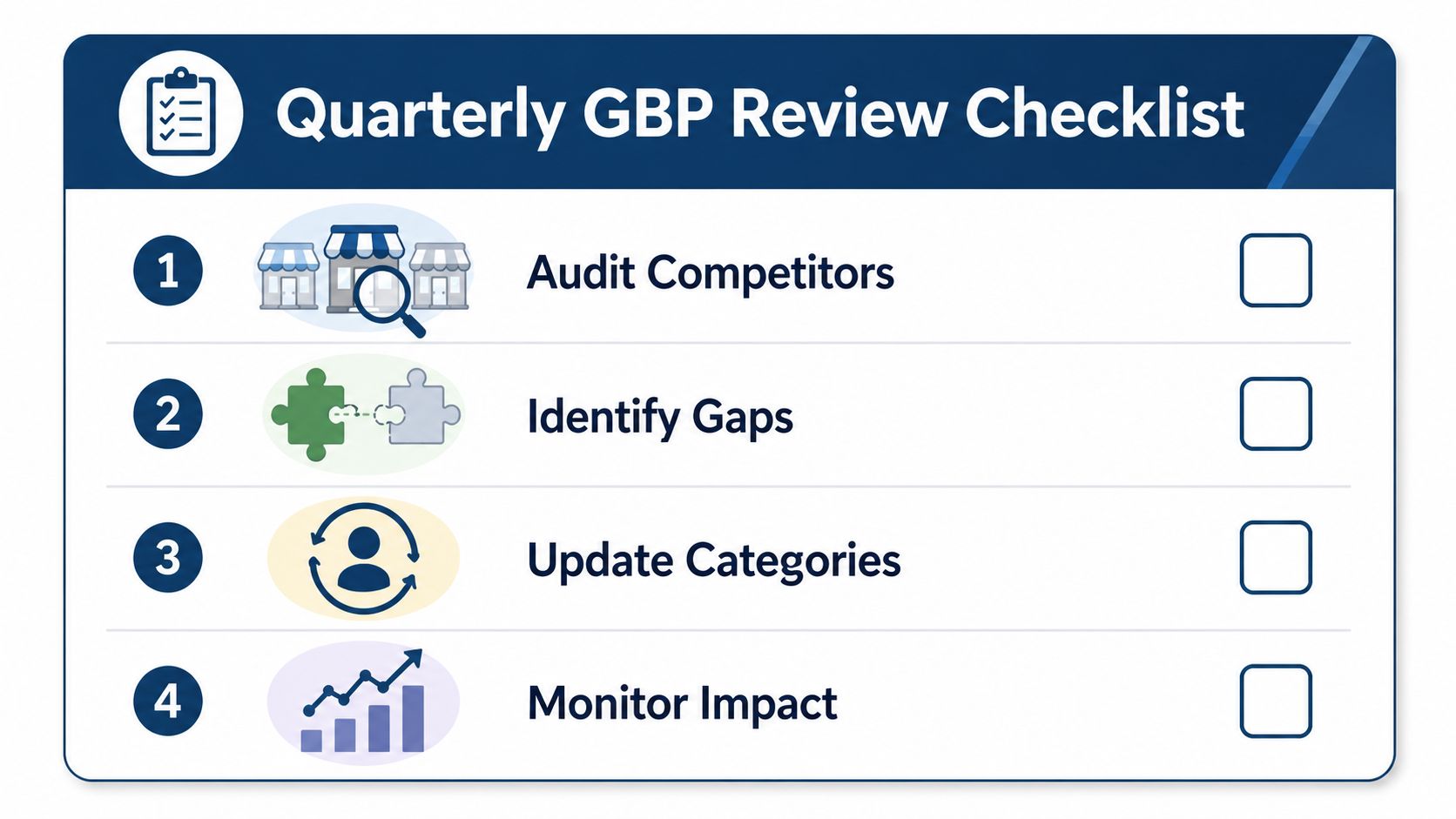
Audit competitors
Compare the top 3 to 5 visible local competitors in Maps and note the category overlap.Identify gaps
Separate real opportunities from categories that only look useful on the surface.Update categories
Edit the profile through Edit profile and keep the set lean.Monitor impact
Check your Map Pack visibility again after the edit, using the same search terms and location.
A quarterly review also catches change that doesn't show up in day-to-day work. A new service line may deserve a category. An old one may have faded. A competitor may have changed their profile and pulled ahead for a search you care about. Those are all good reasons to revisit the set before the next quarter ends.
If the profile suddenly stops matching the business, don't wait for the next scheduled review. Launches, service pivots, or a competitor overtaking you for a category-specific search are all signs that the set needs attention now. The goal is to keep the profile aligned with real work, real demand, and real search visibility.
If you want a cleaner way to decide what to improve next, VisiLocali can help you turn GBP data into specific actions instead of another long audit document.
