 Skip to content

You've filled in your Google Business Profile. Your opening hours are there, your phone number is right, you've added photos, and your website link works. Then you search Google Maps for the service that is your core business and your business is nowhere useful.
That's the point where most owners assume they need more reviews, more posts, or a new website. Sometimes they do. But very often the first problem sits in plain sight: the primary category.
Google needs a clear answer to one basic question before it does anything else. What are you, exactly? If your profile says “general home services” when customers search for “boiler repair”, or “contractor” when they search for “electrician”, you've made Google guess. It usually won't guess in your favour.
The primary category is the closest thing your profile has to a master label. It tells Google which searches your business is relevant for, which local competitors you belong beside, and whether you should even be considered for the Map Pack. If that label is too broad, outdated, or slightly off, you can end up invisible for the searches that matter most.
If that sounds familiar, start with this guide on why your business is invisible on Google Maps. Then fix the category before you touch the smaller details.
Table of Contents
- Introduction Why Your Business Might Be Invisible on Google Maps
- Your Primary Category The Engine of Local Search Visibility
- How to Choose the Perfect Primary Category A Manual Workflow
- Using Secondary Categories to Support and Specify
- Finding and Fixing Category Gaps Automatically with VisiLocali
- Troubleshooting Common Google Business Profile Category Issues
Introduction Why Your Business Might Be Invisible on Google Maps
A plumber in Stockport searches “boiler repair near me” and sees three competitors. His own business doesn't show. He checks again for “emergency plumber Stockport”. Still missing. Yet his profile is verified, he's got decent photos, and he's been trading for years.
That situation is common because a complete profile isn't the same as a well-positioned profile. Google doesn't reward effort in the abstract. It rewards clarity. If the profile sends mixed signals about what the business does, the listing can be pushed out before reviews, posts, or proximity even get a proper chance to help.
The problem often starts with a category choice that felt reasonable at setup. Many owners pick something broad because it seems to cover everything. “Contractor”. “Consultant”. “Home improvement service”. That feels safe. In local search, it usually isn't.
The hidden mismatch
Your primary category isn't just an admin setting. It's the label that tells Google which lane your business belongs in. When someone searches for a high-intent service, Google wants a tight match between the search and the business type.
If your real money service is bathroom installation but your profile is categorised as a building contractor, you've made your strongest relevance signal less precise than it should be. That weakens your profile at the exact moment Google is trying to sort the best local results.
Practical rule: If your category describes your business in boardroom language rather than customer search language, it's probably too broad.
Why owners miss it
Most category mistakes happen for ordinary reasons:
- You picked what sounded most professional: Broad categories can feel more established, but they often rank worse.
- You wanted one category to cover everything: That usually blurs your main service instead of strengthening it.
- You copied a competitor too quickly: If you didn't check what was ranking for your best keyword, you may have copied the wrong business or the wrong category.
The fix is rarely glamorous. It's about choosing the category that matches the searcher's intent most directly. Done right, that single change can put your profile back into the correct local search conversation.
Your Primary Category The Engine of Local Search Visibility
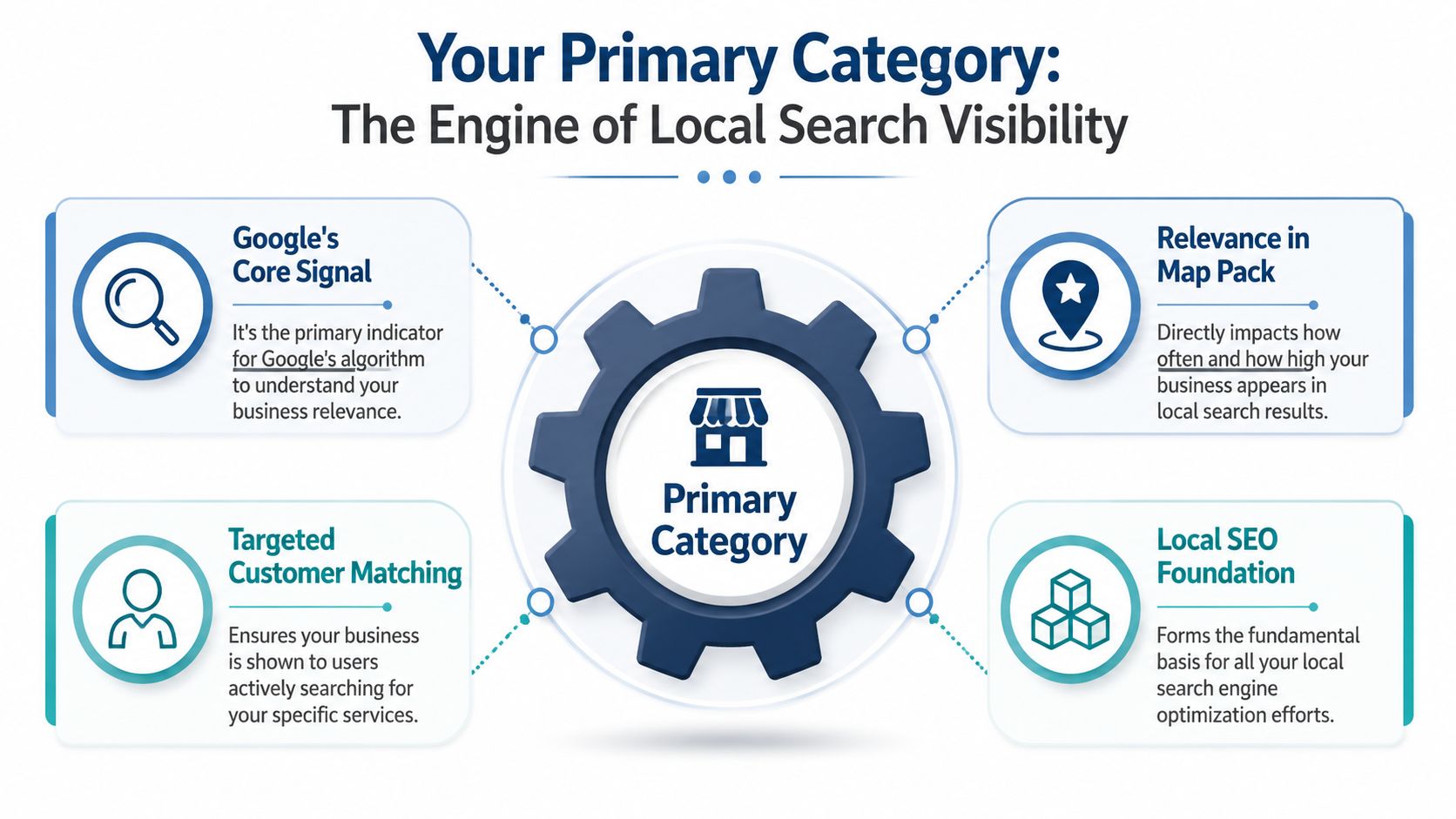
Think of your primary category as the main sign above your shop. Before anyone walks in, they need to know whether you're a bakery, a pharmacy, or a locksmith. Google works the same way. It uses that label to decide which businesses belong in which local searches.
That's why this setting carries so much weight. In the UK local search ecosystem, the primary category on a Google Business Profile is the single highest-impact ranking factor, and businesses using the most specific and accurate primary category have a 23% higher likelihood of appearing in the local Map Pack for relevant queries, according to this analysis of Google Business Profile categories.
Why Google leans on this field so heavily
Google has to match a local search with a business type quickly. If someone searches “electrician Manchester”, it needs to separate electricians from builders, handymen, and general trades.
Your primary category acts as the strongest relevance shortcut. It helps Google answer:
- What service do you mainly offer
- Which searches should trigger your profile
- Which businesses are your closest local peers
- Whether your listing belongs in the Map Pack at all
That last point matters most. If your category is off, your profile may not merely rank lower. It may be less eligible for the search in the first place.
Broad categories waste relevance
A broad category sounds flexible, but Google doesn't reward flexibility when the search is specific. It rewards alignment.
Here's the practical trade-off:
| Category choice | What it sounds like to an owner | What it often signals to Google |
|---|---|---|
| Broad | “This covers all my services” | “This business isn't tightly focused on the searched service” |
| Specific | “This only covers my core offer” | “This is a direct match for the search” |
A business owner may think “Home Improvement Service” covers plumbing, boiler work, and bathroom fitting. A searcher looking for a plumber won't type that. Google knows that. The more tightly your primary category matches the wording and intent of the search, the cleaner your relevance signal becomes.
Use the category that best matches the service you most want to be found for, not the category that flatters the business description.
This is why category work sits at the foundation of local SEO. Reviews, photos, posts, and website improvements matter. But if the primary category is wrong, those improvements are supporting the wrong label.
How to Choose the Perfect Primary Category A Manual Workflow
Most owners don't need a huge category list. They need a repeatable way to choose the right one. The best method is simple: use live Google Maps results for your money keyword and study what's already winning.
For the UK market, the practical workflow is to identify your main money keyword, search it on Google Maps in an incognito window from your service area, open the top three profiles in the local pack, and record their exact primary category names, because the category shown under the business name is the definitive primary choice used by Google's algorithm, as explained in this guide to Google Business Profile primary category research.
Start with the service that brings the right enquiries
Don't begin with a list of all the things you do. Start with the service that matters most commercially.
That usually means one of these:
- Your highest-value service: The job type that produces the best revenue.
- Your most consistent service: The one you want more of every month.
- Your clearest local intent keyword: The phrase a buyer uses when they're ready to call.
Examples:
- “boiler repair Stockport”
- “emergency electrician Leeds”
- “bathroom fitter Glasgow”
- “family solicitor Bristol”
This is your money keyword. Your primary category should support that search first.
Check the live Map Pack, not a list from a blog post
Open an incognito browser. Search Google Maps from the location you serve. Then inspect the top three profiles that appear for your money keyword.
Write down the exact category shown under each business name.
You're looking for patterns, not one-off oddities. If several top-ranking businesses use the same specific category, that's a strong clue about how Google interprets the search.
If the leaders all use a tighter category than yours, don't defend your current setup. Test the tighter option.
This is slower than guessing, but it removes a lot of bad assumptions. It also stops you choosing categories based on how you describe yourself internally rather than how Google groups local businesses.
For a fuller review process, use this guide on how to analyse local competitors.
Make the decision with a simple filter
When you've gathered the top categories, run each option through three checks:
Does it match the service the customer is actively searching for?
If not, reject it.Is it more specific than your current category without becoming inaccurate?
If yes, it's probably stronger.Would you still be comfortable with this category if it were the only thing Google knew about your business?
If not, it may be too narrow or wrong.
Some businesses get stuck between two close options. In that case, choose the category that best represents the service you want to rank and convert for most often. Secondary categories can support the rest later.
Primary Category Examples Good vs Bad Choices
| Industry | Too Broad (Avoid) | Specific (Choose This) |
|---|---|---|
| Plumbing | Home Services | Plumber |
| Heating | HVAC Contractor | Boiler Repair Service |
| Electrical | Contractor | Electrician |
| Legal | Lawyer | Family Law Attorney |
| Bathrooms | Building Contractor | Bathroom Installer |
| Cleaning | Cleaning Service | Carpet Cleaning Service |
Notice the pattern. The “bad” choices aren't always wrong in a literal sense. They're wrong because they're weaker relevance signals.
What works and what doesn't
What tends to work
- Choosing the category that matches your top local commercial keyword
- Matching real-world winning profiles in your service area
- Using the exact Google category wording, not your own variation
What tends not to work
- Picking the broadest category to cover multiple services
- Choosing what sounds more premium instead of what's more accurate
- Swapping categories repeatedly without checking the live local results first
Category optimisation is less about creativity and more about precision. You're not trying to describe everything. You're trying to make Google certain about your core service.
Using Secondary Categories to Support and Specify
Once the primary category is right, secondary categories help Google understand the rest of your offer. They are support signals, not a place to hedge your bets.
That distinction matters because owners often use secondary categories as a dumping ground. If they offer six related services, they try to add every category they can find. If they're worried about visibility, they add even more. That usually weakens the profile instead of strengthening it.
What secondary categories should actually do
A good secondary category should describe a real, distinct service you actively offer. It should add context without competing with the primary category.
Good examples include:
- A plumber adding “Drainage Service” if drain work is a genuine service line
- A family solicitor adding another closely related legal service category where relevant
- A bathroom installer adding a fitting or renovation category that reflects actual work completed
What secondary categories should not do:
- Repeat the same service in slightly different forms
- Chase every keyword variation you can think of
- Turn the profile into a broad directory of half-related offers
Secondary categories should widen understanding, not blur identity.
Where category dilution starts
There's a real trade-off here. In a 2025 UK local SEO audit of 1,200 service businesses, firms with 4+ secondary categories saw a 12% average drop in primary category visibility for their core service, while those with 2 to 3 tightly related secondary categories maintained or improved rank, according to this audit on Google Business Profile primary category strategy.
That's the clearest warning against category stuffing. More categories don't automatically mean more relevance. They can send Google a weaker message about what your business is mainly for.
A practical way to decide is to ask one question of every secondary category: does this support the main service, or distract from it?
A cleaner way to choose them
Use a short shortlist:
| Keep it | Drop it |
|---|---|
| Closely related service lines | Categories you only occasionally offer |
| Categories visible on your website and in your real work | Categories added just because competitors use them |
| Services your staff can deliver consistently | Categories that pull you into a different business type |
For most local businesses, restraint wins. Two or three well-chosen secondary categories usually do more than a long, messy list.
Finding and Fixing Category Gaps Automatically with VisiLocali
The manual process works. It's also tedious when you're tracking more than one service, more than one location, or more than one competitor.
A single category check means opening Maps, searching in the right location, inspecting top profiles, recording categories, comparing them with your own, and deciding whether the gap is meaningful. Do that across several keywords and it turns into a proper research task. Most owners don't have time for that every month.
Manual checking works, but it burns time
The hidden problem isn't just effort. It's inconsistency.
When people do this by hand, they often:
- check from the wrong location
- compare with the wrong competitors
- forget to record what changed
- miss patterns across several keywords
- delay action because the research feels repetitive
That's where software should help. Not by dumping hundreds of charts on you, but by pointing to the category gaps that impact visibility.
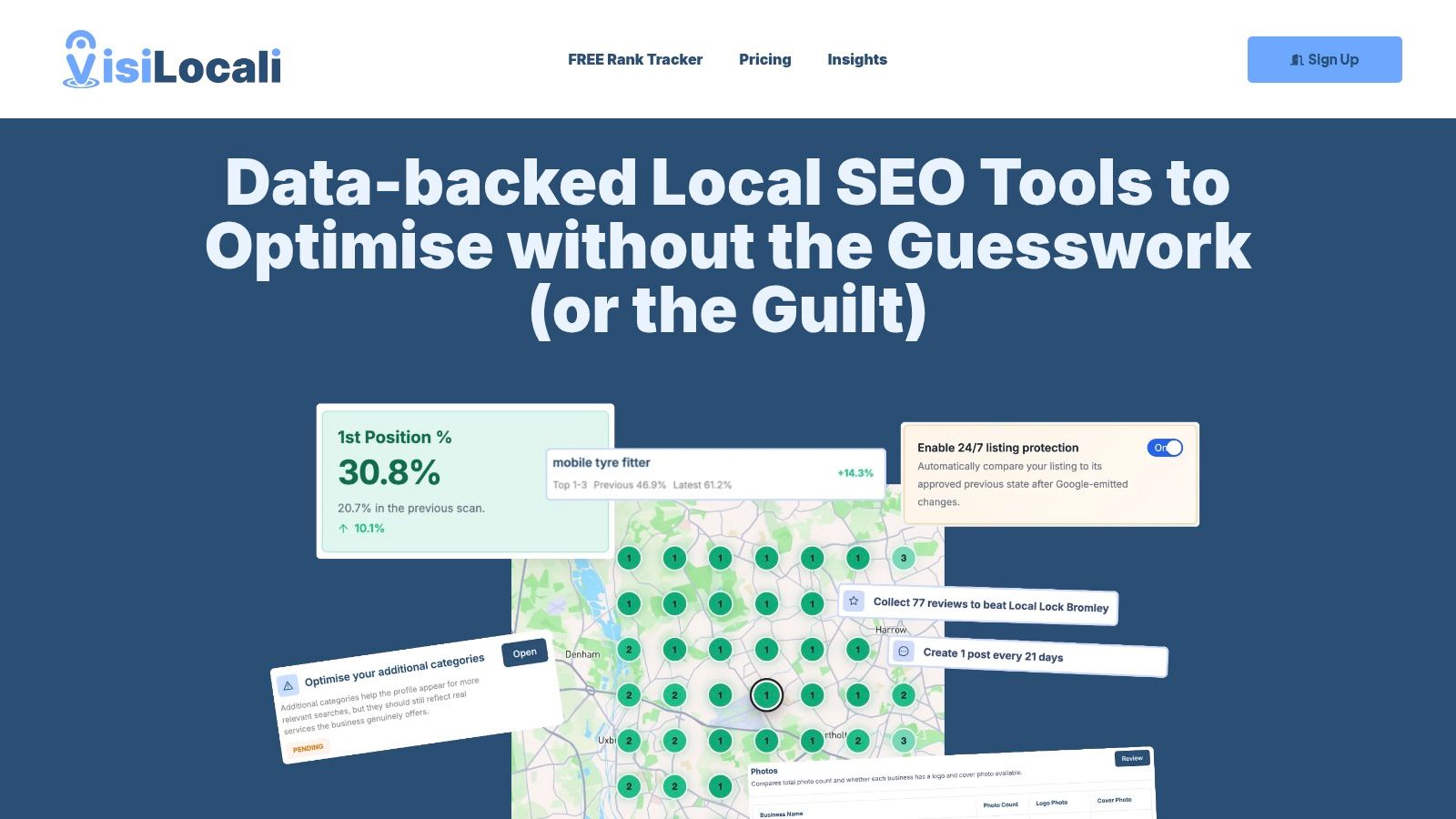
This is what that should look like in practice:
What the right software should surface
The useful job of a platform isn't to tell you categories exist. You already know that. It's to show, side by side, whether your profile is misaligned with the businesses outranking you for the keywords you care about.
That means being able to see:
- Your current primary category next to the categories used by ranking competitors
- Secondary category differences that may help or dilute relevance
- Keyword-level context so you know which category mismatch affects which search
- Actionable recommendations rather than a long list of raw fields
At VisiLocali, that's exactly the point of the Profile Analyser. It compares your Google Business Profile with statistically competitive businesses and selected competitors, then highlights where category choices don't line up with what's ranking. The software turns that comparison into practical recommendations, so you can answer the only question that matters: what should I improve next?
If you're weighing platforms before committing, this guide on how to choose a local SEO optimisation tool will help you separate useful software from bloated reporting dashboards.
Good local SEO software should shorten the path from ranking data to an edit you can actually make today.
That matters even more when category decisions affect multiple parts of the workflow. You may spot that your primary category is too broad, your secondary categories are unfocused, and your profile management tool makes those edits awkward to apply. A better setup lets you identify the gap, understand the reason, and implement the change in one place.
For a small business, that's the difference between knowing what's wrong and fixing it.
Troubleshooting Common Google Business Profile Category Issues
Category changes are straightforward until they aren't. These are the three problems that come up most often.
My ideal category doesn't exist
Google only allows categories from its own list. You can't invent one and you shouldn't try to force a near match that changes the meaning of your business.
Use the closest category that accurately represents your core service, then let your services, description, and website clarify the detail. Accuracy matters more than cleverness. If you choose a category that sounds better but fits worse, you're setting the profile up on the wrong foundation.
I'm a service area business with no public shop
Owners quickly find themselves in difficulty. For UK service area businesses operating without a public storefront, choosing the wrong type of category can create verification and suspension problems. Data shows that incorrectly categorising a service area business as a Retail or Store type leads to a 95% verification failure rate or subsequent listing suspension in the UK market, according to this guidance on optimising a Google Business Profile.
Pick a genuine service-based category, not a shop-based one. If you don't serve customers at a staffed public location, don't present the profile as if you do.
My category changes won't save or go live
Usually one of three things is happening:
- Google is reviewing the edit: Some changes take time to process.
- Another field conflicts with the edit: Business setup details may not support the category cleanly.
- You're editing the wrong profile access level: Make sure you have the permissions needed to apply changes.
If the change is valid and still doesn't appear, check again later and confirm the profile details still reflect the actual business model. Category edits don't work well when the rest of the profile sends contradictory signals.
If you've been wondering how to optimise my primary category on Google Business Profile without second-guessing every edit, the fastest route is simple. Choose the category that best matches your main revenue-driving service, validate it against live Google Maps results, and keep your secondary categories tight.
If you want help spotting those gaps without doing the comparison manually, VisiLocali shows your Google Business Profile side by side with the businesses outranking you and turns the difference into clear, prioritised actions.
