 Skip to content

A customer checks your Google Business Profile before leaving the house, and the hours look wrong. The bakery is closed on a Saturday it should be open, the plumber still shows as available at 8pm, or the café never updated its bank holiday opening. That's not a small admin slip, it's the kind of mismatch that sends people to the next result.
The fix is rarely glamorous. How to optimise opening hours on Google Business Profile comes down to keeping the profile aligned with the way the business trades, then maintaining that accuracy when hours change for lunch breaks, holidays, collection-only periods, or split shifts. Google's own guidance treats hours as a practical local ranking task, not a cosmetic edit, and that's the right lens for UK businesses that rely on walk-ins, calls, and bookings. Once the hours are wrong, trust drops fast, even if everything else on the profile looks polished.
Table of Contents
- Why Opening Hours Deserve Real Attention
- Setting Regular Hours the Right Way
- Handling Special Hours for Bank Holidays and One-Off Changes
- Adding Service-Specific and Category Hours That Match Reality
- Common Mistakes That Quietly Cost You Customers
- Managing Hours Across Multiple Locations
- Monitoring Impact and Keeping Hours Fresh
Why Opening Hours Deserve Real Attention
A London plumber once had a profile that still showed open now late in the evening, even though the business had stopped taking same-day calls hours earlier. The customer who found it didn't ring twice. They moved on to the next listing that looked available, which is exactly how these mistakes hurt local businesses in practice.
Hours are a trust signal before they are a ranking signal
Google's own Business Profile guidance says businesses should keep regular and special hours current because it helps customers know when they can visit, and it lists hours updates as part of local ranking best practice. Google's 2026 GBP Best Practices Playbook also treats regular hours, special hours, holiday hours, and category-specific hours as structured fields, not a single line of text, which matters for UK businesses with bank holiday trading, split shifts, or mixed service models. The message is simple, accuracy plus freshness is the foundation.
Practical rule: if the customer can arrive, call, or book outside the posted window, the posted hours are wrong.
That's why opening-hours optimisation isn't a tidy-up job you do once and forget. It's a data-governance task. The profile has to reflect the actual operating model, not the aspirational one, because people make decisions based on what they see in Search and Maps.
Why the structure matters
Google now supports separate edits for regular hours, special hours, and relevant service-specific hours such as pickup or online service hours. It also allows businesses to hide main hours entirely with open with no main hours, which shows how flexible the system has become around real-world trading patterns. For UK operators, that flexibility is useful only if it's used carefully, because a single weekly timetable often misrepresents reality.
A profile that shows the right hours builds confidence before a customer ever visits the website. A profile that shows the wrong hours creates doubt, and doubt is usually enough to lose the click, the call, or the booking.
Setting Regular Hours the Right Way
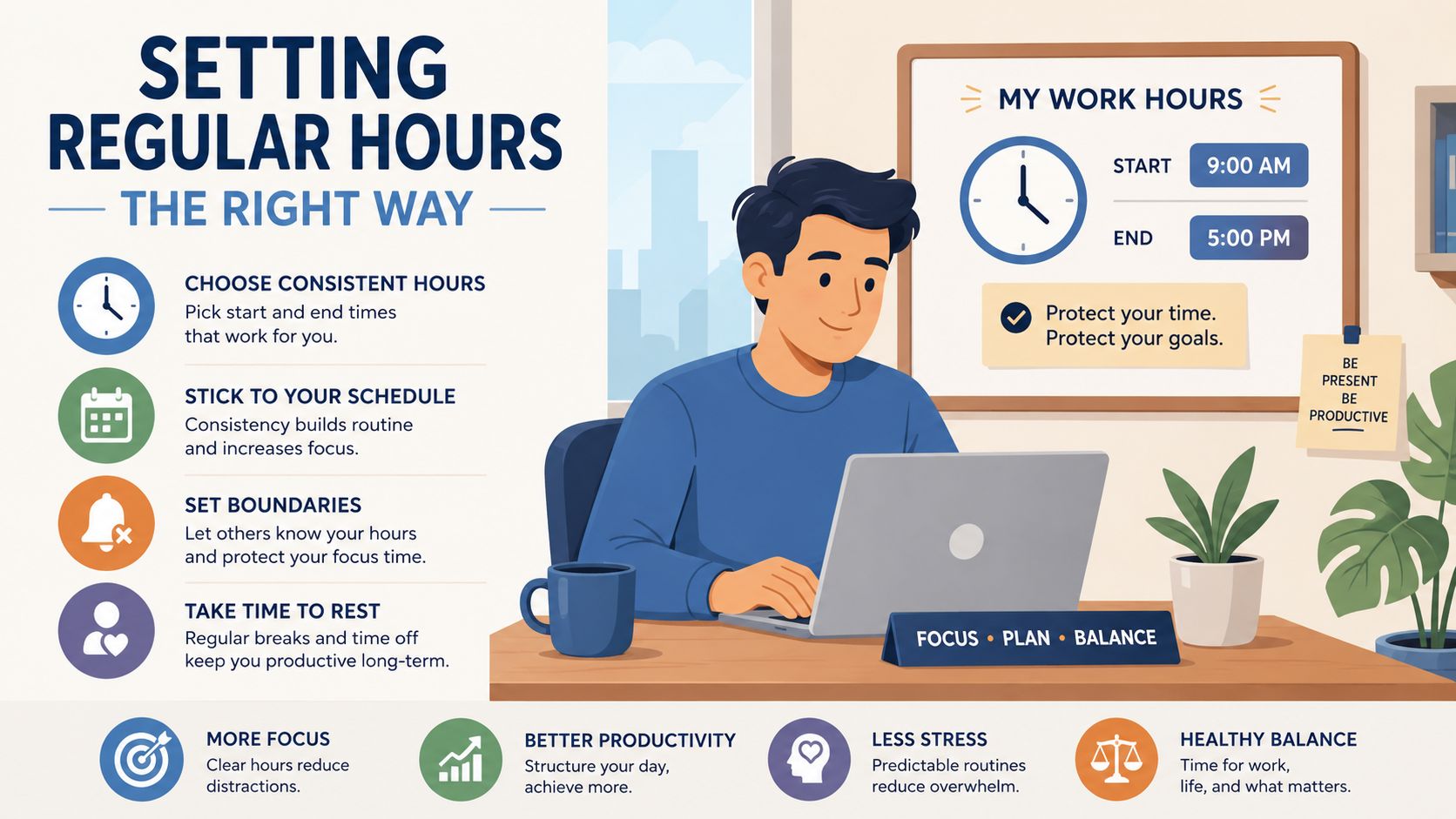
Open Google Business Profile Manager, go to Info, then choose Hours. From there, enter the weekly timetable day by day, using the seven-day grid to show exactly when the business opens and closes. If the business is appointment-only, or doesn't want to imply walk-in hours, Google's own help docs allow open with no main hours.
Build the week around what customers can actually do
The right regular-hours setup starts with the customer experience, not the staff rota. A salon that closes for lunch should not present one flat all-day block if nobody can book or walk in during the break. A trades business that stops dispatching at 5pm should not appear open until 6pm just because somebody is still answering emails.
Google's help documentation supports multiple time blocks per day, which is the correct way to model split shifts, lunch closures, or dispatch-only evenings. Use that rather than stretching one continuous block across the day. If a business reopens later, split the day into separate ranges so the profile stops implying service availability when there isn't any.
Practical rule: if the phone is off, the door is shut, or bookings are disabled, split the hours. Don't force one continuous range to do three jobs.
A simple UK example
A high-street bakery trading Tuesday to Saturday should set those days as open, keep Sunday closed, and adjust the closing time to match the counter service window. The common misclicks are easy to spot. Someone forgets to save after editing, chooses the wrong day, or copies Monday across the week and then forgets to overwrite the Sunday status.
The safest habit is to update the weekly schedule before the change takes effect, then check the live result in Search and Maps. That's especially important for appointment-led businesses, because open with no main hours can be a better signal than a fake daytime timetable if the customer can't walk in.
For the profile manager workflow behind those edits, see a practical guide to Google Business Profile Manager.
Handling Special Hours for Bank Holidays and One-Off Changes

Google's UK-facing change flow is straightforward. Sign in, open Info, choose Hours, then go to Special Hours. From there, pick a holiday from the list or add a new date, choose Closed or enter new opening times, and hit Apply. That distinction matters because special hours sit on top of the regular weekly schedule instead of replacing it.
Use special hours for exceptions, not routine trading
Bank holidays are the obvious case, but they're not the only one. Seasonal closures, staff training days, local event Sundays, and one-off maintenance closures all belong in Special Hours. If the weekly schedule is overwritten each time, the profile becomes hard to maintain and easy to damage.
That's where many UK businesses go wrong. The regular hours look fine in January, then Easter, May bank holidays, summer shifts, and Christmas trading all arrive, and nobody updates the date-specific entries. The result is a profile that looks closed or unreliable on the exact days traffic is strongest.
A restaurant is a good example. It may trade normally most of the year, close on Christmas Day, open shorter hours on New Year's Eve, and run different Sunday service during a local festival weekend. Those exceptions should sit in special hours so the base timetable stays clean. The weekly schedule remains the default, while the holiday or one-off date tells Google what happens on the exception day.
Useful habit: add special hours before the date arrives, then check the live profile on the actual holiday, not the day after.
Why the date layer matters
Google's help documentation is built around date-specific overrides for a reason. The system needs to know whether a closure is temporary, seasonal, or part of the normal rhythm of the business. For UK operators, that means bank holiday management isn't a seasonal marketing task. It's a profile hygiene task that affects whether customers trust what they see.
If the listing says open, customers expect the doors to be open. If it says closed, they move on. Special hours exist to keep that signal accurate when the calendar changes.
Adding Service-Specific and Category Hours That Match Reality
A florist that offers lunchtime collection only has a very different operating model from one that stays open for browsing all afternoon. A butcher might do counter trade in the morning, then switch to delivery rounds later in the day. A tutoring service may only respond online on Wednesdays. Those are not edge cases, they're exactly why Google supports more than one hours layer.
Use the right layer for the right job
Google's 2026 guidance allows relevant category-specific hours, including pickup and online service hours, alongside regular, special, and holiday hours. The practical win is clarity. A single timetable often collapses different services into one block, which confuses customers and can make Google present the listing as open when only one service channel is available.
Here's a simple way to think about it. Regular hours describe the main trading pattern. Special hours describe exceptions. Service-specific hours describe when a particular service is available, such as collection, delivery, or online appointments. The profile works best when each layer does one job cleanly.
| Scenario | Best layer to use | Why |
|---|---|---|
| High-street shop with normal weekday trading | Regular hours | It matches the normal opening pattern |
| Bank holiday closure | Special hours | It overrides one date without changing the weekly schedule |
| Lunch-time closure and afternoon reopening | Regular hours with split ranges | It reflects a real break in service |
| Collection-only window | Pickup hours | Customers see when collection is actually possible |
| Online tutoring on Wednesday afternoons | Online service hours | The channel is available separately from shop opening |
| Morning trade, afternoon delivery rounds | Delivery hours plus regular hours | The service model is different from counter trade |
What to fill in first
If time is tight, populate the hours that most often drive customer confusion. For a service business, that usually means the core regular hours and any bank holiday exceptions. If the business has collection or delivery, add those next, because those are the hours customers are most likely to interpret as availability.
Don't leave contradictory entries behind. If the website says one thing, the profile says another, and the service hours imply a third version, Google has to reconcile that mess and customers notice the inconsistency before the algorithm does.
The cleanest profile is the one that mirrors how the business serves people across channels, not the one that makes the schedule look neat on a spreadsheet.
Common Mistakes That Quietly Cost You Customers
One of the easiest ways to lose trust is to let the profile drift away from the website and the live trading pattern. The listing might look complete, but customers can still see the mismatch in Search, Maps, or when they test it on a phone. That disconnect is often what sends them elsewhere. For a deeper look at why mismatches create visibility problems, see why your business disappears from Google Maps.
Spot the failure mode before it costs a walk-in
The first common mistake is stale bank holiday entries. The symptom is a profile that still shows the old seasonal pattern after the holiday has passed. The cause is simple, nobody reviewed the date-specific override. The fix is to audit special hours ahead of each bank holiday block and clear out entries that no longer apply.
The second mistake is using one block of hours for a business that closes for lunch or pauses service mid-afternoon. The symptom is an open now signal when the shop is shut for an hour or the team is on dispatch only. The cause is usually laziness in the editor, because split hours take a few extra clicks. The fix is to use multiple ranges per day so Google knows the business really does pause and reopen.
Check what customers actually see
A reliable audit means comparing Google Search, Google Maps, and Business Profile Manager against the website and any other public listings. Then open an incognito browser, test the mobile result, and if relevant, check the voice-assistant response. That is the only way to know whether the live profile is aligned across touchpoints.
If the customer can arrive, call, or book outside the posted window, the posted hours are wrong.
That compliance threshold is blunt, but it's useful. It cuts through admin noise and asks the only question that matters. Could a real person reasonably expect service based on what Google is showing?
| Symptom | Likely cause | One-line fix |
|---|---|---|
| Listing says open when the door is shut | Flat hours block with no split | Add a closed period or split hours |
| Bank holiday still shows normal trade | Special hours were never updated | Add date-specific special hours |
| Website and GBP disagree | No channel-level audit | Align Search, Maps, website, and listings |
| Voice response sounds out of date | Profile wasn't tested on mobile or assistant | Test the live profile in the channels customers use |
The businesses that stay accurate don't rely on memory. They use a short, repeatable audit and treat each mismatch as a customer experience issue, not a clerical one.
Managing Hours Across Multiple Locations
A multi-site business doesn't need more guesswork, it needs a repeatable system. A coffee brand with city-centre, suburban and station branches may share the same brand, but Saturday trading can still differ from one location to the next. Copy-pasting one weekly schedule across every branch is how hours drift out of sync.
Use central controls, then allow local overrides
Google supports location groups and bulk editing, and larger operators can manage updates through the GBP API or management tools. That's the right starting point when a chain has many listings, because it keeps the core pattern consistent while still allowing per-location changes. A branch near a railway station might open earlier, while a suburban site may close earlier on Sundays, and both can still live inside the same account structure.
The key is not to flatten everything into a single company-wide timetable. Different bank holiday calendars, local event closures, or branch-specific service patterns need overrides. If a location has a different Saturday rhythm or seasonal closure, edit that branch on its own terms rather than forcing it to match the rest of the estate.
Keep the profile workflow joined up
For agencies and multi-site operators, hours belong in the same review cycle as business name, categories, attributes, and photos. That's also how VisiLocali's Profile management surfaces Opening Hours and Special Hours, so teams can review them alongside the rest of the profile fields instead of treating hours as a separate chore. The benefit is simple, fewer missed edits and fewer stale entries.
A good operating model looks like this. Central teams maintain the standard weekly schedule, local managers flag exceptions, and per-location overrides handle the branch-specific reality. That keeps every listing accurate without turning the team into a copy-paste machine.
The businesses that scale hours well don't try to make every site identical. They make every site truthful.
Monitoring Impact and Keeping Hours Fresh

A monthly review is enough to catch most hours drift before it becomes a customer problem. Check the live profile during stated open periods, then confirm the result in Search, Maps, and a voice-assistant query if your audience uses one. If the live result looks off in any of those places, the profile needs another pass.
Tie the review to real signals
After an hours update, look for changes in the actions that matter, calls, direction requests, and open-now behaviour. Google's own insights tools show how people interact with the listing, so those signals give you a practical read on whether the current hours are helping or confusing customers. A profile that's accurate but never reviewed still drifts over time.
That's where regular verification matters. Hours are not static, and neither is customer behaviour. Staff rotas change, bank holidays roll round, and service models shift between seasons, so the listing has to keep up.
Monthly checklist
- Check the weekly schedule against the live rota and actual customer access.
- Review special hours for the next bank holiday, seasonal closure, or one-off event.
- Compare Search, Maps, and the website for identical opening information.
- Test the mobile result from an incognito browser.
- Confirm voice responses if callers use assistants to find you.
- Update branch-specific overrides where a location trades differently.
Keep the profile audit simple
For teams already using geo-grid rank tracking and profile analysers, hours should sit alongside the rest of the GBP fields in the audit. That makes it easier to spot when a profile has drifted from reality and to prioritise the fix before customers notice. For a wider view on benchmarking local visibility, see how to analyse local competitors.
The goal is consistency, not perfectionism. If the profile reflects how the business really operates, customers trust it more, and that trust shows up in the way they choose to call, book, or walk in.
If your opening hours have drifted across Google Search, Maps, and your website, fix the base schedule first, then layer in special and service-specific hours where the business needs them. If you want a cleaner way to keep that work organised across locations, use VisiLocali to audit, update, and monitor your GBP hours in one place, then make hours checks part of your monthly local SEO routine.
