 Skip to content


You've probably seen it happen. A customer finds your Google Business Profile on Maps, taps the phone number, then hesitates because the number looks odd, routes to the wrong line, or doesn't match what they saw on your website. That tiny moment is enough for a missed call, and in local search, missed calls are missed jobs.
The phone field is not a decorative detail. Google's own Business Profile help treats the phone number as one of the core details used for local ranking, alongside your address and business category in the profile data that supports visibility and relevance (Google Business Profile help). For UK businesses, that makes the number part of your local SEO foundation, not just a contact line.
Table of Contents
- Why Your Phone Number Matters More Than You Think
- Finding and Accessing Your Phone Settings
- Adding and Formatting Your Number the Right Way
- Primary Versus Additional Numbers for Call Tracking
- Testing Your Number and Fixing Common Problems
- Tracking Call Performance After Optimisation
- Wrapping Up Your Phone Optimisation
Why Your Phone Number Matters More Than You Think
A lot of business owners only notice the phone number when it stops working. A plumber in Manchester might be getting map views but no calls. A solicitor in Leeds might have a perfectly good profile, but the number on Google differs from the one on a directory listing, and the customer never gets past that doubt.
Google does not treat the phone field as filler. Its help documentation places the phone number alongside the address and category as core profile data that contributes to local relevance and completeness. That matters because a clean, active number does two jobs at once, it helps Google trust the profile and gives the searcher confidence to call.
The trust signal most people overlook
For a service-area business, the number often does more than route calls. It becomes part of the evidence that the profile is complete, local, and operational. If the profile number, website footer, and citation listings all disagree, the listing can feel inconsistent to users and search engines alike.
That inconsistency is where a lot of local campaigns underperform. A phone field that is present but messy can weaken the profile in the same way a weak category choice does, because Google is looking for a coherent business identity, not just a contact method.
Practical rule: If the number on your profile does not match the number customers expect to dial, fix that before you spend time polishing posts or photos.
For readers building a broader local SEO foundation, the phone field should sit alongside the rest of your profile hygiene. If you want a wider checklist, this local SEO guide fits well with the thinking here.
Finding and Accessing Your Phone Settings
The phone field sits in the Contact section of your Google Business Profile manager, but the setting people miss is usually the visibility control tucked lower down. If a number seems to be “missing”, it is often still stored in the profile and hidden from public view.
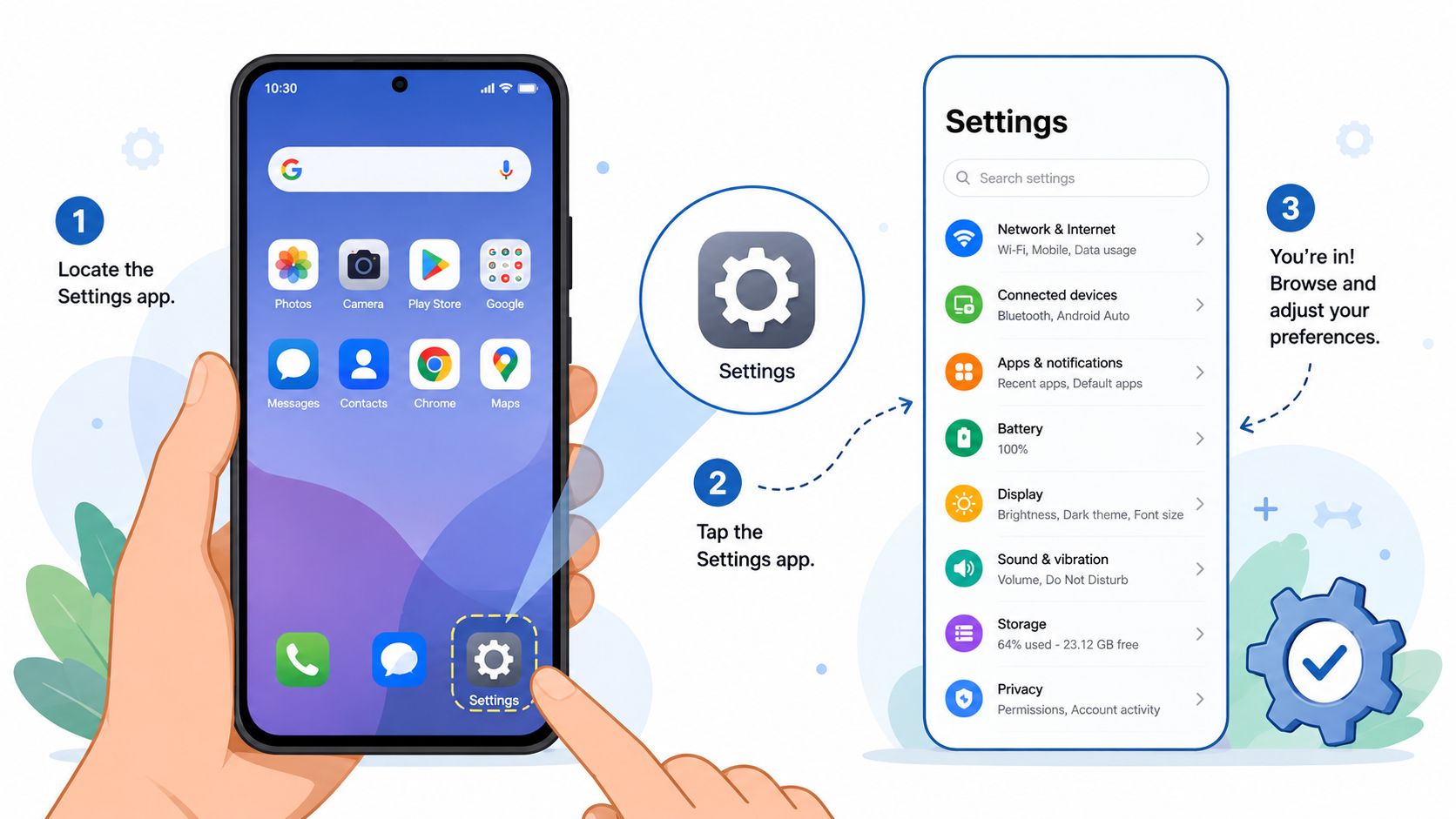
Google's help documentation shows that the Phone number option can sit inside Advanced settings, alongside a Don't show toggle (Google Business Profile help). In practice, that means the number can stay attached to the profile data while being hidden from customers, which helps in limited cases but can create confusion if the setting is left on by mistake.
What to check before changing anything
A fast check usually catches the common issues before you start editing:
- Primary phone field: Confirm the main number is the one customers should use.
- Additional number field: Only use this where there is a clear operational reason, such as call routing or measurement for a specific campaign.
- Visibility controls: Make sure the number is not hidden in advanced settings.
- Editing access: Check that the right person is making the change, especially if an agency or assistant manages the listing.
- Account setup: If you are unsure where the controls sit, the walkthrough in VisiLocali's guide to Google Business Profile Manager gives a practical view of the dashboard layout.
For UK businesses with more than one location, the profile manager is easier to work from than memory alone. A small mistake in the wrong branch of a multi-location account can leave the listing looking correct while calls still go to the wrong place. That is a real risk where local trust depends on the number people see, but tracking still has to stay accurate across the rest of the business's citations.
Adding and Formatting Your Number the Right Way
Google expects phone numbers to be added through the Contact section, and it formats the entry automatically. That helps with presentation, but it can also hide a mismatch if the number you enter does not match the version used across your citations (Google Business Profile help).
For UK businesses, this matters because landlines, mobiles, and tracked numbers often sit in different places across directories. A number can look fine inside Google and still create confusion on your website, social profiles, and sector listings if the formatting is handled differently from one place to the next.
Why inconsistent formatting erodes trust in your citation footprint
Google's auto-formatting can make a number look tidy even when the underlying entry is not aligned with the rest of your online footprint. That is the trap. The profile can appear correct inside Google while a directory, a data aggregator, or your own website shows a different format or a different number entirely.
For a UK landline, enter the number in one format and keep that format consistent across the public sources you control. For mobiles, use the same approach. If you use a tracking number, keep a clear record of which number is meant to appear publicly and which one exists only for measurement or routing, so your team does not mix them up later.
A quick check is usually enough:
- Profile number: Matches the number shown on your website or other agreed public contact source.
- Directory listings: Uses the same core structure across the listings you control.
- Tracking setup: Does not push a tracked number into places where it will weaken trust or create confusion.
A number that Google formats automatically is only a formatted entry. It is not proof that the same number is consistent everywhere else.
The trade-off is straightforward. A tracked number can help you understand call attribution, but if it appears on your homepage while other citations still show a different number, you create a NAP problem. NAP means Name, Address, Phone, the basic identity signals directories use to recognise the same business.
There is another issue that gets missed. Google's formatting can mask a stored mismatch even when the display looks clean, so a business can think the profile is fixed while a different version of the number is still being used by directories, comparison sites, or older listings. In practice, that means you need to check the stored number, the displayed format, and the surrounding citation footprint together, not just the profile screen.
If you are cleaning up an old listing, change the number once, then audit the rest of your citations in the same pass. A partial update leaves room for the wrong version to survive in the places customers still see.
Primary Versus Additional Numbers for Call Tracking
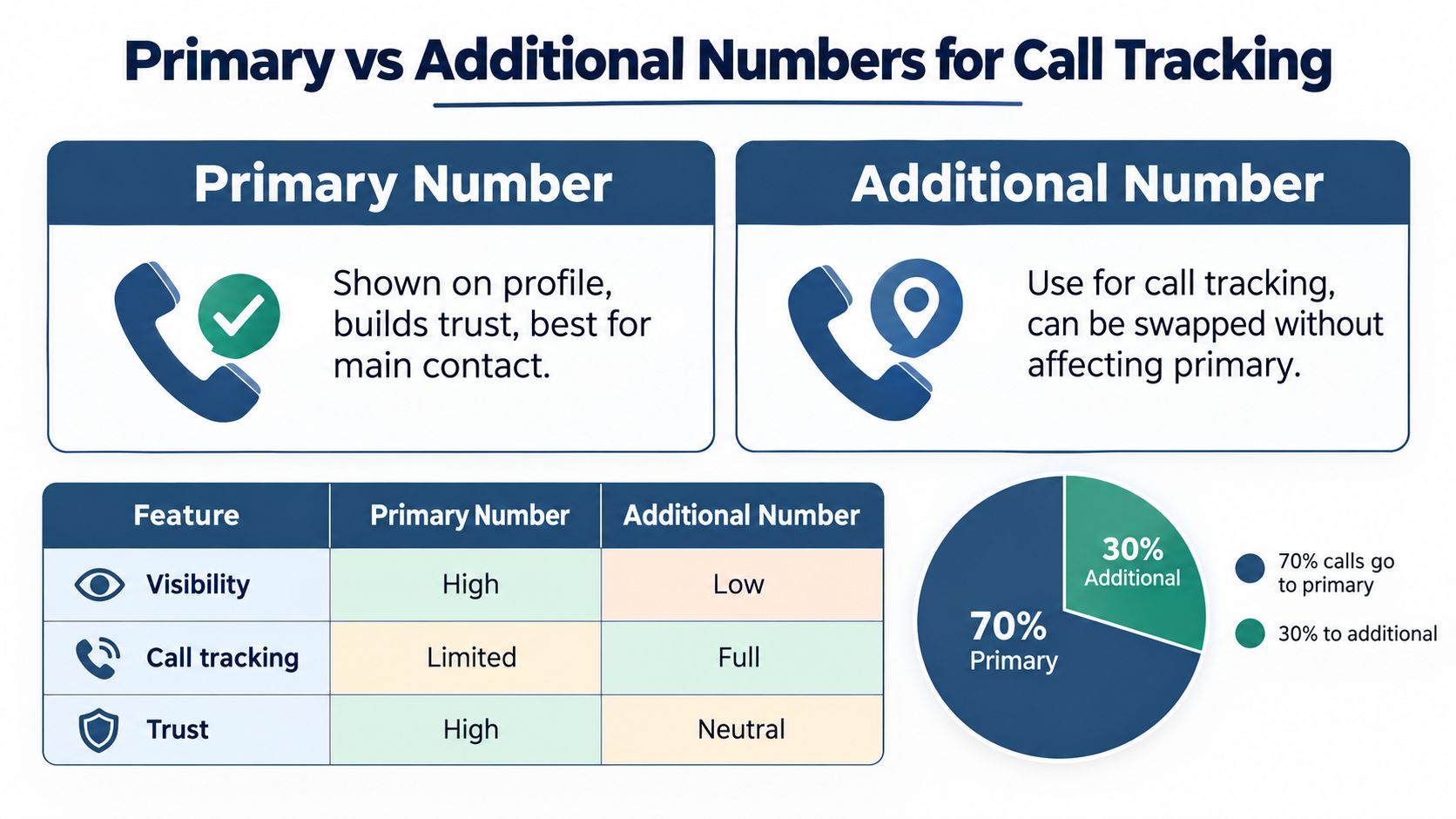
Google supports up to two phone numbers on a Business Profile, and it separates the primary phone field from additional numbers (Google Business Profile help). That distinction is useful because UK businesses often want two things that don't naturally fit together, a clean public number for trust, and a tracked number for attribution.
The best setup depends on what you're trying to protect. If your main goal is local credibility, keep the primary number as the customer-friendly line. If your main goal is campaign measurement, use the extra field or your wider analytics stack to capture where calls are coming from without forcing every directory to show the tracked number.
Side by side choices that come up in practice
| Option | Best for | Main trade-off |
|---|---|---|
| Primary number | The number customers see first, and the one that builds the most trust | Harder to isolate marketing attribution if you use it everywhere |
| Additional number | Routing, testing, and call tracking | Less visible, so it's not always the right public-facing contact |
The tricky part for UK service-area businesses is citation consistency. Public guidance often says to keep the number identical everywhere, which is sensible, but it doesn't fully solve the tension between local trust and measurable call attribution. If you expose a tracked number across all directories, you may get cleaner reporting and messier trust signals. If you hide the tracked number completely, you protect consistency but lose some visibility into source quality.
The right answer is usually contextual. A single-location tradesperson with a simple website often benefits from one clear public number. An agency or a business with several campaigns may prefer a visible main line and a separate operational number for tracking, as long as the public-facing identity stays stable.
Testing Your Number and Fixing Common Problems
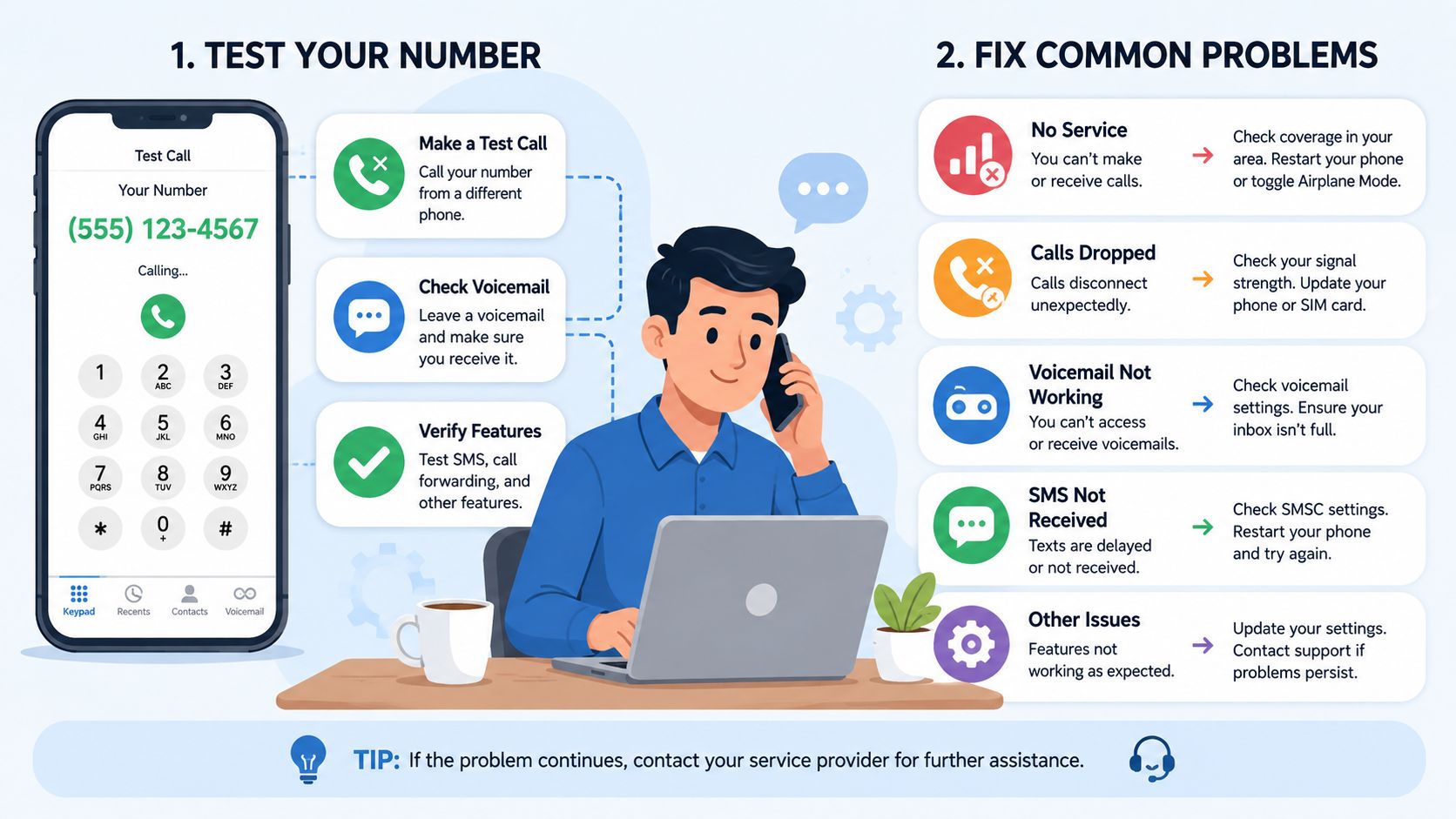
A phone number can look correct in Google Business Profile and still fail in real use. The fastest way to catch that is to test the live listing on both desktop and mobile, then watch what happens when you tap or click the number. If the call does not connect cleanly, the fault is usually in the number itself, the forwarding chain, or the way the line is being handled after it leaves Google.
A number can also behave differently depending on how customers reach it. One caller may get through, while another is routed into voicemail, dropped by a VoIP menu, or blocked before the handset ever rings. That is why practical testing matters more than staring at the edit screen.
A practical troubleshooting routine
- Click the number from the live profile: Confirm it opens the right calling app and routes to the intended line.
- Test on mobile and desktop: Some devices trigger different dialling behaviour, especially if the number is being opened through a browser or map app.
- Call from a second phone line: Check whether the call connects normally from another network, since carrier filtering can affect one caller and not another.
- Check any forwarding chain: If you use a tracked number, test every hop in the route. A menu, voicemail platform, or missed-call rule can interrupt the call before it reaches the business.
- Listen for ringing, delay, or drop-off: A call that rings briefly and ends often points to a VoIP rule, an expired forwarding destination, or a carrier block rather than a Google issue.
- Compare the live profile with your wider citations: If the GBP number differs from directories that still matter for trust signals, resolve the mismatch before you blame the listing itself.
Tracked numbers need an extra check. Some suppliers present the number correctly on the page but suppress the call behind the scenes, so the customer sees a working contact point while the call never reaches the expected destination. A simple way to reduce that risk is to choose a setup that makes the tracking layer easy to audit, as covered in this local SEO optimisation tool guide.
A number can also be blocked by the carrier or phone app before it ever rings. If the line works on one device but fails on another, try calling from a different network and check whether the tracked number has been flagged as spam, filtered by the recipient handset, or suppressed by a call screening rule. Those failures are easy to miss if you only test once from your own mobile.
If you use VoIP forwarding, check the destination rules as well. A call may enter the system correctly, then fail because the forwarding window is closed, the hunt group is misordered, or the voicemail timeout is too short for the line to answer. In practice, that is where many UK service businesses lose calls after a number update, not in Google itself.
Tracking Call Performance After Optimisation
Optimising the phone number only matters if you can tell whether the change helped. Google Business Profile performance reporting gives you a basic view of how people interact with the listing, including calls, while your own call tracking can show whether those calls are connecting to revenue or just ringing the wrong line. The useful insight comes from combining the two, not treating them as separate dashboards.
If the profile number becomes cleaner and more consistent, you should expect the contact path to feel smoother for searchers. That doesn't prove rankings changed on its own, but it does help you separate visibility issues from contact issues. In other words, a busy phone isn't always proof of better local SEO, it can just mean the listing became easier to use.
What to watch week to week
- Profile calls: Look for changes in call activity after number updates.
- Answer quality: Listen for whether calls are reaching the right team or bouncing between lines.
- Source alignment: Check whether the calls match the campaigns you expect.
- Listing consistency: Keep an eye on whether the profile still matches your wider citations.
This is also where a platform such as VisiLocali can fit into the workflow, because it combines Google Business Profile management with performance reporting and practical local SEO tasks. Used well, that kind of setup helps you connect a phone field change to the rest of the listing instead of treating it as an isolated edit.
The goal is simple. A good number should be easy to find, easy to trust, and easy to measure. If it's only one of those things, the profile still has work to do.
Wrapping Up Your Phone Optimisation
A strong Google Business Profile phone setup starts with one clean number, one clear role for any extra number, and one consistent public identity across your citations. The biggest mistakes are usually mundane, a hidden number, a tracked line exposed everywhere, or a profile that no longer matches the website.
Phone optimisation isn't a one-time fix. It belongs in the same routine as category checks, review replies, and profile updates, because a business number changes over time and Google notices when the listing falls behind.
Keep it simple. Verify the current line, confirm visibility, test the call path, and keep your wider NAP data aligned. Then review it again whenever your routing, campaigns, or office setup changes.
If your Google Business Profile phone number needs a proper tidy-up, start with the live listing today, test the call path on a mobile device, and then bring your website and key citations back into line. If you want help turning that into a repeatable local SEO workflow, use VisiLocali to review the profile, spot inconsistencies, and manage the next fix with less guesswork.
