 Skip to content

A salon owner in Bristol checks her Google Business Profile every Monday morning. She searches on her phone, walks three streets away to check Maps again, then asks a friend in a nearby neighbourhood to repeat the search. The three results don't match, and she has no reliable way to know whether her business is visible or whether each search reflects a different location.
That routine feels free, but it consumes time and produces weak evidence. Manual checks miss locations, vary by device and create isolated snapshots instead of a useful record. An automated rank tracker replaces that guesswork with repeatable local measurements, historical data and context from your Google Business Profile.
The important question isn't only whether you should automate ranking checks. It's how to read movement across a local area, connect it with profile changes and decide which shift deserves action. UK businesses need that context because Google held around 93–94% of the UK search market in mid-2025, while Google Maps reached 73% of UK online adults in 2024 and its app reached 71% (UK local SEO research). This guide explains how the system works, what a geo-grid reveals and how to choose a setup that supports better decisions.
Table of Contents
- Why Local Businesses Stop Checking Rankings by Hand
- What an Automated Rank Tracker Actually Does
- How Geo-Grid Tracking Reveals the Real Map Picture
- Automated Tracking Versus Manual Spreadsheets
- Key Features That Matter for UK Local SEO
- How Much Tracking Is Enough Without Overpaying
- Choosing and Starting with the Right Tracker
Why Local Businesses Stop Checking Rankings by Hand
The Bristol salon owner may start with a simple goal: find out whether she appears when someone searches for a nearby hairdresser. Instead, she ends up comparing searches from different places, devices and browsing histories. Her own business name search tells her very little about discovery searches such as “hair salon Bristol” or “balayage near me”.
The same problem affects plumbers, electricians, cleaners and other local service businesses. A business can appear prominently for one customer and much lower for another because Google uses the searcher's location, query intent and local results to shape the map pack. UK research found that the local pack appears on 95.6% of trades searches and above 90% of most other studied sectors (UK local search study). That makes map visibility a practical customer-acquisition metric, not a decorative number in an SEO report.
Why isolated searches create poor decisions
A manual check usually records one result for one phrase at one point in time. It doesn't show whether the business ranks consistently across the service area, whether a nearby competitor is gaining ground or whether a profile edit changed visibility.
Common sources of inconsistency include:
- Different locations: A search from the business premises may look stronger than one from a nearby town.
- Different devices: Mobile and desktop layouts can expose different local results.
- Personalisation: Search history and previous interactions can affect what an individual sees.
- Missed checks: Busy teams often check a few important phrases and overlook other services.
- Weak records: A spreadsheet can preserve a number without preserving the conditions behind it.
Practical rule: A ranking number is only useful when you know where, how and when Google recorded it.
Automation doesn't remove judgement. It gives that judgement a cleaner evidence base. The rest of the process is about interpreting the evidence, not staring at a dashboard and reacting to every small fluctuation. A useful system shows local coverage, stores past readings and connects ranking movement with controllable Google Business Profile fields.
What an Automated Rank Tracker Actually Does
Think of an automated rank tracker as a weather station for search visibility. A weather station stays in a defined place, records conditions on a schedule and stores readings so you can compare today's temperature with last week's pattern. A rank tracker does something similar, but it checks search results from selected locations and records where a business appears.
The four working parts
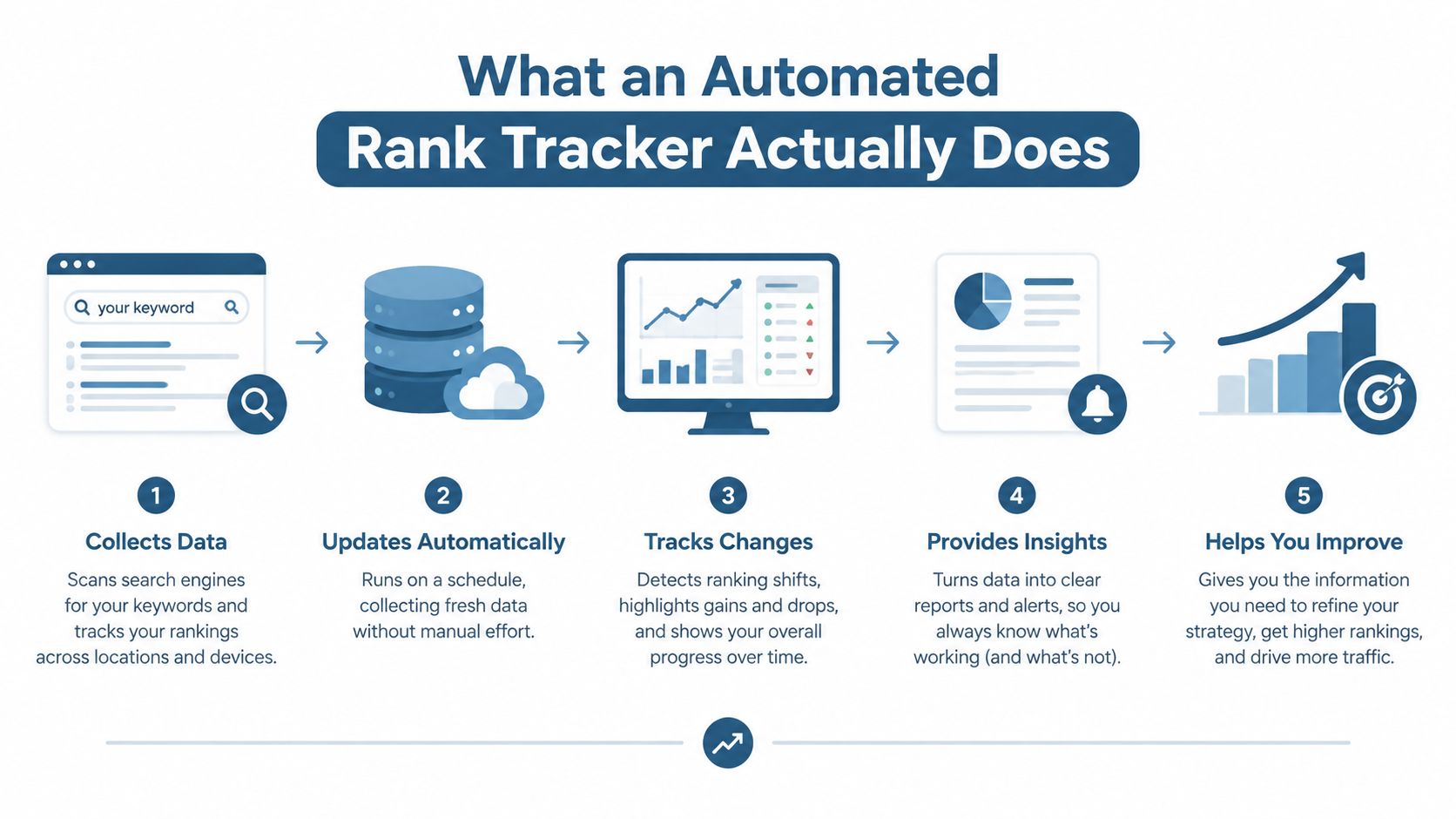
Scheduled checks run at a chosen cadence, such as daily, weekly or on demand. Consistency matters because a repeated process gives you comparable readings. If every check uses different conditions, a change in position may reflect the measurement method rather than a change in visibility.
Keyword sets describe what customers search for. A flooring company might monitor “flooring installer Bristol”, “wood flooring Bath” and service-specific phrases rather than only its brand name. Keep the set connected to real services and locations, because tracking irrelevant terms creates activity without useful insight.
Location sampling checks results from selected towns, postcodes or map points. UK tools increasingly support town and postcode localisation, with some storing more than a year of ranking history. One provider says its system can access 480 days of historical rankings, while another highlights UK town or postcode tracking and top-100 Google UK snapshots (UK rank tracking guidance). Those capabilities help teams compare local movement instead of relying on one national position.
Historical storage turns separate checks into a timeline. You can review whether a profile change was followed by a sustained shift, whether visibility varies by location and whether a competitor repeatedly appears in places where your business disappears.
What the output really means
The output isn't one permanent ranking. It's a dated log of positions, filtered by keyword, device and location. That distinction prevents a common mistake, treating “rank three” as a universal truth when it may only describe one point on a map.
For a straightforward explanation of the wider process of checking search positions, Outrank's free ranking guide provides useful background. For local businesses, though, the most valuable question remains practical: where does visibility hold up, and what profile change could improve the weaker areas?
How Geo-Grid Tracking Reveals the Real Map Picture
A single position number can flatter a local business. A plumber might rank first in the village where the business address is located, third in the next town and not appear at all several miles away. Reporting “position one” hides the difference between strong visibility near the office and weak coverage across the area where the plumber wants work.
A geo-grid solves this by sampling search results from multiple points. Each point represents a location where a potential customer might search, creating a map of local visibility rather than a single reading from one address.

A two-town example
Suppose the plumber serves two nearby towns. A grid across both areas might reveal four distinct patterns:
- Strong central coverage: The business appears near its address but fades towards the edges.
- Town imbalance: Visibility is healthy in the first town and weak in the second.
- Competitor pockets: One rival dominates particular neighbourhoods despite weaker visibility elsewhere.
- Query-location mismatch: A town name in the keyword changes the map results compared with a broader service phrase.
The grid can show each point's position, an average position across the sample and a visibility view that makes strong and weak areas easier to spot. The average is useful for summarising direction, but the individual points explain where action is needed. A falling average caused by one distant point may deserve less attention than a broad decline across the whole service area.
You can see how a local rank tracker applies this location-based approach to daily monitoring. The key isn't to collect the largest possible map. It's to sample locations that represent the towns, postcodes and neighbourhoods the business wants to serve.
Connecting movement with profile changes
Geo-grid data becomes more useful when paired with Google Business Profile changes. A weak area might relate to category relevance, address proximity, service-area clarity or review activity. A 2026 UK local-pack survey ranked the primary Google Business Profile category at 227, proximity to the searcher at 225, keywords in the business title at 223 and the physical address in the city of search at 213 (UK local ranking-factor summary).
That doesn't prove one field caused a ranking movement. It does tell you which controllable details deserve investigation when the grid changes. If the second town declines after a profile edit, compare the timing, affected keywords and competitor profiles before making another change.
Automated Tracking Versus Manual Spreadsheets
Manual spreadsheets aren't useless. They can help a new business understand its first few searches, and they cost nothing beyond staff time. The trouble starts when a team treats manually collected results as a dependable monitoring system.
Someone may search from a different phone, forget to record the postcode, use a personalised result or enter the position in the wrong spreadsheet cell. Another person may check the same term from another town and produce a result that looks contradictory. The sheet preserves the number, but not always the conditions that produced it.
| Factor | Automated tracking | Manual spreadsheets |
|---|---|---|
| Time | Repeated checks run without someone copying results by hand. | Staff must search, record and organise each reading. |
| Consistency | Locations, devices and keywords can follow the same setup. | Conditions often change between checks. |
| Trend visibility | Historical data can show sustained movement across locations. | Records may be incomplete or difficult to compare. |
| Competitor context | Competitor positions can be reviewed beside your own data. | Competitor checks are easy to skip. |
| Alerts | Reports can flag a meaningful decline for investigation. | Someone must remember to inspect the sheet. |
| Control | The system still needs sensible locations, keywords and interpretation. | The person checking controls the method, often inconsistently. |
The real advantage is evidence
Automation's main benefit isn't a prettier dashboard. It's a repeatable record that helps a small UK team ask better questions. Is visibility rising across the service area? Has a rival begun appearing in a weak postcode? Did movement follow a category, opening-hours or review-management change?
For broader background on monitoring rivals, RecensioAI B.V.'s guide to best competitor tracking software can help clarify the difference between watching competitors and collecting actionable local data. A local tracker should keep the focus on the map results that influence customer discovery.
The trade-off is setup and cost. You must choose accurate scan points, relevant search phrases and a reporting cadence that matches your team. Automated results are monitoring evidence, not proof that one profile edit directly caused a ranking change. Occasional manual validation still helps confirm that the recorded result reflects what a real customer can see.
For a practical comparison of the two workflows, review local rank tracking versus manual checks. The best arrangement usually combines scheduled automation with human review, rather than replacing judgement with volume.
Key Features That Matter for UK Local SEO
Before comparing prices, score a tracker against the work your business needs. UK local visibility changes by town, postcode and searcher location, so a national position can conceal the exact problem you need to solve.
Start with measurement quality
Check whether the tool supports:
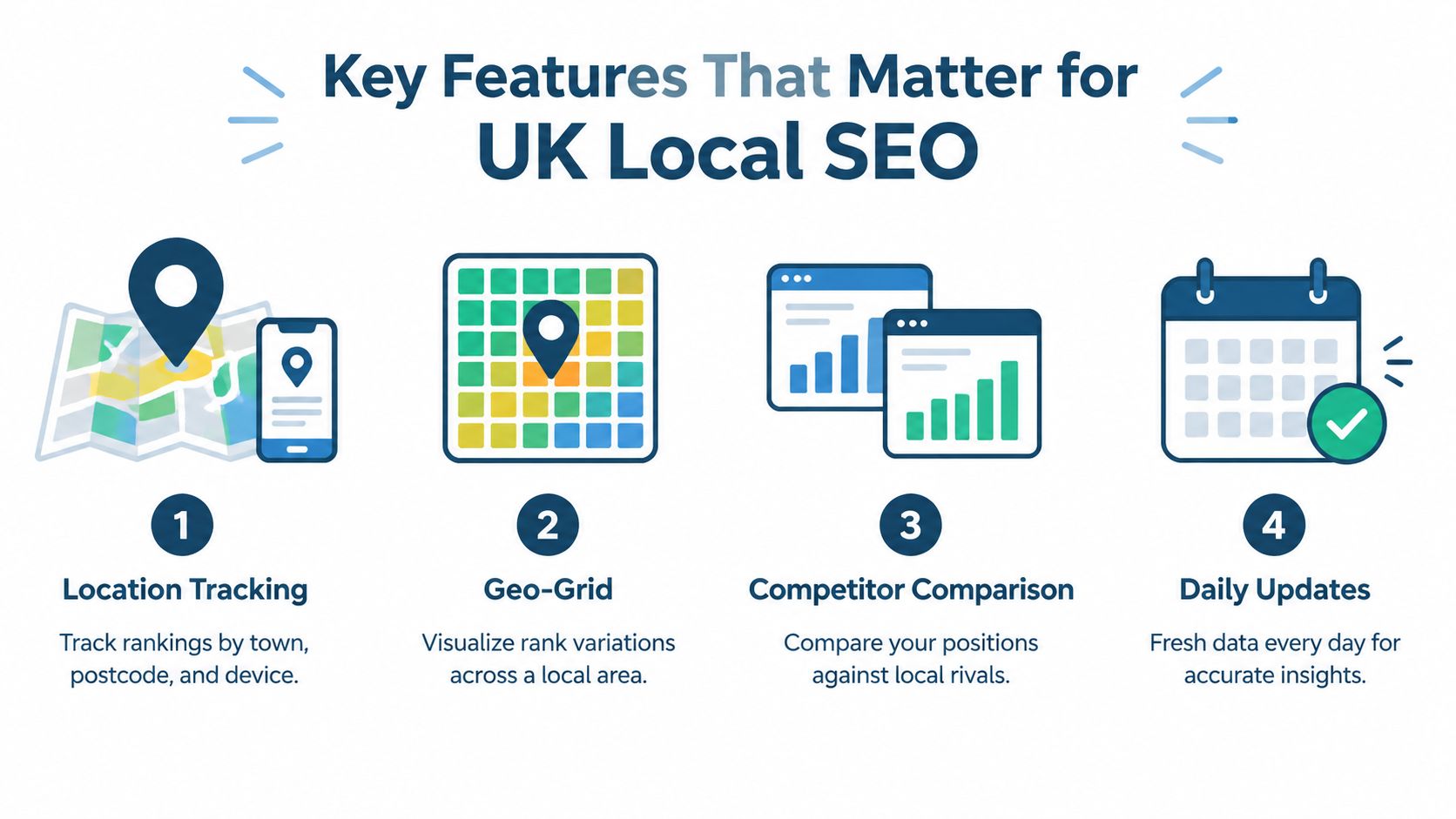
- Town and postcode tracking: You should be able to test the places where customers search, not only the business address.
- Device selection: Mobile visibility matters because Maps discovery is closely connected with mobile use in Britain.
- Consistent search conditions: Personalised results can distort the baseline if the system doesn't control the search setup.
- Historical data: A dated record helps separate a short fluctuation from a recurring pattern.
- Adjustable map points: Service areas rarely form a neat circle, so scan centres should reflect real target locations.
The geo-grid should show individual points as well as a summary. A single average can tell you that visibility moved, but the map tells you where the movement happened.
Add context before adding more metrics
Competitor comparison is useful when it answers a specific question. If a rival appears in a weak area, compare its primary category, address details, reviews and profile completeness with your own. A UK local-pack study gave high scores to ratings, address visibility, review quantity and review recency, including 181 for high numerical ratings, 176 for an address displayed on the profile, 170 for native Google reviews with text and 164 for review recency (Google Business Profile ranking guide).
Alerts should also be selective. Set them around important keyword groups and meaningful movement across several locations, rather than reacting to every isolated change. Reports need plain-language explanations and exports that a business owner, manager or client can understand quickly.
Use the trial to test the workflow
Ask how often the tracker scans, whether you can move the scan centre and whether it connects ranking changes with profile activity. For Google Business Profile work, look for category edits, review activity, photos and local-pack visibility, but avoid dashboards that bury the useful signals under vanity metrics.
The right tool isn't the one with the longest feature list. It's the one that gives you accurate local data, relevant competitor context and a clear next action.
How Much Tracking Is Enough Without Overpaying
More data doesn't automatically create better decisions. A tracker can scan a large number of points and keywords, yet still leave a team unsure whether to change a category, request more reviews or investigate a competitor.
Start with the smallest setup that answers a real business question. A company serving two towns might begin with core service phrases, representative points around each town and a cadence the team can review. Add more locations or keywords only when the new data could change the next action.
Match cadence to decision speed
There isn't one universal schedule. UK guidance includes weekly checks for many local businesses and monthly audits, while some platforms offer scans every 3 days or daily monitoring (UK SEO ranking checker guidance). The appropriate choice depends on how quickly your team can investigate and implement changes.
- Daily checks: Useful when a competitive area, important campaign or recent profile edit needs close observation.
- Weekly checks: Often suitable for a stable local profile that receives regular review.
- Monthly audits: Helpful for a broader health review, but too slow for a sudden local visibility issue.
Set a threshold that filters ordinary movement. A decline across several grid points and important terms is more meaningful than one noisy result.
Read rankings beside customer actions
A grid decline deserves more attention when other signals move in the same direction. Review calls, website clicks, direction requests, photo views and local-intent impressions alongside ranking positions. UK guidance specifically recommends pairing grid movement with direction requests, website clicks, call clicks and photo views because engagement changes can appear before ranking losses (UK geo-grid interpretation guidance).
A fall after a category, phone-number, address or service-area edit deserves investigation. So does a sustained change that coincides with competitor activity. If neither customer actions nor profile conditions change, record the movement and watch it rather than making a rushed edit.
Use a 14-day trial to test value in practice. Review the reports you open, note which alerts lead to action and remove keywords or grid points that don't improve a decision.
Choosing and Starting with the Right Tracker
A good buying decision starts with your workflow, not a feature list. A small UK team can make progress this week by checking whether a tracker measures the right places, preserves enough history and explains what to do next.

Use a practical onboarding checklist
- Score the tool against your needs. Confirm location tracking, device controls, geo-grid visualisation, competitor comparisons, historical trends and usable reports.
- Match the grid to the service area. A business serving scattered villages may need different scan points from a shop serving one town centre.
- Create a 14-day baseline. Let the tracker collect realistic local readings before you judge a one-off result or set aggressive alerts.
- Record controlled GBP changes. Note category, address, opening-hours, service-area, review and content updates beside ranking movement. Google advises that the primary category should describe the business overall, and says additional categories should accurately describe the business, with a maximum of 10 categories (Google Business Profile category guidance).
- Set a weekly review routine. Look at the map, competitor movement, profile changes and customer actions together. Finish with one prioritised task, not a long list of possible optimisations.
The comparison should remain grounded in business context. A tracker can show that a profile is weaker than a nearby competitor, but your team still needs to decide whether the gap comes from category relevance, proximity, reviews, completeness or a different customer intent.
VisiLocali combines Google Business Profile geo-grid tracking with side-by-side competitor profile data and AI recommendations. Its tools can compare profile fields, review activity and ranking data, then identify practical actions such as improving a controllable profile field or managing review responses. For teams weighing AI versus traditional rank tracking, the sensible test is whether the added interpretation helps people take the right action, not whether the dashboard uses more automation.
A local search rank tracker should earn its place by making local decisions clearer. Use the trial period to test your own profile, target towns and important phrases, then check whether the reports change what your team does.
Start a 14-day free trial of VisiLocali to track your Google Business Profile rankings across local grid points, compare your profile side by side with competitors and receive AI insights and recommendations. Use your own business data to see which profile changes are most worth acting on, rather than spending another Monday morning repeating unreliable manual searches.
