 Skip to content
You've claimed and verified your Google Business Profile. The hours look right. The phone number works. Yet you still don't show up where you should, or worse, you show up in some parts of your service area and disappear in others.
That's usually the point where business owners start making random edits. They change a category, upload a few photos, write a post, and hope Google notices. It rarely works for long because the core problem isn't a lack of activity. It's a lack of prioritisation.
A proper Google Business Profile audit gives you something far more useful than a checklist. It tells you what's wrong, what matters most, and what to fix first.
Table of Contents
- Why a Google Business Profile Audit Is Your Local SEO Secret Weapon
- Setting the Stage for a Successful GBP Audit
- Auditing Your Core Profile Information for Accuracy
- Beyond the Basics with Competitor and Ranking Analysis
- Turning Audit Findings into a Prioritised Action Plan
- From Audit Report to Ongoing Local Success
Why a Google Business Profile Audit Is Your Local SEO Secret Weapon
If your Google Business Profile has been live for months and leads still feel inconsistent, don't assume Google is ignoring you. More often, the profile has drifted. Categories become outdated. Photos get stale. Service details no longer match what the business offers. Small issues stack up.
That matters because around 61% of consumers in the UK use Google Maps to find local businesses, and profiles with complete information and regular audits have a 35% higher chance of being contacted than incomplete listings, according to Google Business Profile guidance. That gap is big enough to change whether the phone rings this week.
A Google Business Profile audit is a structured review of the listing elements that influence visibility and action. It checks whether your profile is accurate, competitive, and aligned with how people search in your area. The useful part isn't the audit itself. It's the sequence of decisions that follows.
Practical rule: Don't treat a GBP audit as admin. Treat it as revenue maintenance for your local search presence.
Many profiles underperform for boring reasons. The primary category is too broad. The address is formatted one way on Google and another way on local directories. The business serves a wide area, but the profile only performs well near the physical base. Those aren't glamorous problems, but they're the ones that suppress local visibility.
A good audit also stops wasted effort. Businesses often spend time writing more posts or chasing more reviews when the underlying issue is foundational. If the core business information is inconsistent, or the main category is wrong, content activity won't compensate for it.
Use the audit to answer three practical questions:
- What's broken: Errors, omissions, or mismatches that weaken trust and relevance.
- What's weak: Areas where competitors clearly present stronger local signals.
- What should happen next: The smallest set of changes most likely to improve ranking and customer actions.
That final question matters most. A long audit list is easy to produce. A useful one tells you what to fix first.
Setting the Stage for a Successful GBP Audit
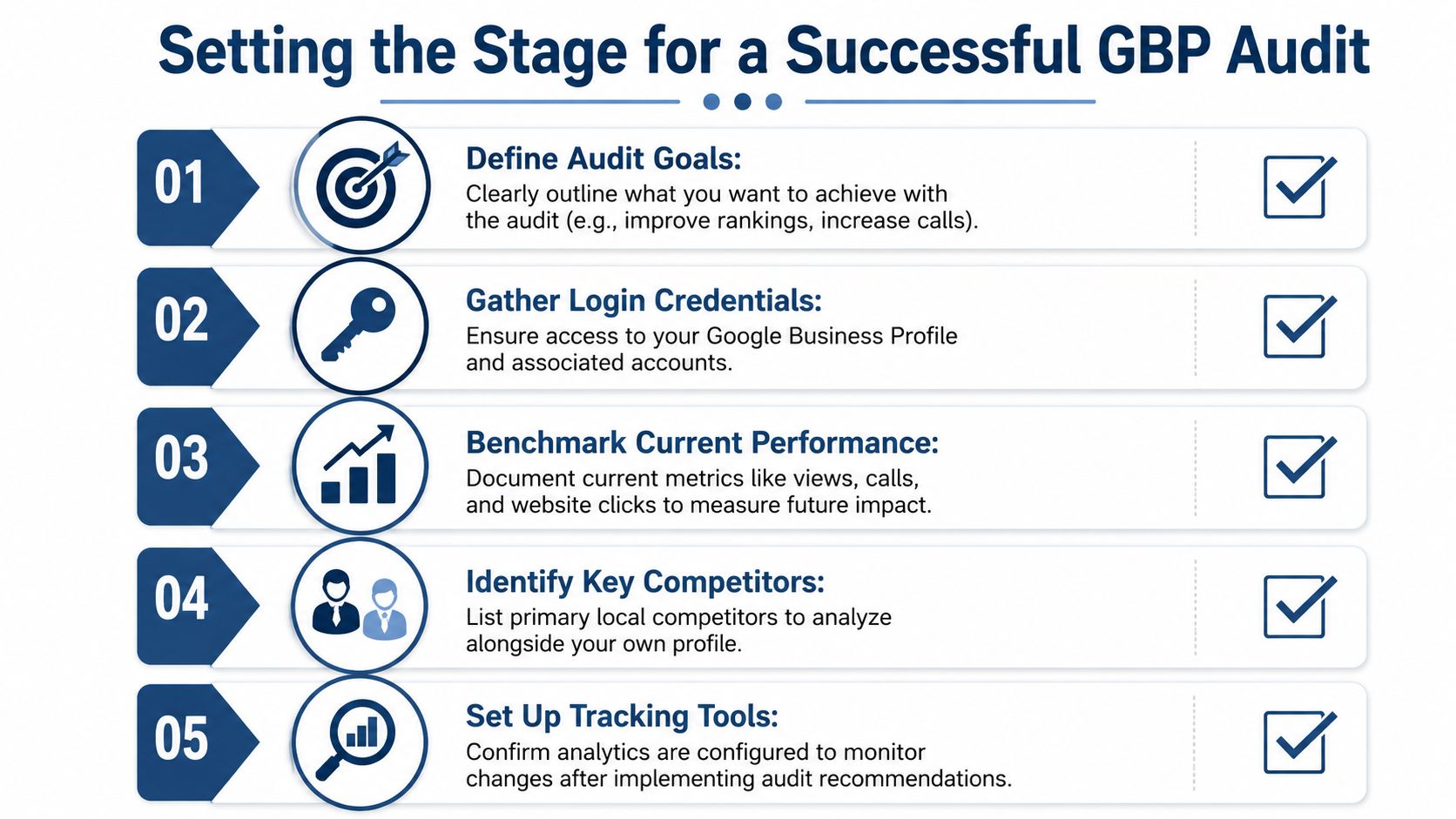
The strongest audits start before you touch the profile. Most rushed audits fail because they inspect fields without defining what success looks like. If you want more calls, your review handling, main category, and phone number visibility matter more than cosmetic edits. If you want bookings, landing page alignment and service detail become more important.
This prep work also keeps you honest. It stops the common habit of comparing your profile to an ideal version that doesn't exist in your market.
Define what winning means
Pick the main outcome first. That could be more calls, more quote requests, more direction requests, or broader visibility across a service area. Without that, every issue looks equally important when it isn't.
A profile for an emergency plumber and a profile for a boutique shop don't need the same audit emphasis. One depends on trust, speed, and local radius coverage. The other may depend more on opening hours, photos, and footfall intent.
Confirm access and baseline data
Before auditing anything, make sure you can edit the profile and any connected assets you'll need. That includes the Google Business Profile itself, the website page linked from it, and any reporting tools you use to monitor calls, clicks, or direction requests.
The reason is simple. Audit findings are only useful if your team can act on them quickly.
A benchmark also matters. Among UK small businesses that perform a GBP audit, 89% report a measurable improvement in local search rankings within the first three months, with an average increase of 19 positions in the Google Maps local pack for their primary keywords, according to this UK GBP audit analysis. If you don't record your current visibility and engagement first, you won't know which changes moved the needle.
Choose the right competitors
Don't pick the businesses you admire most. Pick the ones already taking clicks from you in Google Maps. In practice, that means the profiles repeatedly appearing for your core services in your target locations.
Use a short list:
- Direct local rivals: Businesses offering the same core service in the same area.
- Map Pack regulars: Profiles that keep appearing for your commercial keywords.
- Geographic overlaps: Businesses covering the same estates, towns, or postcodes.
The best benchmark isn't the biggest brand in your sector. It's the local business already outranking you for the searches that matter.
When this preparation is done properly, the audit becomes comparative instead of abstract. You're no longer asking, “Is my profile complete?” You're asking, “What's missing that competitors already do better?”
Auditing Your Core Profile Information for Accuracy
Most ranking problems start in the profile basics. If the core details are weak, every other optimisation sits on shaky ground. Therefore, a Google Business Profile audit should be strict, not creative.
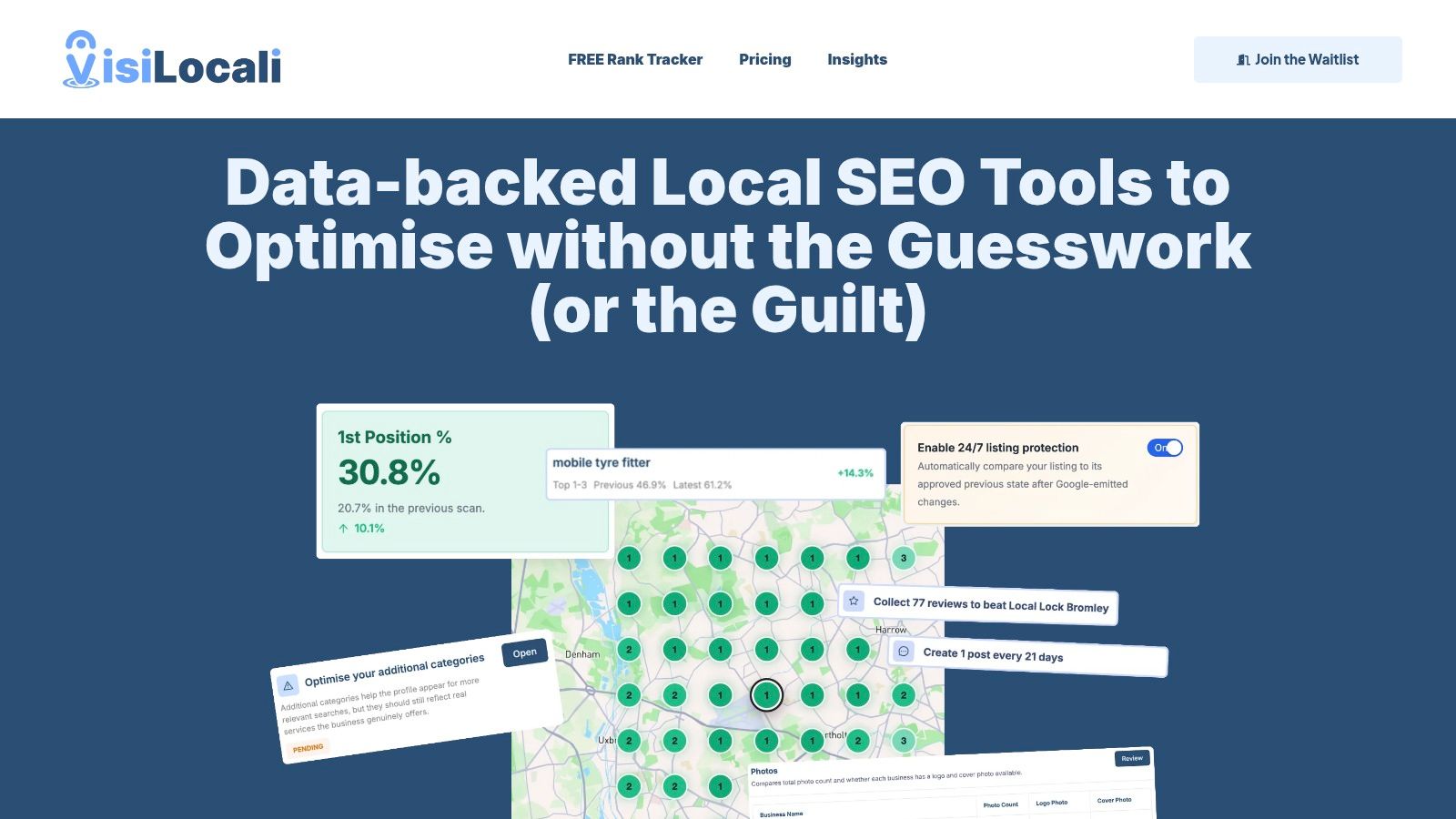
A side-by-side review helps. That's why profile analysers are useful. They show your own listing next to local competitors so you can see gaps immediately instead of guessing from memory.
Start with NAP and business basics
NAP means Name, Address, and Phone number. These are the foundational identity signals tied to your listing. If they're inconsistent across Google, your website, and major directories, Google gets mixed signals about which business entity it should trust.
Check these first:
- Business name: It should match your real trading name. Don't stuff it with keywords.
- Address format: Make sure the format matches how the address appears elsewhere online, especially if you use Unit, Suite, Floor, or building names.
- Phone number: Use the main customer-facing number you want people to call.
- Website URL: Point it to the most relevant page, not just the homepage by default.
- Opening hours and special hours: Make sure they reflect reality, including holiday periods.
This part is rarely complicated, but it's often where hidden conflicts appear. UK businesses especially run into trouble when address formatting varies slightly across listings. A profile can look clean inside Google and still underperform because the wider citation footprint is messy.
If you manage edits directly in Google, this guide to using Google Business Profile Manager effectively is useful for checking where key fields live and how updates flow through.
Audit categories with ranking impact in mind
Categories are not a box-ticking exercise. They tell Google what searches your business should be relevant for.
The biggest decision is the primary category. The primary category slot carries the biggest ranking impact in Google Maps, meaning it must be the most specific option describing the core business rather than an overly broad category that dilutes visibility, as explained in this guide to GBP category selection.
Google also allows exactly 10 category slots in total, made up of 1 primary and 9 secondary categories, according to Search Engine Land's review of GBP audit mechanics. That doesn't mean you should fill them carelessly. It means you should use all relevant slots with intent.
Here's what usually works:
- Pick the single most specific primary category for your main revenue-generating service.
- Add secondary categories that reflect genuine secondary services, not wishful targeting.
- Review competitor categories to spot service intent they're capturing and you're missing.
- Recheck categories periodically because Google adds and updates category options.
If your business does kitchen fitting, “Kitchen remodeler” is usually stronger than a broader category that only loosely describes the work.
Check photos posts and visible completeness
After identity and categories, inspect the signals that make the profile look active and credible to both Google and customers.
Photos matter because they show proof of business activity. Posts matter because they indicate profile maintenance and let you reinforce service relevance. Attributes matter because they help qualify clicks before the customer lands on your site or calls.
Audit these areas with a practical eye:
- Photo coverage: Include exterior, interior, team, service, and product or project images where relevant.
- Freshness: Make sure the media doesn't make the business look inactive.
- Post consistency: Use posts to highlight services, offers, updates, or seasonal information.
- Attributes and services: Fill in the details customers use to decide.
The mistake here is treating completeness as a score-chasing exercise. A complete but vague profile still underperforms. The better standard is this: every visible field should reduce uncertainty for the customer and strengthen relevance for the search.
Beyond the Basics with Competitor and Ranking Analysis
A local profile can look polished and still lose. That's because Google doesn't rank you in isolation. It ranks you against nearby alternatives competing for the same intent.
This is the part many businesses skip. They audit their own profile, fix obvious gaps, and stop there. Then they wonder why a less impressive rival still shows up above them.

Reviews tell you whether the issue is trust or visibility
Reviews are not just social proof. They also help you diagnose what kind of local SEO problem you have.
If your visibility is decent near the business but click-through and conversions are weak, the review profile often explains why. If visibility is weak across the board, reviews may still matter, but they're probably not the only issue.
A useful review audit looks at:
- Recency: Are new reviews still coming in or has momentum stalled?
- Response behaviour: Are you replying consistently and quickly?
- Content quality: Do reviews mention the services and locations you want to be known for?
- Comparison: Are nearby competitors visibly stronger on review freshness and engagement?
A review analyser demonstrates its value in separating “we need more visibility” from “we need stronger trust signals”.
Competitor analysis shows what normal looks like
Most business owners judge their own profile against what they think should matter. That's risky. Google cares about relative strength inside the local market.
A practical competitor audit compares what the top local profiles are doing across several visible areas:
| Area | What to check | Why it matters |
|---|---|---|
| Categories | Primary and secondary categories used | Reveals service intent competitors are capturing |
| Reviews | Recency, responses, and visible engagement | Shows whether rivals look more trusted and active |
| Media | Quantity, relevance, and freshness of photos | Affects profile appeal and activity signals |
| Posts | Whether they publish updates regularly | Indicates profile maintenance and messaging |
| Business details | Services, attributes, hours, and links | Highlights gaps in customer-facing completeness |
If you want a more structured way to do that, this walkthrough on how to analyse local competitors is a good reference.
One caution. Don't copy competitors blindly. If they use weak categories or clutter their profile with irrelevant detail, copying them just reproduces the same errors. Benchmarking works when it helps you spot patterns, not when it turns into imitation.
Geo-grid analysis reveals where you actually rank
Traditional rank tracking gives one position number. That isn't enough for local SEO because Google Maps results change by location. Your ranking outside your office may be very different from your ranking a few streets away, or in the next town you claim to serve.
That's why geo-grid rank tracking matters. A geo-grid maps your visibility across a defined area using points arranged in patterns such as 5×5, 7×7, or 9×9. Instead of one ranking, you get a visual spread showing where the business is strong and where it drops away.
68% of local search conversions in the UK happen when a business appears in the top 3 of the Map Pack within the user's specific service radius, yet 42% of UK small businesses fail to rank consistently across their declared service area, according to this analysis of local search conversion and service-area performance.
A single ranking number hides local weakness. A geo-grid exposes it.
This is often where service-area businesses get clarity. They assume they rank badly everywhere, but the grid shows a different pattern. They may rank well close to the base location, disappear in outlying postcodes, and lose visibility where duplicate listings or weak citations dilute signals.
That's why ranking analysis should drive audit priorities. If a weakness only appears in certain parts of the service area, the fix may involve category alignment, location-page relevance, or citation cleanup rather than broad profile edits.
Turning Audit Findings into a Prioritised Action Plan
A full Google Business Profile audit can produce dozens of issues. Most of them shouldn't become this week's work.
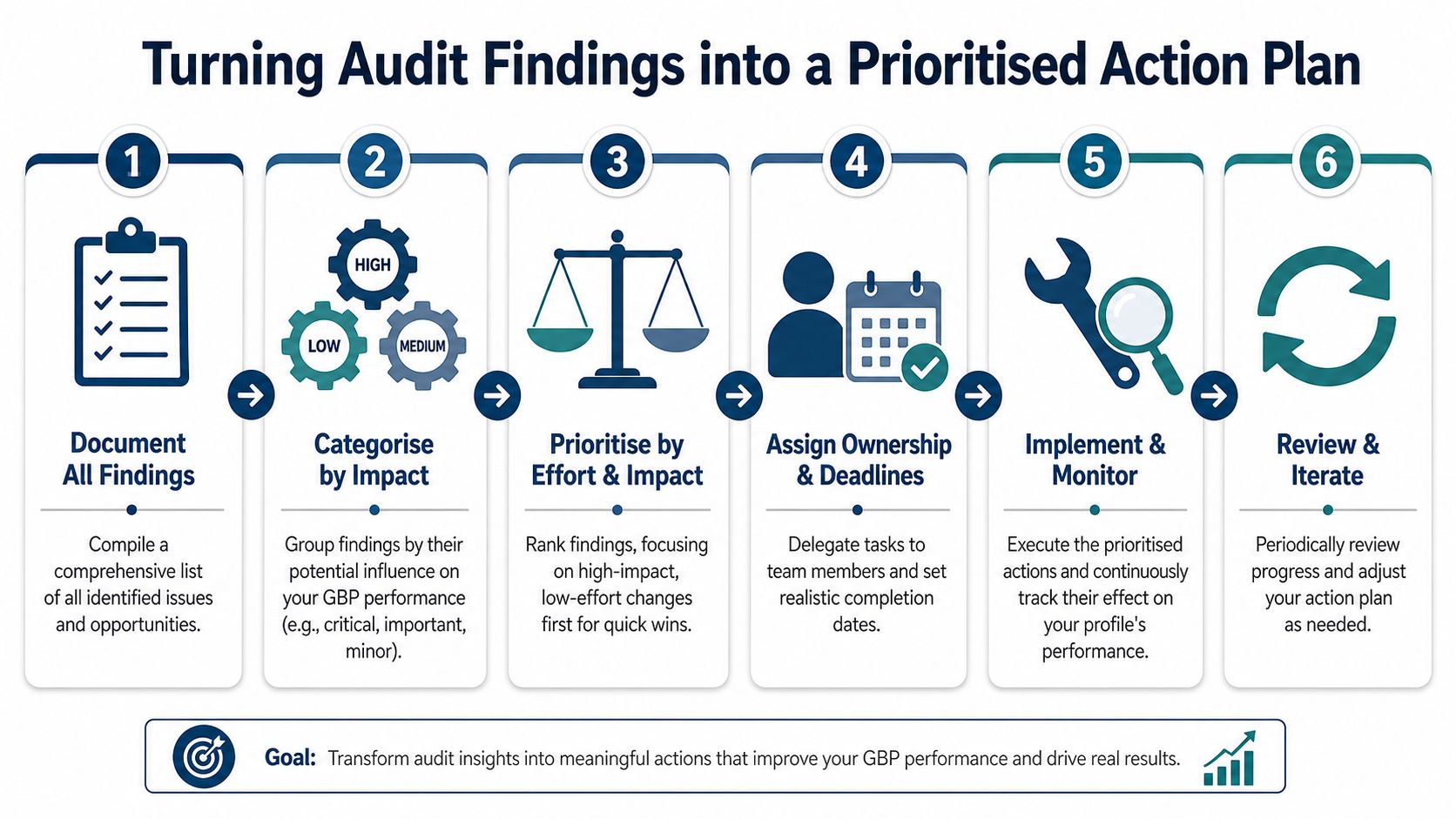
The right next move is not “fix everything”. It's choosing the changes that are most likely to improve visibility or customer action with the least wasted effort.
Sort fixes by impact first effort second
Start by splitting findings into three groups.
Critical issues are errors that damage trust or relevance directly. Wrong phone number, wrong address format, wrong primary category, broken website link, or missing opening hours all belong here.
High-impact improvements are not broken, but they meaningfully strengthen the profile. Better secondary category coverage, stronger service detail, fresher photos, more active review responses, and cleaner competitor positioning often sit in this group.
Lower-priority refinements are useful but shouldn't come first. These include tidying minor attributes, improving weaker photos that already have acceptable coverage, or rewriting business descriptions that are decent but not brilliant.
A simple decision table helps:
| Priority level | Typical issue | Action order |
|---|---|---|
| High | Core profile errors or major mismatch | Fix first |
| Medium | Competitive gaps affecting relevance or trust | Fix next |
| Low | Cosmetic or marginal completeness issues | Schedule later |
Watch for UK address formatting traps
One of the easiest mistakes to underestimate in the UK is citation inconsistency caused by address formatting. The business may use “Unit 4” on the website, “Suite 4” on a directory, and no unit detail at all in another listing. To a human, those may look close enough. To local search systems, they can create ambiguity.
That problem isn't rare. A 2025 UK Local SEO survey found that 34% of UK small businesses had NAP mismatches across directories due to regional address formatting variations, directly correlating with a 22% drop in map pack visibility, according to this article on Google Business Profile audit checklist issues.
This is why citation work often belongs near the top of the action plan, especially for service-area businesses and businesses operating from units, business parks, or shared buildings.
Clean inside Google doesn't always mean consistent across the web.
Build a short list not a giant backlog
Once findings are grouped, reduce them to the next few actions your team can complete. If the list is too long, nothing gets finished properly.
A practical action plan usually includes:
- One foundational fix: Such as correcting NAP or changing the primary category.
- One competitive fix: Such as filling relevant secondary categories or improving service alignment.
- One trust fix: Such as tightening review response handling.
- One maintenance fix: Such as refreshing media or updating hours and posts.
A recommendation engine can assist effectively. Its primary contribution isn't merely spotting issues. It's that it answers the harder question: what should be improved next, based on current profile data, competitor gaps, and ranking patterns.
From Audit Report to Ongoing Local Success
A good audit report should be short enough that someone will use it. If it reads like a technical dump, it won't get implemented.
The report only needs four things: the finding, the recommended action, the priority, and who owns it. That's enough to move from diagnosis to execution.
A simple report format that gets used
Here's a straightforward template you can adapt.
Sample GBP Audit Action Plan
| Finding | Recommended Action | Priority (High/Med/Low) | Owner |
|---|---|---|---|
| Primary category is too broad | Change to the most specific category that matches the core service | High | Marketing manager |
| Address format differs across website and directories | Standardise NAP across key citations and website contact details | High | Marketing or agency |
| Reviews are not being answered consistently | Create a weekly review response routine and assign ownership | Med | Customer service lead |
| Photo set looks outdated | Upload fresh business and service photos | Med | Business owner |
| Posts are irregular | Create a simple monthly posting schedule | Low | Marketing assistant |
If review handling is part of the gap, it helps to put a repeatable system in place rather than relying on whoever happens to be free. This guide to Google review management is a useful starting point for that operational side.
Keep the audit cycle running
A Google Business Profile audit is not a one-off cleanup task. Businesses change, competitors update, Google adjusts categories, and customer expectations shift with the season.
That's why a thorough Google Business Profile audit should be done at least once per quarter, while a quick monthly spot-check should cover hours, photos, and recent reviews, according to this GBP audit schedule guidance.
For UK businesses, that rhythm matters even more around seasonal changes, holiday hours, and shifts in demand across locations. The point isn't to create more admin. It's to prevent drift before it starts costing visibility.
If you want help turning audit data into clear next actions, VisiLocali is built for exactly that. It shows where your profile is weak, compares it with the competitors that matter, maps rankings across your service area, and prioritises the fixes most likely to improve your Google Maps visibility.
