 Skip to content

You open your Google Business Profile, make a few edits, upload a photo, then get pulled back into the day job. A week later, nothing seems to have changed. Rankings still look patchy. Calls haven't obviously picked up. You know local SEO matters, but every guide throws a huge checklist at you and expects you to do everything at once.
That's the problem with most Google Business Profile optimisation advice. It treats every task as equally important when it clearly isn't. Small businesses don't need another 50-point worksheet. They need to know which few changes are most likely to move visibility first, then what to maintain after the foundations are fixed.
Table of Contents
- Why Most GBP Checklists Fail and What to Do Instead
- How to Audit Your Profile and See What Google Sees
- Optimising Your Core Business Information for Maximum Impact
- Building Trust with Photos Posts and Reviews
- Tracking Your Progress and Advanced Tactics
- Your Prioritised GBP Optimisation Action Plan
Why Most GBP Checklists Fail and What to Do Instead
A local business owner usually starts in the same place. They search for help, find a massive optimisation checklist, then bounce between hours, services, reviews, posts, photos, citations, Q&A, categories, booking links and website changes without knowing what matters most. That scattergun approach feels productive, but it rarely creates clear movement.
The reason is simple. Some profile elements carry much more weight than others, and some only matter once the basics are already right. If your profile is incomplete or your core details are weak, spending time polishing low-impact extras won't rescue visibility.
One of the clearest reasons to take Google Business Profile optimisation seriously is the volume of local discovery happening there. UK small businesses receive an average of 1,009 searches per month through their Google Business Profile, made up of 781 discovery views and 228 direct branded views, according to SQ Magazine's summary of BrightLocal 2026 data. Discovery views matter because these are searches from people who don't already know your business name. That's the part of local search where optimisation creates new demand, not just captures existing brand traffic.
The checklist problem
Most checklists fail for three reasons:
- They flatten priorities. Updating a special hour isn't equal to fixing the wrong primary category.
- They ignore sequence. Posting every week won't compensate for poor profile foundations.
- They create admin, not outcomes. You feel busy, but the high-impact issues stay unresolved.
Practical rule: Fix the fields that define what your business is, where it is, and how consistently Google can trust that information before you spend energy on ongoing content.
What works better
A better plan looks more like triage than a checklist.
Start with the fields that decide relevance and trust. Then move to the assets that build proof, such as reviews and photos. After that, maintain activity with posts, messaging and tracking. This is the same logic experienced local SEO consultants use when they audit underperforming profiles. The fastest gains usually come from correcting the obvious mismatches Google can already see.
Here's the difference in practice:
| Approach | What it looks like | Likely outcome |
|---|---|---|
| Checklist-first | A little bit of everything | Slow, unclear progress |
| Priority-first | Fix biggest gaps in order | Clearer ranking and conversion improvement |
| Maintenance-only | Posts and replies without foundation work | Activity with weak visibility |
If your current process feels messy, that's usually a sign the order is wrong, not that local SEO is impossible.
How to Audit Your Profile and See What Google Sees
Before changing anything, get a baseline. Not a vague impression. A real one. You need to know whether the issue is profile completeness, a competitor gap, weak local relevance across your service area, or a mix of all three.
Start with the profile itself
Open your listing and review it as if you were a customer who knows nothing about your business. Then review it again as if you were Google trying to classify it.
Look at these questions first:
- Business definition: Is the primary category precise, or is it broad and diluted?
- Contact clarity: Are the phone number, website and business hours obvious and accurate?
- Service detail: Have you listed services, or are you expecting Google to infer them?
- Completeness: Are there empty fields, thin descriptions, or missing attributes?
A proper audit should also include your verification status, because an unverified or partially verified profile can struggle to appear consistently in Maps. If you need the mechanics of accessing and managing the listing, Google's interface is straightforward once you know where to look, and this guide to using Google Business Profile Manager is a practical walkthrough.
Check the map, not just the listing
A common mistake is checking rankings from one device, in one location, and assuming that reflects the whole market. It doesn't.
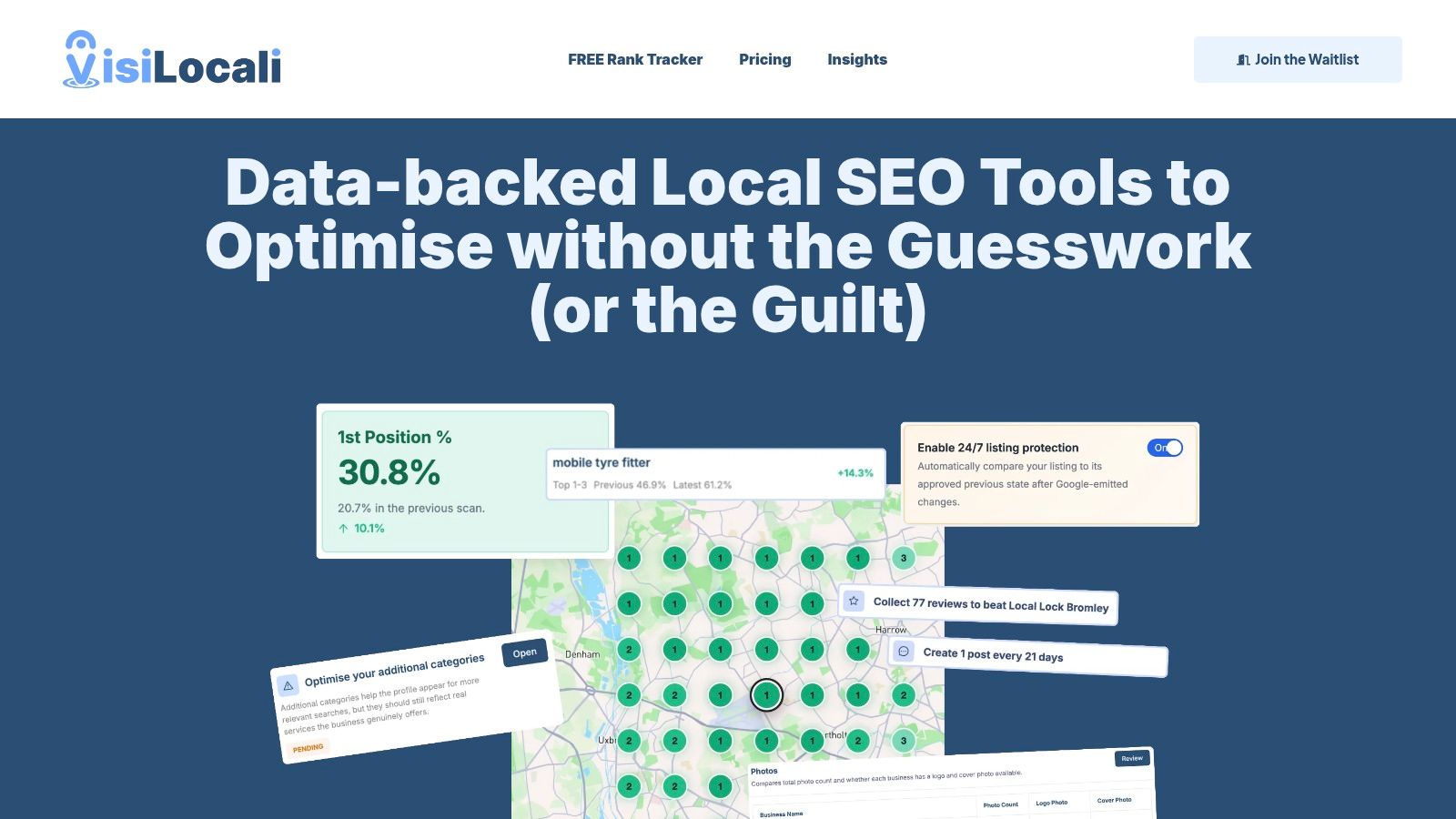
Local rankings are geographic. A business can rank well close to its address or service centre and disappear a few miles away. For service area businesses, that difference matters even more because customers don't all search from the same postcode. In such situations, a geo-grid becomes useful.
A geo-grid is a map-based ranking view that checks how your profile performs across multiple points in an area rather than from one spot. Instead of asking, “Do I rank for plumber Bristol?”, you ask, “Where in Bristol do I appear for that search?” That gives you a truer picture of visibility.
The map pack isn't one ranking. It's a patchwork of rankings based on searcher location.
Compare gaps, not vanity
The most useful competitor audit isn't “who has the most reviews?” It's “what are they doing that helps Google understand them more clearly than it understands me?”
Check competitors side by side for:
- Category choices and how specific they are
- Service coverage in the profile
- Photo depth and recency
- Posting activity
- Review quality and management style
That audit should end with a short list, not a spreadsheet full of trivia. If a competitor looks stronger because they have cleaner categories, fuller services and a much more complete profile, that's your action list. If they merely have a longer trading history, that's harder to change quickly.
The best audits reduce noise. They show where Google has enough information to trust one business more than another, and where your profile still leaves questions unanswered.
Optimising Your Core Business Information for Maximum Impact
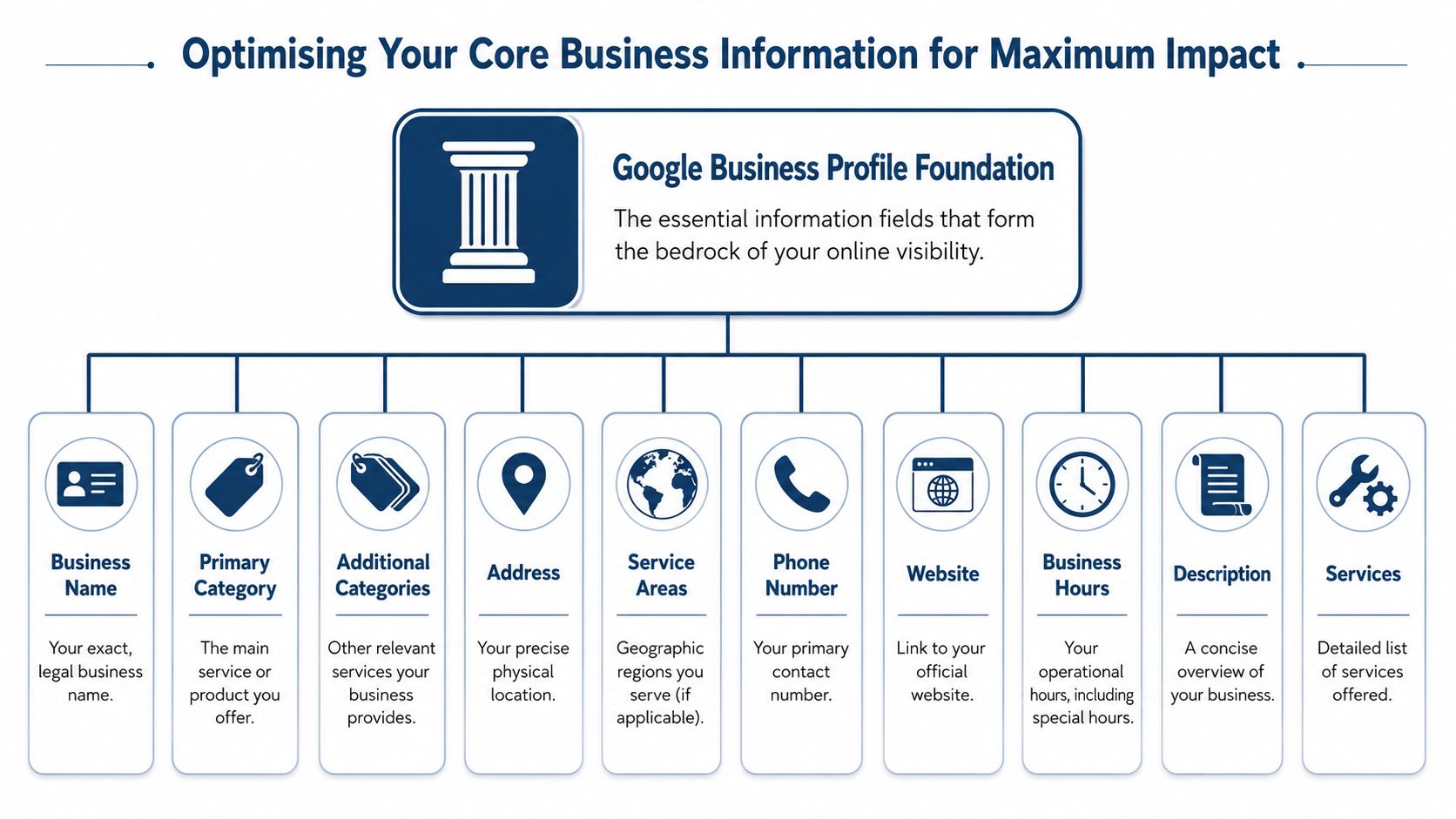
Core profile data does most of the heavy lifting in Google Business Profile optimisation. If these fields are wrong, weak or inconsistent, the rest of your effort sits on shaky ground.
Complete Google Business Profile listings in the UK earn exactly 7 times more clicks than incomplete profiles, and accurate category selection is the number one individual driver within GBP's 32% overall ranking weight, according to Biziq's Google Business Profile optimisation statistics. That's why profile foundations deserve attention before content cadence, fancy workflows or peripheral features.
Get the business identity right
Your business name should be your real trading name, not a list of keywords. Adding town names or service terms into the business name might look tempting, but it creates risk and usually leads to a messier profile footprint.
The profile also needs complete factual details:
- Address: Use the exact real-world format you want repeated elsewhere.
- Phone number: Choose your main contact number and stick with it.
- Hours: Include regular hours and keep special hours updated.
- Website link: Send users to the most relevant page, not whichever URL is easiest.
If you're a service area business, your setup needs slightly different handling than a customer-facing storefront. Service areas should accurately reflect where you work, and the profile should still align tightly with your website and citations. This guide to optimising a service area business profile is useful if your visibility problem is tied to how your operating area is represented.
Treat categories as a ranking lever
The primary category tells Google what business you are. The secondary categories help Google understand adjacent services. This isn't admin. It's a ranking input.
A bad category setup usually looks like one of these:
| Weak setup | Better setup |
|---|---|
| Broad primary category | Specific primary category |
| No secondary categories | Relevant supporting categories |
| Categories copied from competitors without context | Categories matched to actual services |
| Category drift over time | Stable, intentional category structure |
If you're a drainage specialist, using a generic home services category leaves too much ambiguity. If you're a solicitor focused on family law, a broad legal category can muddy the signal. Precision helps Google match your profile to the right local searches.
Write for clarity, then add local relevance
The business description doesn't need marketing fluff. It needs to tell Google and the customer what you do, who you help and where you operate.
A useful description usually includes:
- Core service: What the business does
- Geographic relevance: The town, city or region served
- Differentiators: The practical reason someone would choose you
- Natural language: Wording that sounds like a person, not a keyword template
For example, a mobile locksmith in Leeds should say they provide emergency lockout help, lock changes and security upgrades across Leeds and nearby areas. That's clearer than a generic paragraph about “delivering excellence”.
Working rule: If a customer can't tell what you do in one quick read, the description is too vague.
Attributes matter too. These are profile labels that help qualify the business. Think accessibility options, service options, amenities and other factual features. Businesses often ignore them because they seem minor, but they sharpen relevance and can help the profile match more specific searches.
NAP consistency is a trust check
NAP means Name, Address and Phone number. In local SEO, it refers to using the same business identity across your Google Business Profile, your website and external directory listings.
Inconsistent details can diminish a good profile's effectiveness. One version says “Road”. Another says “Rd”. One number includes a local office line, another uses a tracking number, and the website footer shows something else again. Those inconsistencies make it harder for Google to trust that every mention refers to the same entity.
Check these places first:
- Your Google Business Profile
- Your website footer and contact page
- Major directory listings
- Industry-specific listings
- Social profiles if they show business contact details
Core information isn't glamorous, but it's where strong local visibility starts. Most businesses don't need more tactics. They need tighter basics.
Building Trust with Photos Posts and Reviews
Once the profile foundation is solid, the next priority is proof. Customers want signs that the business is active, credible and worth contacting. Google also responds better when the profile looks alive rather than abandoned.
Photos do more than make the profile look active
For UK businesses, photo quality and volume aren't cosmetic extras. They help customers judge legitimacy before they click or call. If the only image on a profile is a logo or an old exterior shot, trust drops quickly.
A practical photo set should include:
- Exterior views so people recognise the premises
- Interior shots if customers visit
- Team photos that humanise the business
- Service-in-action images that show real work
- Location-relevant photos that reinforce the area served
The benchmark many businesses miss is the basic minimum. UK optimisation guidance points to 10+ high-quality, geo-tagged photos as the threshold to meet, not a nice-to-have. Geo-tagged means the image file includes location metadata, which can reinforce local relevance when handled properly.
Posts keep the profile current
Google Posts are one of the easiest parts of a profile to neglect because they don't feel urgent. That's exactly why they create a visible gap between active businesses and passive ones.
For UK local service businesses, listings with 50+ reviews and a 4.5+ rating are 57% more likely to rank in the top local search results, and profiles lacking recent posts appear 2.8x less often in the three-pack results, according to Content By Cass's Google Business Profile statistics.
That doesn't mean every post needs to be clever. It means the profile needs a current rhythm.
A simple weekly posting plan works well:
| Week type | Example post |
|---|---|
| Service spotlight | Explain one service and who it helps |
| Recent job | Show a completed project with a short summary |
| Seasonal update | Share availability, holiday hours or relevant advice |
| Trust post | Highlight a customer question, process or team member |
Posts work best when they are specific. “We're here to help” says very little. “Boiler servicing appointments available this week across Sheffield” gives context, service relevance and local relevance at the same time.
Businesses often overcomplicate posts. A clear image, one useful paragraph and a relevant call to action is enough.
If posting consistently is the bit that always slips, tools that simplify scheduling and review workflows can reduce friction. For businesses that need help staying on top of feedback as well, Google review management is often where operational discipline makes the biggest difference.
Reviews shape both trust and visibility
Review strategy isn't just about asking for more stars. It's about building a profile that shows recent, believable customer experience and responding in a way that reassures future buyers.
What works:
- Ask at the right moment: Request the review soon after a successful job or purchase.
- Make it easy: Use a direct path to the review form rather than vague instructions.
- Respond properly: Thank positive reviewers with specifics. Address negative reviews calmly and constructively.
- Look for patterns: If several reviews mention the same issue, fix the service problem, not just the wording of the reply.
What doesn't work:
- Batch asking once every few months
- Using generic responses to every review
- Ignoring negative feedback
- Treating reviews as a separate marketing task rather than a customer service signal
There's also a compounding effect. Better reviews improve trust, and stronger trust improves the odds that a searcher will click, call or visit. That's why reviews, photos and posts belong together. They form the visible layer of confidence around the profile.
Tracking Your Progress and Advanced Tactics
Good Google Business Profile optimisation needs feedback. If you can't see what changed after the work, you'll either stop too early or keep tweaking the wrong things.
Use clean tracking before you judge performance
One of the simplest upgrades is adding UTM parameters to your website link in the profile. A UTM parameter is a short tag added to a URL so analytics software can identify where a visit came from.
Studio 36 Digital notes that adding UTM parameters to the website URL lets UK businesses isolate visits and conversions from the profile in Google Analytics, and maintaining message response times under 24 hours is critical because Google prioritises responsive profiles, as explained in its guide to Google Business Profile optimisation for UK SMEs.
A tagged link helps separate profile traffic from broader organic traffic. Without it, you're often guessing whether the profile is driving visits or your website rankings are doing the heavy lifting.
For example, a profile link might use tags to identify Google as the source, organic as the medium and the listing itself as the campaign. The exact naming format matters less than consistency.
Monitor rankings by area, not by guesswork
You don't need to obsess over daily fluctuations, but you do need a realistic view of coverage across your target geography.
A sensible monitoring routine includes:
- Track core keywords that reflect your main services
- Check multiple points in the service area
- Watch for patterns rather than reacting to every movement
- Tie ranking changes back to profile updates
The most valuable insight usually isn't “we moved up one place”. It's “we became visible in the areas where we previously had no presence” or “we're strong near the office but weak in the next town”. That tells you whether category, content and authority improvements are spreading across the map.
Support the profile with citations and messaging
A citation is any external mention of your business details on another website, such as a directory or local listing. Citations still matter because they reinforce identity consistency. If your Google Business Profile says one thing and your directory footprint says another, trust weakens.
Focus on accuracy over quantity. Clean major listings first, then relevant local or industry-specific ones. Don't chase random directories that add noise without improving credibility.
Messaging deserves attention too. If GBP messaging is enabled, someone can contact you directly from the profile. That's useful, but only if someone replies. Slow replies create a bad customer experience and, as noted above, responsiveness can affect visibility. Businesses often switch messaging on, then forget it exists.
Fast response times aren't a courtesy feature. They're part of how the profile proves it's active and dependable.
Tracking turns optimisation into a cycle. You make a change, measure the result, identify the next gap, then repeat.
Your Prioritised GBP Optimisation Action Plan
The fastest route to better local visibility isn't doing more. It's doing the right things in the right order.
Do these first
Start with the profile fields that define the business and remove ambiguity.
- Fix your categories: Make the primary category precise and support it with relevant secondary categories.
- Complete every key field: Business name, phone number, website, address or service area, hours, services, description and attributes all need attention.
- Align your NAP everywhere: Your website, profile and main citations should match exactly enough that Google sees one consistent business identity.
If these items are weak, stop there first. They affect how clearly Google can understand and trust the profile.
Then build momentum
Once the foundation is stable, strengthen the parts customers judge.
- Upload a credible photo set: Use real, current images that show the business, the team and the work.
- Create a review routine: Ask consistently, respond properly and use feedback to improve operations.
- Post every week: Keep the profile current with practical updates rather than generic promotional filler.
This stage is where a profile starts looking active rather than merely claimed.
Finally measure and refine
After the core work is done, move into ongoing management.
| Priority stage | Main objective | What to watch |
|---|---|---|
| Foundation | Clear business identity | Completeness and consistency |
| Trust | Proof and activity | Reviews, photos, posts |
| Measurement | Smarter iteration | Tracked traffic, area coverage, response speed |
Use geo-based ranking checks to see where visibility is strong and where it fades. Use tagged website links so traffic from the profile is measurable. Keep an eye on messaging and operational follow-through, because a profile that wins visibility but loses leads through poor response handling wastes the effort.
Most businesses don't need a bigger SEO stack. They need a clearer next action. That's the whole philosophy behind VisiLocali, a Local SEO platform built to show small businesses and agencies exactly what to improve next in Google Maps, using prioritised audits, geo-grid rank tracking, profile management, review workflows and post management without the usual software bloat.
If your current Google Business Profile optimisation process feels scattered, simplify it. Fix the foundation. Build trust. Track what changes. Then repeat the parts that move the needle.
