 Skip to content

You've got the listing, but it's not doing the job. Your café shows up behind a competitor you can walk to in three minutes, or your plumbing firm keeps missing searches in the next town over, and the phone stays quieter than it should.
That's the point where a Google Maps business listing stops being a nice-to-have and becomes the thing holding back enquiries. In the UK, where Google dominates search and local intent is usually immediate, the map result is often the first and only chance to win the customer's attention. If you want more calls, directions and website visits, you need to treat the listing like a managed asset, not a one-time setup.
Table of Contents
- Why Your Google Maps Business Listing Matters in 2026
- What a Google Maps Business Listing Is
- Claiming and Verifying Your Listing the Right Way
- The Optimisation Fields That Move Rankings
- How Visibility Actually Works Across Nearby Towns
- Common Mistakes That Quietly Kill Your Visibility
- Measuring Performance and Prioritising What to Fix Next
- A Simple Weekly Routine to Keep Your Listing Healthy
Why Your Google Maps Business Listing Matters in 2026
A lot of owners only notice the problem when a rival starts appearing above them in the map pack. A solicitor in one branch office checks from the other side of town and sees a competitor with a thinner website, worse branding and more visibility. A plumber covering Leeds and Wakefield gets work in one area and vanishes in the other, even though the service is the same.
That's not bad luck. It's what happens when a Google Maps business listing is left idle while competitors keep theirs active, complete and trusted. Google holds about 93.47% of the UK search market in December 2024, so the map result sits right on top of the search entry point used for local intent, and Google says the Business Profile can be managed directly in Search or the Maps app, which tells you the listing is a live surface, not a directory stub. UK search market share and Business Profile context
The numbers behind local discovery make the case even harder. BrightLocal's benchmark research says the average business is found in 1,009 searches per month, 84% of those are discovery searches rather than branded searches, and only 5% of views turn into a website click, call or direction request. That means most of your value comes from being visible at the exact moment someone is deciding, not from waiting for brand recall to save you. BrightLocal benchmark context
Practical rule: if your listing isn't showing in the towns you actually serve, you're not “missing a bit of traffic”, you're leaving local demand to the nearest business that bothered to maintain its profile.
If you want a wider view of how local discovery behaviour is changing, start with this local search trends overview. The rest of this guide is about turning that discovery moment into a repeatable source of calls, not a lucky spike.
What a Google Maps Business Listing Is
A lot of owners still treat the listing like a pin on a map. That framing is too small. The right way to look at it is simple, Google controls the shop window, you stock the shelves.
The three parts you're really managing
The Business Profile is the record. It holds your name, categories, hours, address, phone number, service area, photos and reviews. Google Maps is the surface customers see. The local pack is the ranking layer, the short group of listings Google chooses to show when someone searches for a nearby service.
Those three surfaces do different jobs. Someone browsing the Maps app is usually exploring. Someone looking at the map view inside Google Search is often comparing options. Someone staring at the local three-pack is ready to choose. A service-area plumber in Leeds, a multi-branch solicitor, and a high-street café in Kent all need the same thing, a profile that wins attention in each moment.
That matters because the listing is live, not decorative. Google says a Business Profile can be managed in Search or in the Maps app, so calls, directions and website visits are part of the system, not extras bolted on later. Google's Business Profile tools also show performance data directly in the interface, which makes the record measurable and worth auditing properly. Google Business Profile setup and management
Your profile is the record. Your photos, categories and reviews are the signals. Your ranking is the result.
What usually gets mixed up
Business owners often confuse the listing with their website, or assume a strong site can rescue a weak profile. It can help, but it will not fix missing categories, poor address consistency or weak engagement. In local search, the map result stands on its own.
A Google Maps business listing deserves the same audit you would give a shop front. If the window is blank, the shelves are messy or the signage says the wrong thing, customers walk on by. The online version works the same way. For a service-area business, the listing should reflect what customers can experience.
Claiming and Verifying Your Listing the Right Way
Start with eligibility, because Google's rules are stricter than most owners realise. For most listings, Google requires a real-world, customer-facing presence. P.O. boxes and virtual offices don't count as substitutes for a real location, and that's a hard threshold, not a soft preference. Google eligibility rules
Claim the right way, not the fast way
If the listing already exists, claim it. If it doesn't, create it through Google Business Profile and sign in with the Google account that should own it. Google's add-or-claim flow makes ownership verification mandatory before you fully control the profile, so there's no serious optimisation work until that part's done. Add or claim a Business Profile
The next mistake is rushing the details. Your name, address, category and contact information need to match the business model. A service-area plumber can hide the address, but still needs a verifiable base and defined service areas. A high-street café needs a staffed location. A multi-branch solicitor needs each office set up cleanly, not merged into one messy profile.
Know the verification methods Google may use
Google may verify by postcard, phone, email, Search Console or video, depending on eligibility. Postcard verification can take several days, so don't build your launch around the assumption that control is instant. If Google offers video, make it easy for the reviewer to see the evidence it asks for, such as signage, entrance, interior or service activity. Verification methods and timelines
If a duplicate already exists, don't create another one. Fix the ownership problem first, then clean up the duplicate so you're not splitting reviews, clicks and trust signals across two records. If a former employee, old agency or franchise setup is sitting on the profile, get that control sorted before you spend time optimising.
Best practice: the listing should reflect what customers can actually experience. If the address, service model and verification trail don't line up, the profile is fragile.
The outcome is simple. Accurate eligibility keeps you compliant, clean verification gives you control, and control is what lets the rest of the ranking work stick.
The Optimisation Fields That Move Rankings
Most owners waste time on the wrong fields. They tweak tiny wording changes while leaving the biggest signals untouched. If you want a listing that performs, focus on the elements Google and customers both care about.
Start with the business name and category stack
Your business name should be your real trading name, not a pile of keywords. Stuffing “best plumber Leeds emergency boiler repair” into the title is exactly the sort of shortcut that can trigger problems. Use the actual business name, then let the categories do the heavy lifting.
Your primary category is one of the strongest relevance signals, so choose the one that matches the main service, not the service you hope people will click. Secondary categories should support that core, not fight it. If you're a solicitor with multiple branches, each office needs its own clean setup, and the category choice should match what that branch really does.
For a category-specific guide, use this primary category optimisation guide.
Make the profile match the customer journey
The address or service area should reflect how you operate. A café needs a public location. A service-area business needs a sensible, verifiable base and a service area that maps to reality. Don't draw a giant circle just because you'd like more reach. Google still needs the profile to make sense.
Opening hours and special hours matter because customers act on them immediately. A wrong closing time causes a missed visit. A holiday override stops frustration before it starts. The same goes for attributes, description, photos and videos. They do not just fill space. They tell Google what the business is and reassure the customer that the business is real.
A few fields deserve direct attention:
- Photos: use genuine exterior, interior, team and service images. Stock shots weaken trust.
- Reviews: ask for them consistently, then reply to them properly. Silence looks abandoned.
- Posts: use them for offers, updates and seasonality. Stale profiles look neglected.
- Services: describe what you sell in plain English, not vague marketing language.
Fix the fields that change relevance first. Polish comes later. A complete, accurate profile with decent photos will beat a flashy but sloppy one.
If you only have time for three actions this week, do these in order. First, correct the category. Second, clean up the name, address and service area. Third, refresh photos and review replies. That sequence changes how the listing is understood, then how it is trusted, then how it converts.
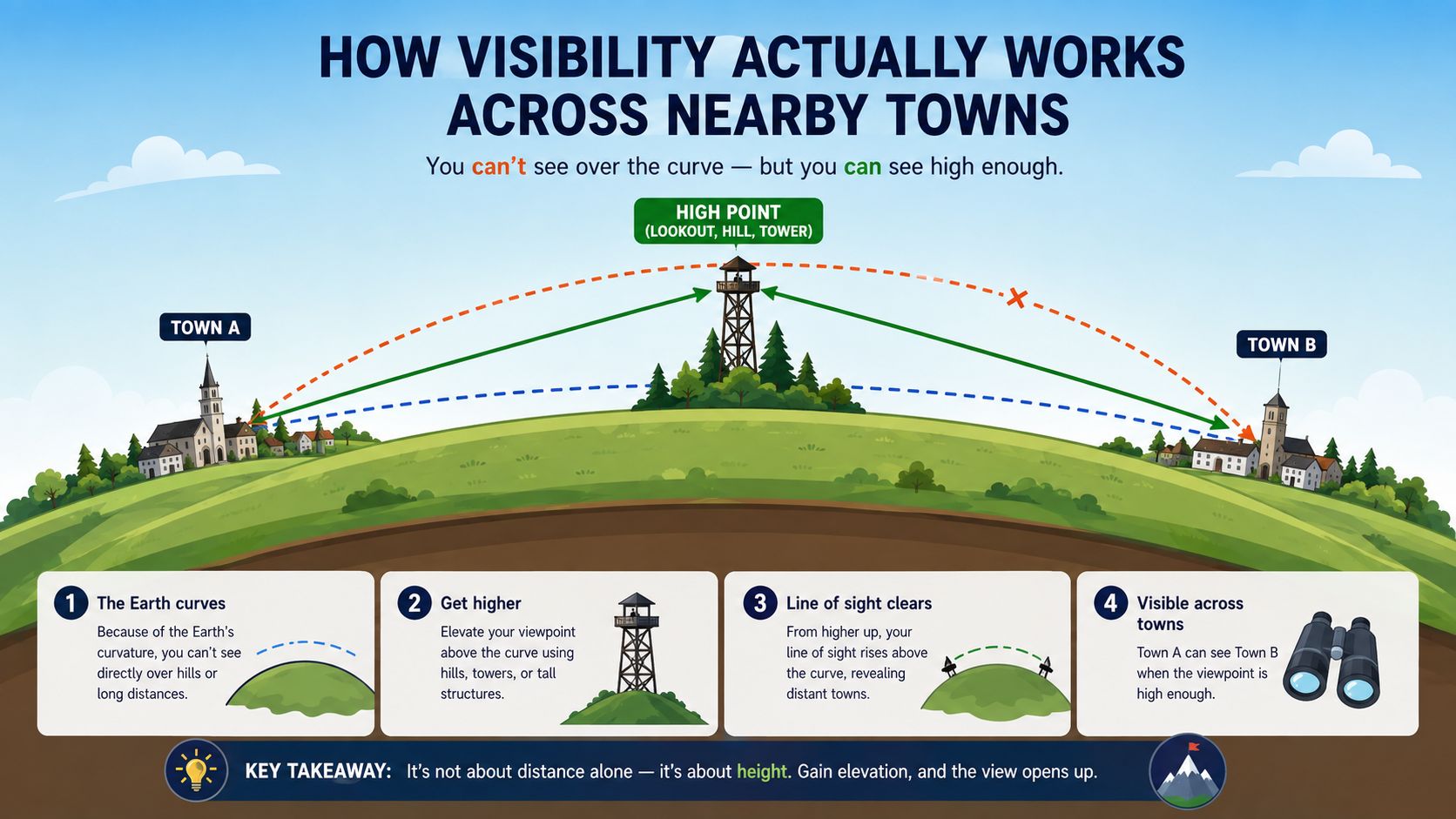
How Visibility Actually Works Across Nearby Towns
A Google Maps business listing doesn't rank the same way everywhere. That's the trap. A Leeds plumber can appear strongly in central Leeds, then drop away in Wakefield searches even if the service quality, pricing and review profile are solid. A single location is not a magic wand over every nearby town.
Think in map terms, not homepage terms
The local pack is the small group of businesses Google selects for a search, and it shifts based on relevance, distance and prominence. In practice, that means visibility changes as the searcher's location changes and as the query becomes more specific. A listing can be strong on one side of the city and weak on the other.
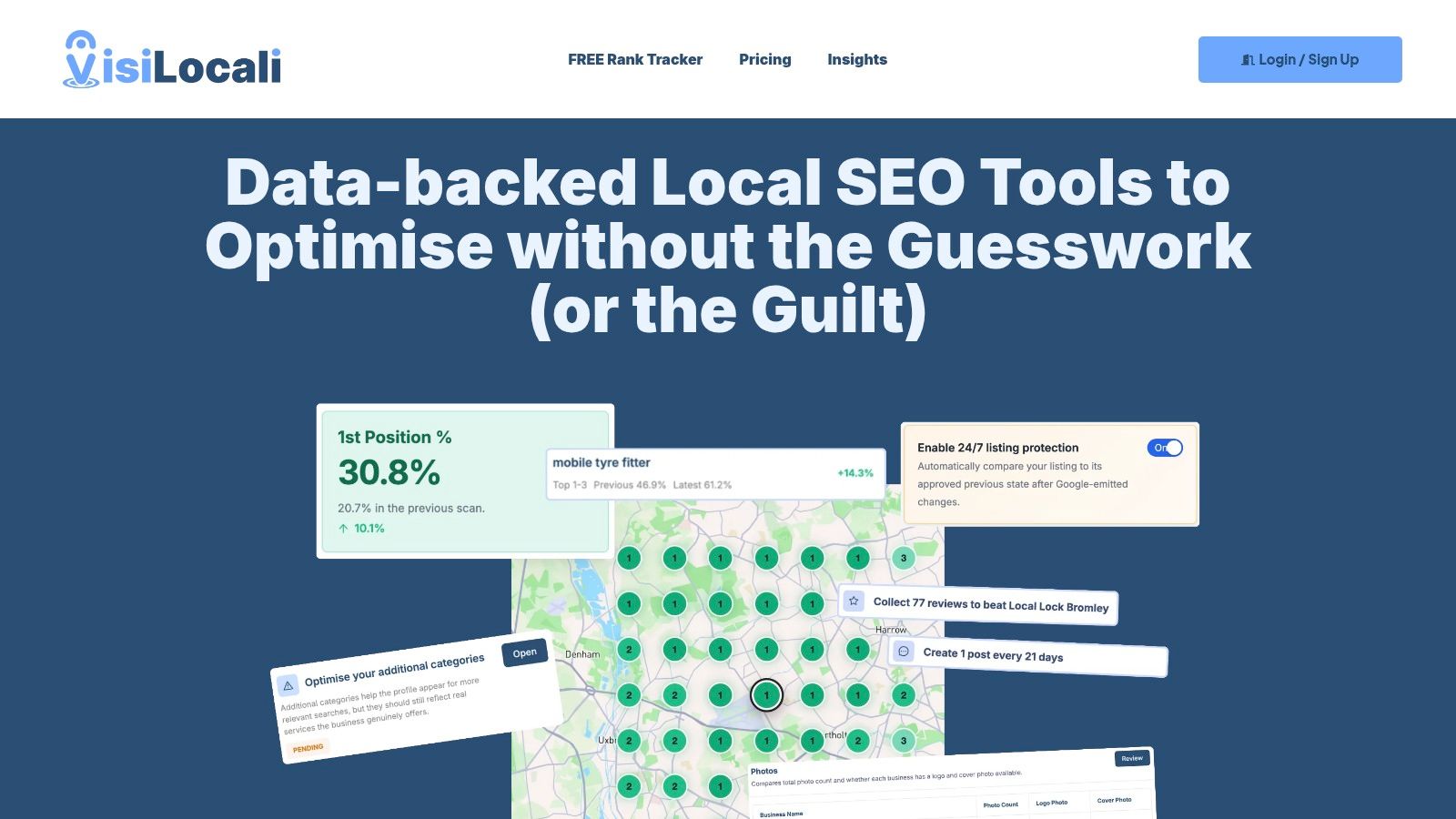
That's where geo-grid thinking helps. Instead of asking, “What rank am I?”, ask, “Where do I rank on the map?” A grid scan shows you the pattern across nearby towns and neighbourhoods, which is far more useful for a service-area business than a single vanity position.
Use the pattern to choose your next move
If a Manchester solicitor branch is strong in the city centre but weak in Stockport, the answer isn't to guess. It's to look at the gap. Often the fix is better category alignment, more local review language, stronger local content or tighter service-area targeting.
For service-area businesses, this matters even more. You don't need to chase every town in the county. You need to prioritise the towns that are close enough to serve well, commercially important enough to matter, and weak enough that the listing can realistically move there. That's a better use of time than trying to be everywhere at once.
The key point is simple. A listing isn't “ranking” in the abstract. It's competing in specific pockets of geography. Once you see it that way, you stop making random edits and start fixing the areas where visibility is leaking.
Common Mistakes That Quietly Kill Your Visibility
The biggest problem with most listings isn't that they're empty. It's that they're wrong. A profile can look “fine” to the owner and still underperform because the trust signals are sloppy.

The mistakes I see most often
Keyword-stuffed names are the classic self-inflicted wound. They can make the profile look obvious, and they're one of the fastest ways to invite problems. Use the actual name, not a search phrase dressed up as branding.
Mismatched business details are just as bad. If your website says one thing, your profile says another and your local directories say a third, Google has to resolve the confusion. Customers notice too, especially when they call the wrong number or turn up at the wrong address.
Fake or incentivised reviews are a terrible trade. They might look like a quick boost, but they damage trust and can create bigger problems than the listing is worth. Real reviews, written by real customers after real jobs, are the only ones that belong there.
Ignored Q&A sections are another quiet leak. If questions sit unanswered, the listing looks inactive. If the answers are wrong, customers assume the business doesn't care.
Stale content is a ranking problem, not just a branding problem
Old photos, old categories and outdated services tell Google the profile is not being managed. A solicitor who opened a new branch but never updated the listing, or a café that changed hours and forgot to adjust special hours, ends up creating friction that shows up in the map result.
Risk first, growth second: fix anything that could mislead Google or a customer before you chase extra visibility.
The best way to think about these issues is as leak repair. You're not trying to “optimise” a broken profile. You're removing the mistakes that drain visibility and trust. Once those are gone, the positive changes you make have a much better chance of sticking.
Measuring Performance and Prioritising What to Fix Next
If you're still checking the listing by opening Maps on your phone and hoping for the best, you've already outgrown that method. You need a simple routine grounded in real signals. Google's Business Profile performance view gives you the basics, search queries, views, calls, direction requests and website clicks, so start there and stop guessing.
Read the profile like an operator
Look for change, not just totals. If calls are steady but direction requests are weak, that often points to a location or trust issue. If website clicks are low, the profile may be under-selling the offer or the photos may not be convincing enough to push action.
Then layer geo-grid tracking on top. That's the only sensible way to see where the listing is visible and where it drops off across nearby towns. A single rank check can make you feel better. A grid shows you the pattern.
Turn data into a short to-do list
Most small businesses need help here. Not more charts, just a shorter list of the next two actions that matter. Compare your profile against the businesses winning the map pack, then ask what they're doing better on categories, review volume, photos, posts or completeness.
That's the kind of workflow the better local SEO tools are built for. They use profile analysis, review analysis and post analysis side by side, then turn the gaps into prioritised recommendations. The point isn't to admire the data. It's to decide what to change next, and why.
For a practical way to monitor your map visibility across towns, use this local rank tracker resource. Once you've got that view, stop fixing ten things at once. Fix the two changes that are most likely to move your listing in the places that matter.
A Simple Weekly Routine to Keep Your Listing Healthy
Most listings don't fail in one big collapse. They fade because nobody looks after them. A good weekly routine keeps the profile current, keeps engagement moving and stops the little errors from becoming expensive.

Keep it short and repeatable
Spend about half an hour on five things. Reply to reviews that came in during the week. Publish one post if you've got an offer, job photo or seasonal update. Refresh one or two photos so the listing doesn't go stale.
Then check the performance view. Look for movement in calls, clicks and directions, and scan the search terms customers used. Finally, audit one profile field, category, hours, service area, phone number or opening times, and make sure it still reflects the business as it is today.
The best routine is boring. Consistency beats occasional bursts of activity every time.
If you want the shortest possible answer to “what should I improve next to get more customers from Google”, it's this. Keep the profile accurate, keep it active and keep watching where it appears across the towns you care about. Do that every week and your Google Maps business listing stops being a static pin and starts behaving like a dependable local lead source.
If you're serious about turning your profile into a proper growth channel, audit it this week, compare it against the businesses that keep beating you in nearby towns, and make the next two fixes before the month ends.
