 Skip to content

Most advice about a Google My Business post starts with the wrong promise: publish regularly and your business will climb the Google Maps results. That's too simple, and in competitive UK local packs it often isn't what happens. Posts can support engagement, communicate changes and keep a profile useful, but they're not a dependable shortcut to higher rankings.
Google now calls the product Google Business Profile, although many business owners still search for “Google My Business post”. The practical workflow remains familiar. You select the profile, choose a post format, add media and a call to action, then publish. Google's UK guidance supports Update, Offer and Event posts, along with buttons, coupon codes, scheduled publication and recurring schedules, and allows posts to be edited or deleted after publishing. The official Google Business Profile post guidance confirms how the feature is managed.
The useful question, then, isn't “Will a post magically improve my position?” It's “Will this post help a nearby searcher choose, contact or visit my business?” That change in perspective leads to better content, cleaner measurement and less wasted effort.
Table of Contents
- Do Google My Business Posts Improve Local Rankings?
- Understanding the Three Google Business Profile Post Types
- Post Specifications and Content Structure That Drives Clicks
- Building a Weekly Posting Workflow for Local Businesses
- Common Post Mistakes and How to Avoid Them
- Measuring Post Performance and Local Engagement Impact
- Track Your Google Business Profile Posts with VisiLocali
Do Google My Business Posts Improve Local Rankings?
Publishing a post does not guarantee entry into Google Maps' map pack. After managing UK SME profiles, the pattern is consistent: posts can generate useful customer actions without producing a visible ranking jump, particularly where established competitors already have stronger relevance, proximity and prominence.
Google has not confirmed Business Profile posts as a direct ranking factor. Independent UK practitioner analysis places posting frequency 148th of 187, keywords in posts 160th, and post quantity 168th among local ranking factors. That supports a cautious view of their direct ranking value. The analysis also aligns with Google's practical recommendation to publish at least weekly, but regular publishing should be treated as a workflow standard, not a ranking guarantee.
Engagement is the stronger use case
A post can influence what happens after someone views your profile. An offer may prompt a website visit, an Event post may lead to a booking, and a service update may prevent a wasted call. Those outcomes have commercial value even when the business remains in the same map position.
Industry coverage offers directional benchmarks, not proof of causation. One 2026 roundup reports that businesses posting weekly gained an average of 2.3 local pack positions over six months compared with non-posting competitors. Another reports that posts with photos received 35% more clicks than text-only posts. A separate UK-focused article reports that recent posts generated 24% more user interactions than inactive profiles. These figures are not official Google ranking evidence, so they should inform testing rather than become promises. Google's product guidance explains available controls and formats, not a guaranteed ranking lift.
Practical rule: Treat posts as conversion and freshness assets first. Track rankings separately instead of assigning every change to a new post.
A Manchester plumber could publish a clear emergency boiler message and receive more calls while remaining third in the local results. That is still a successful post if it creates qualified demand. A weekly workflow can keep this practical: publish one useful update, offer or event, attach a relevant action, then review calls, website visits and bookings alongside ranking data. For the wider factors that affect map visibility, see this guide to what affects map pack visibility.
Understanding the Three Google Business Profile Post Types
Google's UK interface centres on three useful formats. Each one suits a different customer intent, so choosing the format before writing makes the post easier to understand and measure.
Update posts support awareness
An Update post communicates something useful that doesn't depend on a fixed deadline. Use it for a new service, revised opening information, a new menu item, a completed project or a seasonal message.
A Bristol café could introduce a seasonal dish with an original photograph and a Learn more button linking to the menu. A roofing company might highlight a newly available inspection service and send searchers to its service page. The purpose is awareness and reassurance, not artificial urgency.
Google's current help documentation allows posts with buttons, media and scheduled publishing, while the older “What's New” terminology is commonly used by practitioners for general updates. Google removed the dedicated Product post type, so product-related announcements are handled through the general update format.
Event posts create a time boundary
An Event post is appropriate when the activity has a defined start and end. Add the event title, dates and times, then explain why someone should attend. A Leeds salon could promote a Christmas booking window, while a Cardiff retailer might publicise an in-store demonstration.
The fixed dates create context for the searcher. They also reduce ambiguity, because the reader can see whether the event is still relevant before clicking.
Offer posts focus on action
An Offer post is built around a promotion or specific commercial incentive. Include the terms, redemption details and any applicable code. A Birmingham gym could promote a January membership deal, while a restaurant might advertise a set-menu offer with an Order button.
Offers need more care than general updates. Make the conditions obvious, use a landing page that matches the promotion, and remove or refresh outdated information. Google's interface supports coupon codes and scheduling, which makes the format practical for planned campaigns.
| Post Type | Character Limit | Required Fields | Best For | Example Use Case |
|---|---|---|---|---|
| Update | Google's current guidance recommends 100–300 characters for practical copy | Post text, media and optional CTA | Awareness and useful updates | Bristol café announces a seasonal dish |
| Event | Use concise copy, with event details and dates | Event title, start and end information, post text and optional CTA | Urgency and attendance | Leeds salon promotes a booking event |
| Offer | Include promotion terms and redemption details | Offer information, post text, dates and optional CTA | Conversion | Birmingham gym promotes a membership deal |
The format should follow the business objective: Update for awareness, Event for urgency, and Offer for conversion. That simple choice prevents a routine announcement from sounding like a discount campaign.
Post Specifications and Content Structure That Drives Clicks
A strong post is easy to scan on a mobile screen. Google's best-practice guidance recommends 100–300 characters, one high-quality image or video, a clear CTA button and a landing page tagged with UTM parameters. UTM parameters are labels added to a link so analytics tools can identify traffic from a particular post.
Put the value proposition in the opening 100–150 characters, as recommended in Google's Business Profile post best-practice guidance. Don't make the reader work through background information before discovering the offer.
Use the media and CTA deliberately
Choose one strong visual rather than several unrelated assets. An original photograph of the premises, team or product usually gives a local business more context than a generic stock image. For video, keep the subject obvious in the opening frame and make sure the clip supports the action you're asking the searcher to take.
Match the button to intent:
- Book: Use it for appointments, consultations and service visits.
- Order: Use it when the customer can complete a food or product order online.
- Learn more: Send readers to a relevant service, event or information page.
- Call: Use it when a conversation is the fastest route to a qualified enquiry.
Avoid putting a phone number in the body text. Google requires the call action to use the verified business number, and its Business Profile content guidance explains this restriction. Send users to a page where they can complete the intended action immediately, and add UTM parameters so post traffic can be separated from other profile visits.
A reliable structure is simple: open with the problem or opportunity, state the value, add proof or urgency, then give one clear next step. “Boiler stopped working? Same-day emergency repairs across South Manchester. Call now” is more useful than “We're pleased to announce our latest services.”
For businesses using video as part of their profile content, this guide to optimising video on Google Business Profile covers the wider media considerations.
Building a Weekly Posting Workflow for Local Businesses
Consistency works best when it's attached to real business activity. Start with the moments customers already care about, rather than inventing content just to fill a calendar.
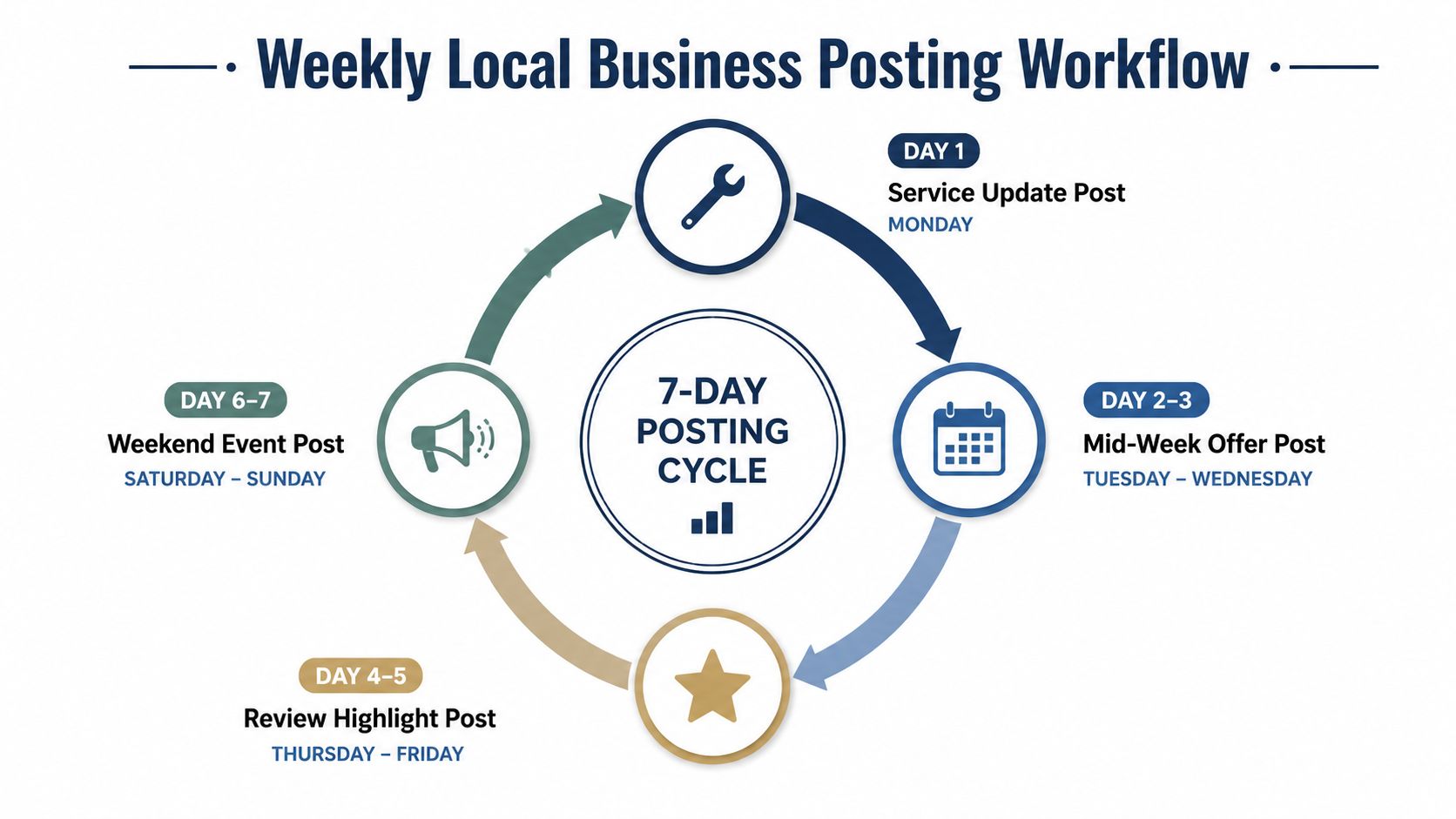
A service business might use Monday for a service update, a hospitality business might publish a mid-week offer, and a retailer might promote a weekend event. Google's 2026 official playbook recommends at least one post per week and using all three post types, so weekly publishing is a sensible baseline for most UK SMEs. Standard posts expire after about seven days, which makes replenishment part of maintaining an active profile. Both points appear in Google's official 2026 Business Profile playbook.
A manageable production routine
Set aside a short weekly block to create and schedule content in batches. Two or three relevant posts can be prepared when the business has something meaningful to say, but publishing more often isn't automatically better. Competitive sectors may benefit from a higher cadence, while a quieter business should prioritise relevance over volume.
Use this workflow:
- Review the week ahead. Check appointments, events, stock, service changes and seasonal demand.
- Choose the format. Select Update, Offer or Event based on the action you want.
- Write the opening first. State the customer benefit before adding supporting detail.
- Add original media. Use a clear image of the business, team, product or work.
- Select one CTA. The button should lead to the next action, not a generic homepage.
- Schedule and check the link. Confirm dates, terms and tracking before publication.
- Refresh expired content. Replace old offers and events instead of leaving them to age.
Google supports scheduled publication and recurring schedules from the Business Profile interface. A simple calendar reminder prevents expired promotions from becoming an unnoticed source of stale information.
Use evergreen updates as the foundation, then layer in offers and events when they're genuinely available. This keeps the workload realistic for owners who can't spend every day inside their profile.
Common Post Mistakes and How to Avoid Them
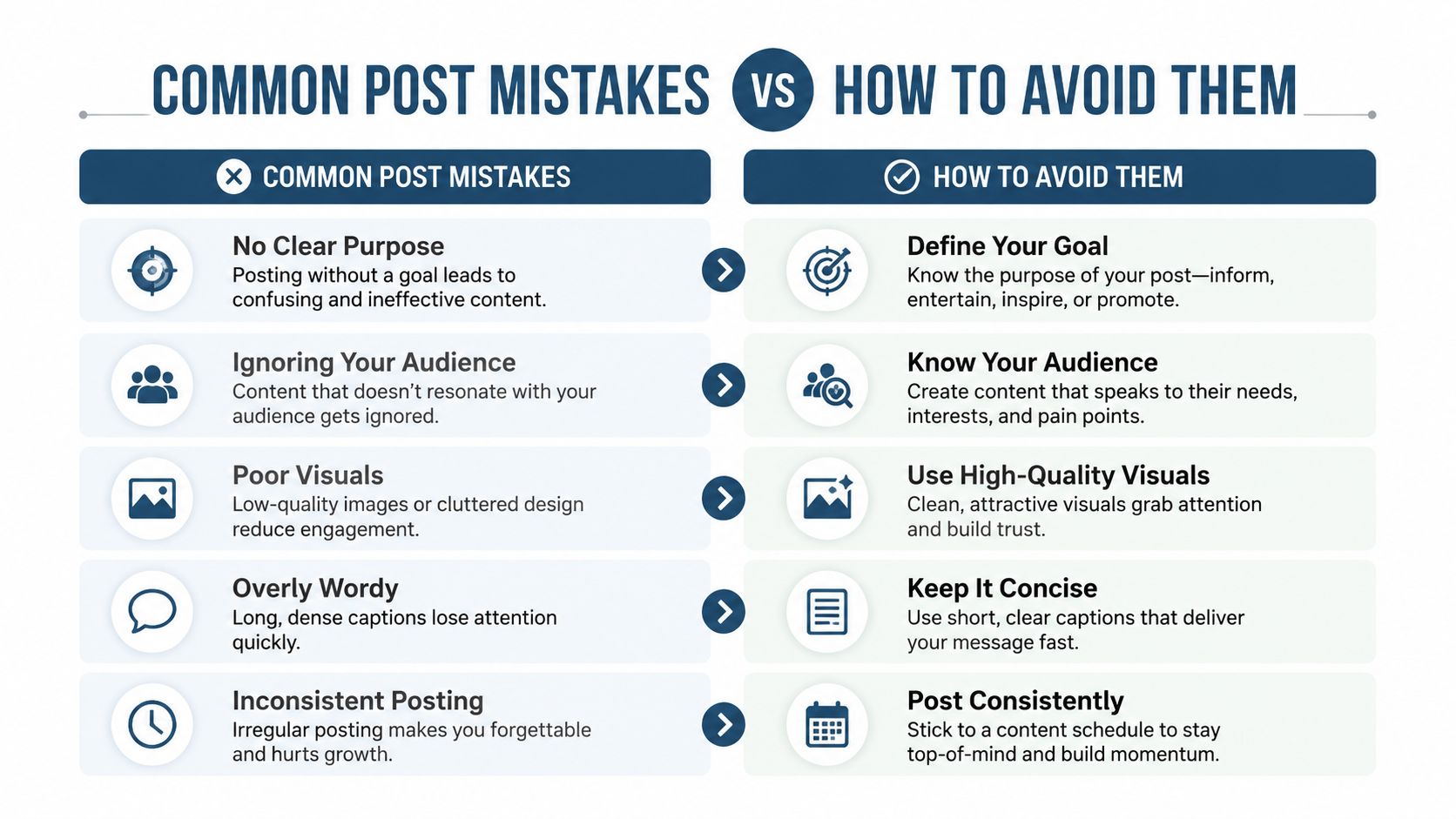
Weak posts usually fail before publication. They make searchers decode a long message, find the next action themselves, or trust an image that does not represent the business.
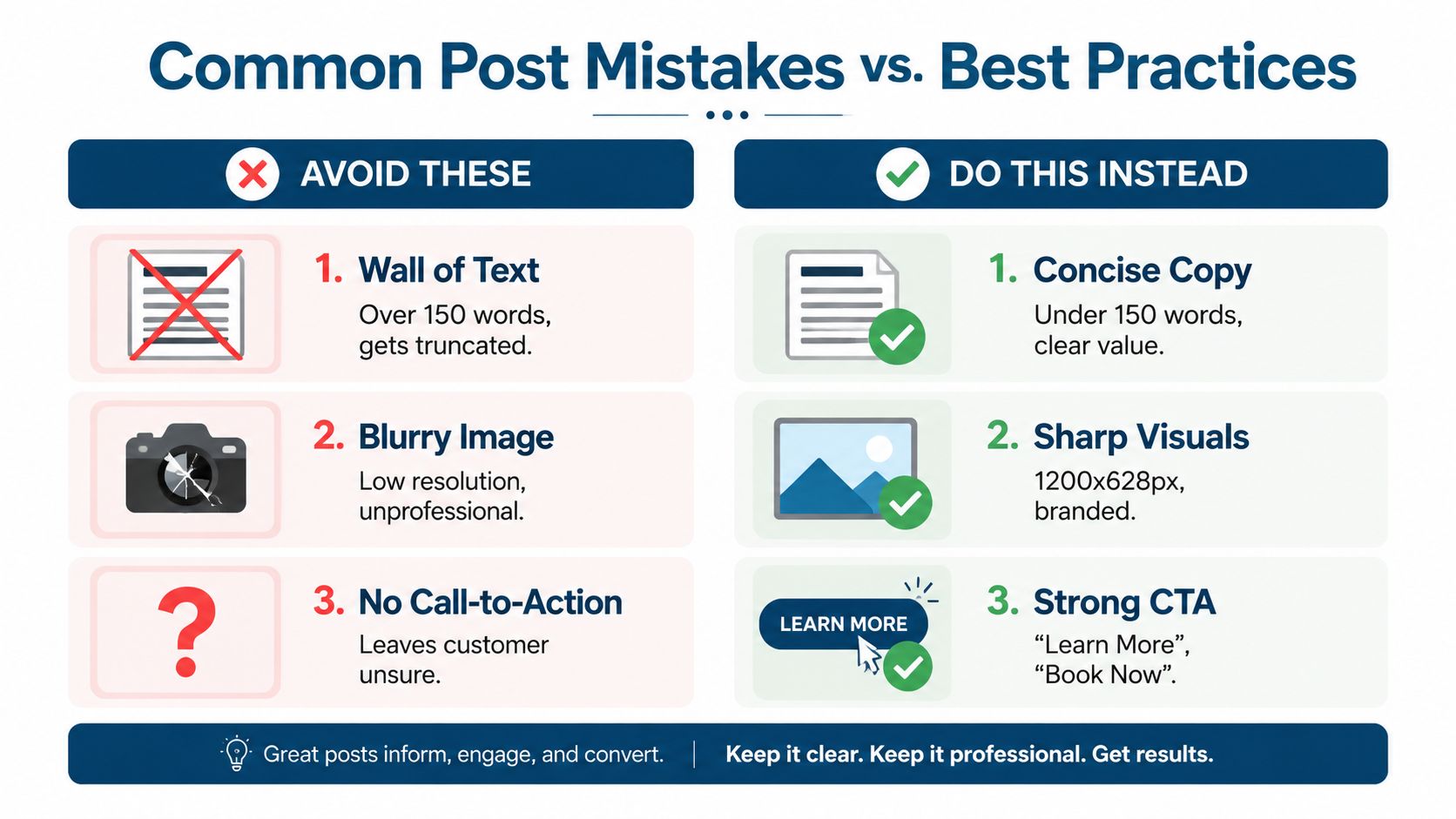
Dense copy is the first problem. Google's practical guidance recommends 100–300 characters, with the value proposition near the beginning, because mobile users may not see the full message. Replace a long company introduction with a direct statement of the service, offer or event.
A missing CTA creates similar friction. “We're now offering roof inspections” announces a service but gives the reader no route forward. Add one Book, Learn more or Call button that matches the intended action.
| Common mistake | Better alternative | Why it matters |
|---|---|---|
| Long, general introduction | Concise benefit-led opening | The key message appears before truncation |
| No CTA button | One action matched to intent | Searchers know how to proceed |
| Identical social media copy | Local, profile-specific wording | Google search users need immediate context |
| Blurry or generic image | Sharp original photography | The visual supports trust and recognition |
| Expired offer or event | Refresh or remove outdated content | The profile remains useful and current |
Copy written for Instagram or Facebook often needs editing before it reaches a Business Profile. Social posts can depend on an ongoing feed and previous context. A Google searcher may be deciding whether to call, visit or book after seeing only one post. Rewrite the opening around that local intent, and name the service area or location where it helps the decision.
A useful audit question is simple: if a searcher sees only the image, first line and button, will they understand the next action?
Daily, low-effort updates create activity without necessarily creating value. Use a steady weekly baseline, then publish when there is a clear customer reason, such as a service update, available offer or relevant event. Before publishing, check factual accuracy, image quality, local relevance, clear terms and the destination page. Remove or refresh expired content rather than leaving it visible.
Measuring Post Performance and Local Engagement Impact
Post performance should be judged by customer actions, not by the number of times a business owner has published. Look for views, website clicks, calls, direction requests and bookings where those actions are available in the profile reporting interface.
Add a UTM-tagged landing page to each post campaign. Keep the naming consistent, such as the post format, topic and month, so analytics reports can distinguish an Offer from an Event without manual guesswork.
| Metric | Definition | Business Impact |
|---|---|---|
| Post views | How often the post is shown to searchers | Indicates reach within profile activity |
| Website clicks | Visits generated through the post CTA | Shows interest beyond the profile |
| Calls | Customer calls connected with profile actions | Measures direct enquiry potential |
| Direction requests | Requests for routes to the premises | Useful for location-dependent businesses |
| Bookings or orders | Completed actions on the linked destination | Closest connection to commercial value |
Compare patterns, not isolated results
One post rarely tells you enough. Compare formats, subjects, media and CTAs over time. An Offer may attract clicks, while an Update may answer a common customer question and reduce friction before a call. Those are different outcomes, so they shouldn't be judged by the same metric.
Separate post activity from ranking movement. Posts may contribute to freshness and engagement without directly moving the business up the map pack. Track rankings, profile actions and post interactions as related but distinct measures. A geo-grid can reveal whether visibility changed across the surrounding area, rather than relying on a single search from the business premises.
For ongoing local SEO measurement, VisiLocali's insights provide a place to connect profile activity with wider visibility analysis. Export or review performance regularly, then keep the formats that generate meaningful actions and retire content that only creates administrative noise.
Track Your Google Business Profile Posts with VisiLocali
Google's native interface gives you useful post information, but businesses and agencies managing several profiles can still spend too much time exporting data and comparing locations manually. VisiLocali's Post Analyser brings post views, clicks and CTA interactions into a more practical review process, alongside profile and competitor comparisons.
The analyser helps identify underperforming content and surface patterns across post types, media formats and publishing times. Its AI recommendations use profile, competitor and ranking information to explain what to improve and why, rather than presenting an unprioritised list of metrics. Agencies can also use reporting to connect post activity with broader local visibility trends across client profiles.
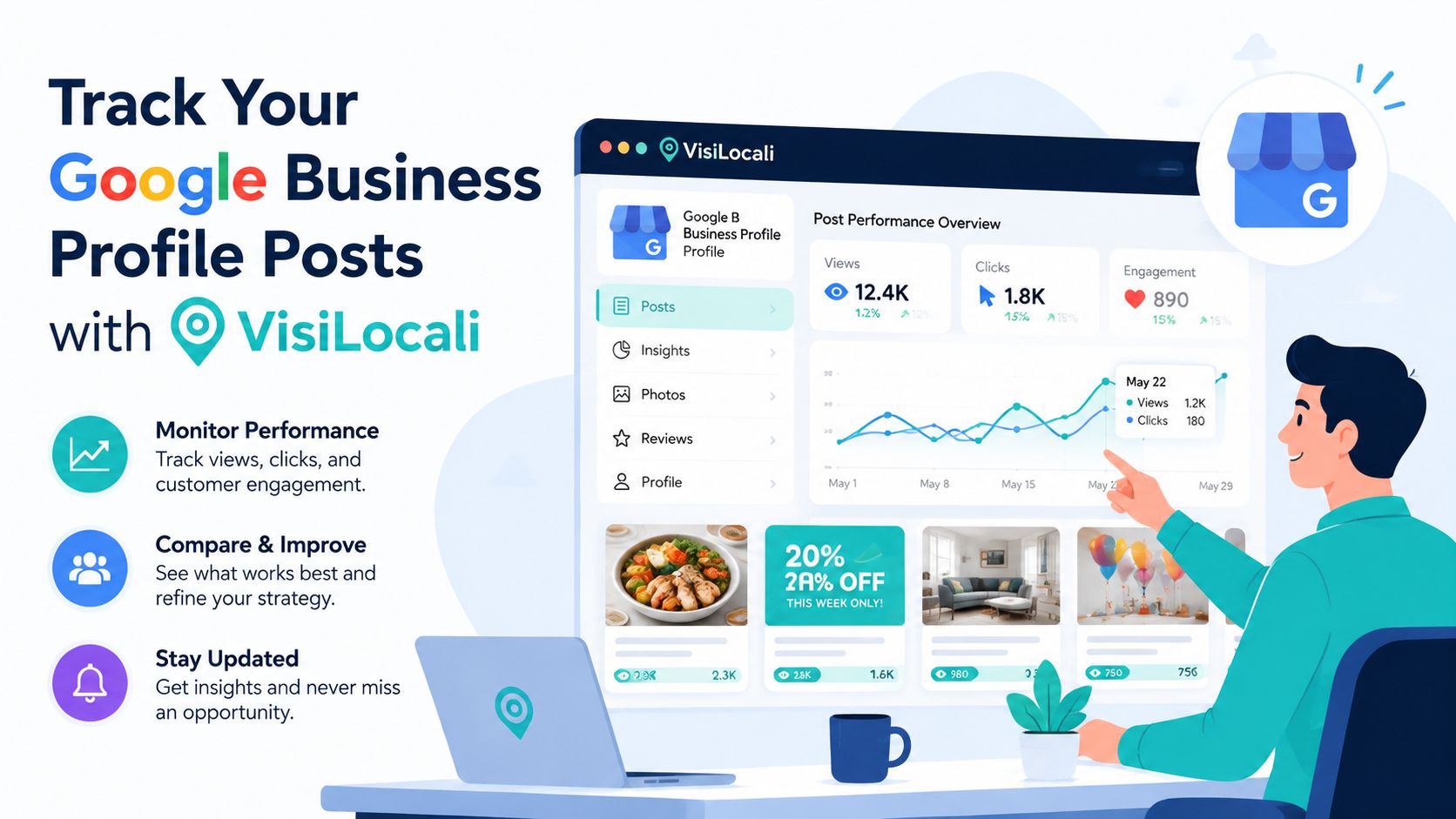
Use the data to test a weekly workflow, keep the formats that support real customer actions and stop treating ranking gains as the only measure of success. Google Business Profile posts work best when they make a profile more useful, current and easier to act on.
Start a 14-day free trial of VisiLocali to track Google Business Profile rankings, compare competitor profiles side by side, and receive AI insights and recommendations on the actions most likely to improve your local visibility. Turn your weekly posting routine into a measurable process, then use the evidence to decide what to publish next.
