 Skip to content
You search “plumber near me” from your phone because a pipe has started leaking. Before the traditional blue links, Google shows a map and a short list of nearby businesses, complete with names, ratings, opening hours and directions. You're unlikely to study every result. You'll probably compare the few options that appear first, then call one.
That compact group is the Google 3 Pack, also called the local pack or map pack. For local businesses, it can put your profile in front of customers at the exact moment they're choosing who to contact. A strong website still matters, but a business that's absent from the map results may never get considered.
The challenge is more complicated than claiming a top-three position. Results can change from one street to the next, while sponsored listings and AI-generated answers increasingly reshape what people see. This guide explains how the Google 3 Pack works, why visibility varies by town, and how to use accurate local data to decide what to improve next.
Table of Contents
- Introduction Why the Google 3 Pack Decides Who Gets the Call
- What the Google 3 Pack Is and How It Works
- Why Ranking in the Google 3 Pack Matters for Local Businesses
- How Google Chooses Who Appears in the 3 Pack
- Common Misconceptions About the Google 3 Pack
- Proven Tactics to Improve Your Google 3 Pack Placement
- Seeing Progress in Action With Real Examples
Introduction Why the Google 3 Pack Decides Who Gets the Call
A customer searching for “café near me” usually isn't conducting background research. They may want somewhere open now, close to work, or easy to reach on foot. Google responds to that local intent by placing map listings prominently, so the customer can see practical details and act quickly.
The same pattern applies to a roofer, dentist, solicitor, electrician or restaurant. A search containing “near me”, “near Bristol”, or a specific service and town signals that the searcher wants local options, not a general explanation of the service. Google's local pack is especially dominant for these location-led searches, according to UK local-search analysis from Studio36 Digital.
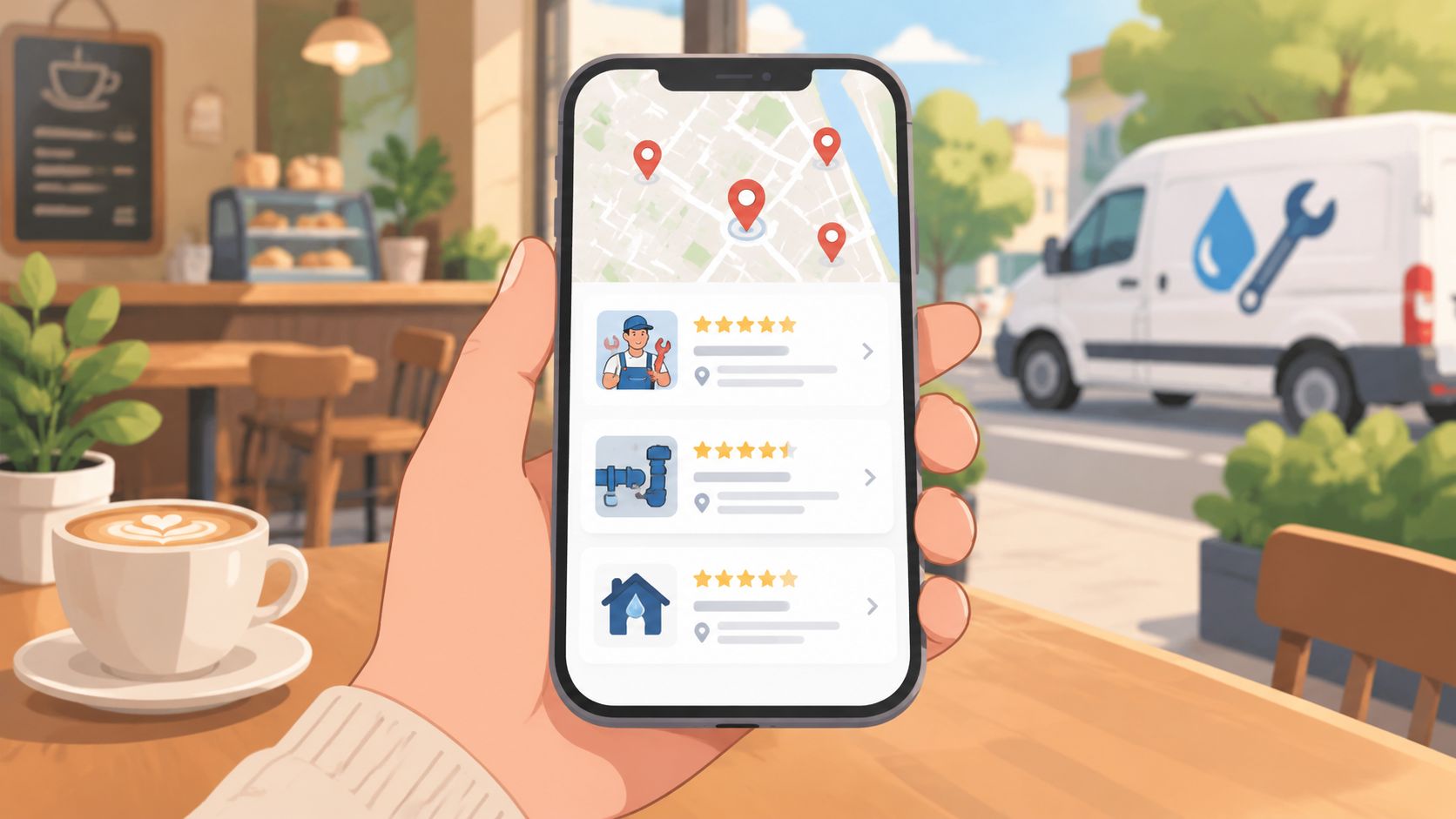
The first three listings become the shortlist
A listing in the pack can give a customer immediate access to:
- A business name: The first identification point in a crowded results page.
- A rating and reviews: Social proof that helps a searcher decide whether to trust the business.
- Opening information: Hours, address, phone number, website and directions.
- A map position: A quick way to judge proximity and travel convenience.
UK research reports that the local pack appears on 29.7% of all UK searches, with the incidence rising to above 90% in service categories such as plumbing, legal and hospitality, as documented by Studio36 Digital's UK SERP feature study. That makes it particularly important for businesses serving customers in a defined area.
A separate UK benchmark reports that the 3-pack captures 44% of clicks on location-based searches, while related research says 76% of people who search for a local business on their phone visit one within 24 hours, as summarised by Bare Digital. These figures don't mean every business will receive the same outcome. They show why being visible in the pack deserves attention alongside website rankings.
Practical rule: If your customers choose between nearby providers, measure where your profile appears before assuming your website position tells the whole story.
The rest of the journey is practical. First, understand what Google displays. Then learn why results change by location, separate stable ranking factors from common myths, and use town-by-town tracking to find the gaps that a single search from your office won't reveal.
What the Google 3 Pack Is and How It Works
The Google 3 Pack is a local search feature that presents a small selection of business profiles alongside a map. On a desktop search, it commonly appears near the top of the results page. On mobile, it can occupy valuable early screen space before a searcher reaches traditional organic listings.
The pack typically shows three local businesses, although the surrounding interface can include a map, expansion options and other search features. Each listing may display the business name, category, rating, review information, opening hours, address, phone details and directions. The exact display can vary with the query and device.
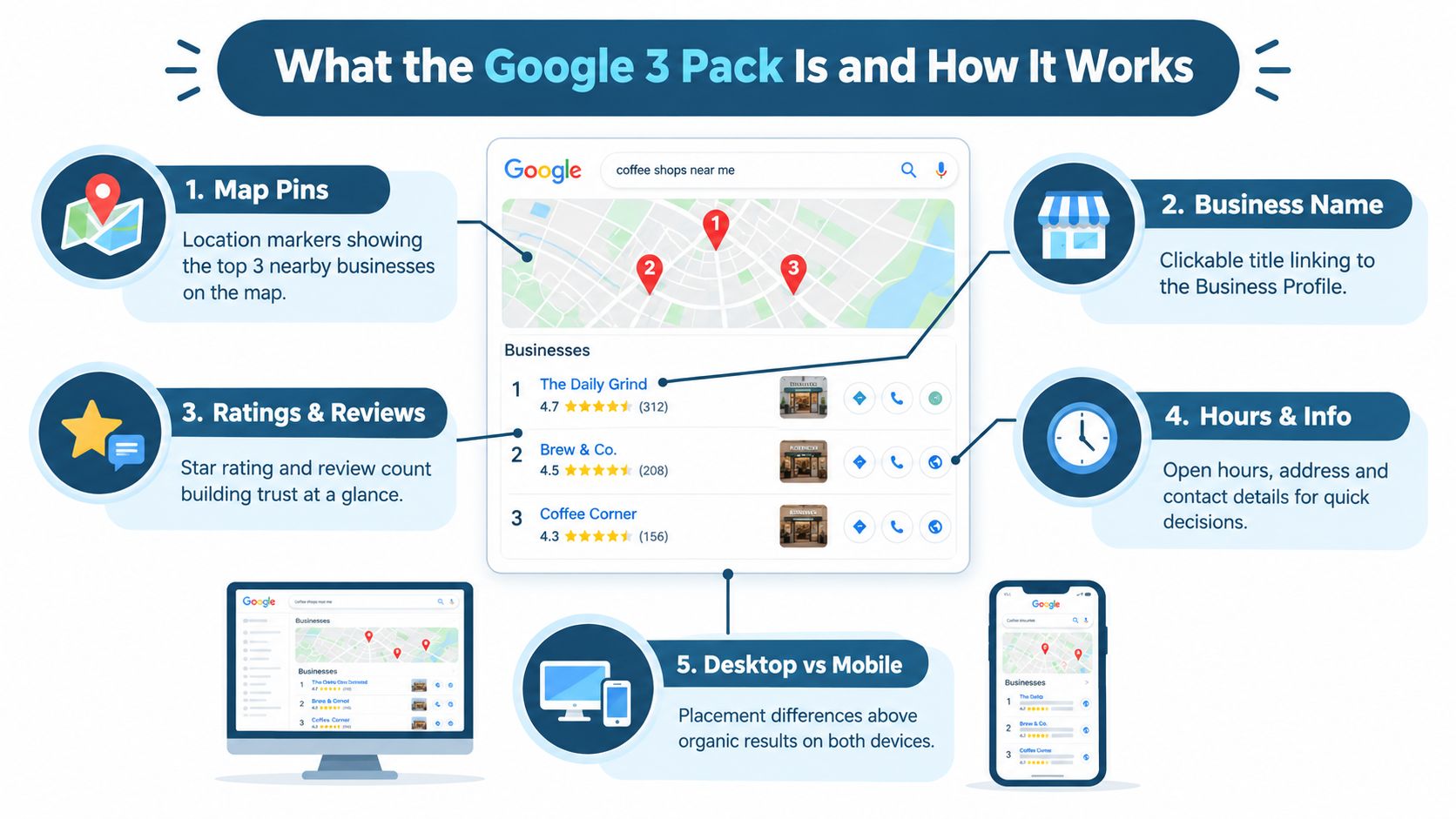
Think of it as Google's high-street shortlist
Imagine walking into a high-street information centre and asking for a nearby emergency plumber. The assistant doesn't hand you a directory containing every plumber in the region. They choose a short list that appears relevant, close enough to serve you, and credible enough to recommend.
Google does something similar with local search. It uses information from a business's Google Business Profile, the listing that controls how the organisation appears across Google Search and Google Maps. Your profile contains the information Google can match against the customer's query, such as your primary category, services, hours, location and business description.
If you're unfamiliar with the profile itself, this guide to Google Business Profile provides the foundation. The important distinction is that a profile is the underlying business record, while the 3-pack is one way Google chooses to display selected records in response to local intent.
Local pack, organic results and adverts are different
The pack isn't the same as the standard organic results beneath it. Organic results usually point to web pages, while pack listings lead to business information, calls, directions, reviews and other local actions.
Paid adverts are different again. They're bought placements labelled as sponsored, not an earned map position. A business can appear in an advert without holding a strong organic local position, while another business can rank organically but be surrounded by paid placements.
Search phrases such as these commonly express local intent:
- Service plus “near me”: “Emergency electrician near me.”
- Service plus town: “Wedding photographer York.”
- Best plus service and place: “Best Indian restaurant in Leeds.”
The phrase tells Google that location should influence the answer. That's why a national ranking report can't explain every local result. The customer's position, the searched town and the wording of the query all affect the shortlist.
Why Ranking in the Google 3 Pack Matters for Local Businesses
A customer searches “solicitor near me” from a town centre. Three firms appear with review summaries, opening hours and action buttons, while other firms remain below the fold. The searcher can call, request directions or visit a website without opening a full list of providers.
That visibility places your business close to the decision point. A strong position can turn existing demand into a phone enquiry, booking or direction request. It does not guarantee the sale, but it gives the customer fewer steps between finding you and taking action.
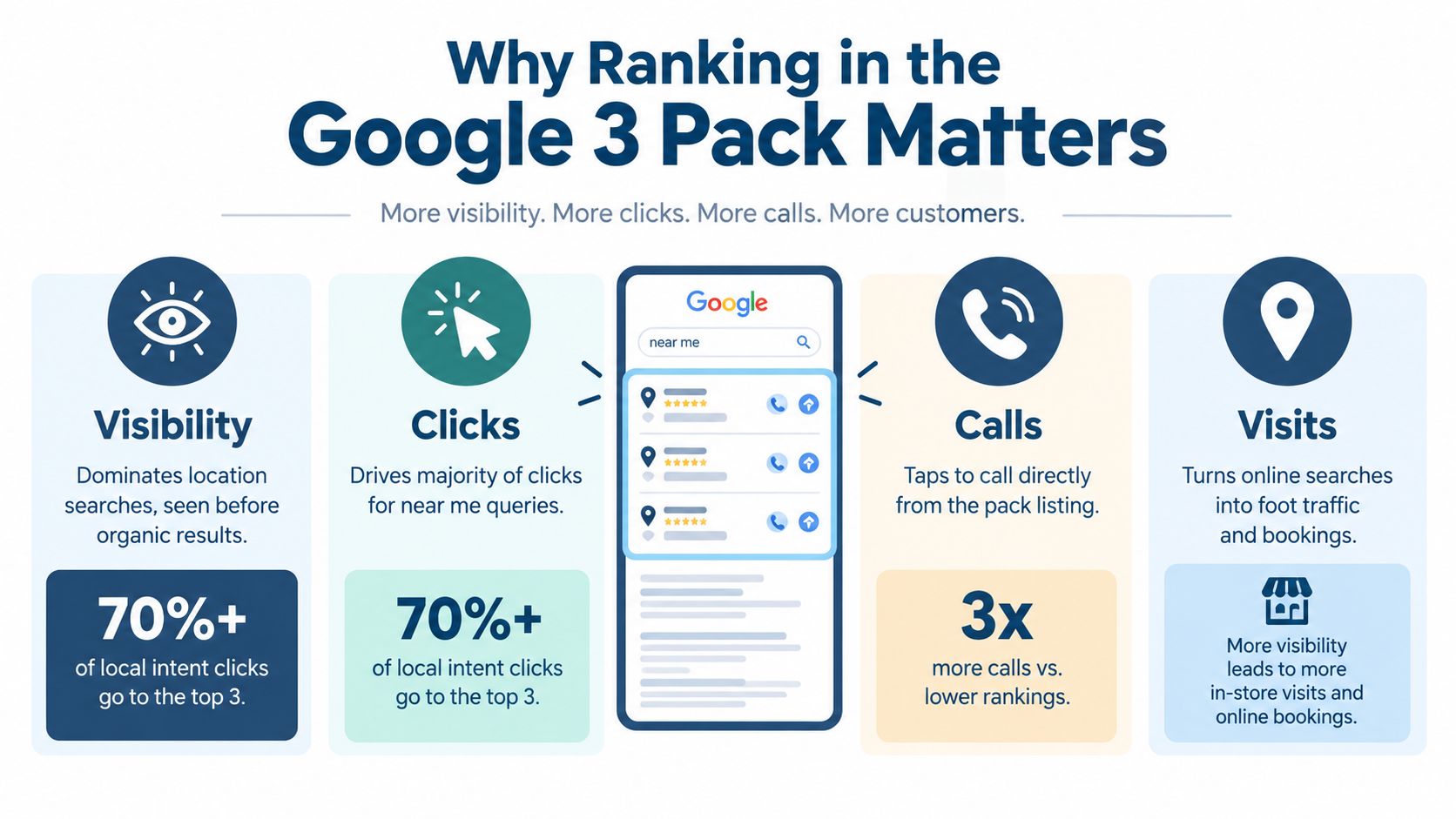
Local intent creates commercial urgency
Local searches often carry a clear job to be done. Someone looking for an emergency electrician may want a call immediately. Someone searching for a restaurant may need directions, opening hours or a table. The pack puts those next actions beside the business listing, so the customer does not need to search through several pages first.
The outcome also varies by service type. A plumber or solicitor may receive more phone calls, while a restaurant or shop may receive more direction requests and website visits. Reviewing these actions separately shows whether visibility is producing the kind of demand your business can serve.
The local pack remains important across the UK search market. Google held roughly 93.5% of combined desktop and mobile search share in the UK in July 2025, according to the data cited by Bare Digital. For a local business, appearing in this environment gives your profile a chance to compete where customers are already looking.
Ranking is a visibility-share contest
A report that labels your business “number two” may hide the picture. Customers search from different streets and towns, so your position can change across the service area. A geo-grid records rankings at multiple points, like a map made of small test squares, revealing where your coverage is strong and where competitors take the clicks.
The page itself is changing too. 365i Web Design reports that sponsored ads appeared in roughly 22% of tracked local-pack keywords, compared with under 3% previously, and that AI-generated answers are increasingly appearing above the traditional map pack on mobile. These figures describe the cited coverage, not every UK search.
Use a side-by-side profile analyser to compare categories, services, reviews and actions against nearby competitors. Then measure visibility town by town, alongside calls, bookings and direction requests. The aim is not to hold one rank. It is to increase the share of local searches where customers can see and choose your business.
How Google Chooses Who Appears in the 3 Pack
Many owners assume that the business with the most reviews, the longest description or the biggest website should always win. Google's own explanation is more focused. Local results are mainly based on relevance, distance and prominence, as outlined in Google's local ranking guidance and explained by BrightLocal's local algorithm guide.
These three ideas work together. Improving one doesn't override the others.
Relevance means matching the customer's request
Relevance asks whether your business fits the words and intent behind the search. A profile categorised accurately as a plumber is more obviously relevant to “plumber near me” than a profile using a broad, unrelated category.
Google also considers the information attached to the profile. Services, categories, business descriptions and other details should describe what you offer. If a café serves gluten-free food, that information can help customers understand the match when it's represented accurately in the relevant profile fields.
Keyword stuffing isn't relevance. Adding a list of locations or services to a business name may create confusion and can violate Google's rules. Use the trading name and place service information in the fields designed for it.
Distance explains town-by-town variation
Distance is the space between the searcher, or the location named in the query, and the business. A shop in central York may appear prominently to a person nearby but less prominently to someone searching from a different town.
Service-area businesses face the same principle without a customer-facing shop. A mobile electrician might serve several towns, but visibility can still weaken as the search moves away from the business's core location. A business cannot declare a distant town and expect to appear there consistently.
This is why a search from your office isn't a reliable test of what customers see elsewhere. The result is connected to the search location, not just the keyword.
Prominence is recognition and trust
Prominence describes how established and trusted Google considers a business to be. Reviews, profile signals, links and broader online visibility can contribute to that picture, but prominence isn't a single switch you can turn on.
Independent UK guidance summarising the 2026 Whitespark Local Search Ranking Factors survey estimates that Google Business Profile signals account for about 32% of local-pack ranking weight, compared with 15% for on-page signals and 8% for links, as reported by SEO Handbook. That is practitioner consensus, not a published Google formula, so treat it as directional rather than an exact calculation.
| Foundation | Plain-English question | Example |
|---|---|---|
| Relevance | Does this business match the search? | A profile clearly offering emergency plumbing |
| Distance | Is it close to the searcher or named place? | A provider located near the searched town |
| Prominence | Does it look established and trusted? | Complete information, credible reviews and local recognition |
Google isn't choosing the “best business” in the abstract. It's choosing a relevant, nearby and prominent option for this particular search.
Common Misconceptions About the Google 3 Pack
Google 3 Pack results can look fixed on a screen, but local visibility changes from one search point to another. Treat the pack as a geospatial visibility-share contest, not a permanent leaderboard.
Myth one, a top-three position is permanent
Reality: Local results respond to the searcher's location, query wording and competition. A business may appear near its premises yet lose visibility in a neighbouring town.
Useful response: Check several points across your service area. A single search is one observation, not a complete ranking report. Geo-grid tracking makes this pattern visible by comparing coverage across a map.
Myth two, adding keywords to the business name guarantees visibility
Reality: Google expects the business name to match its real-world name. “Smith & Sons Plumbing” should not become “Smith & Sons Best Emergency Plumber in Reading” to add phrases.
Useful response: Keep the name accurate. Add legitimate services through the category, service and description fields. A consistent profile gives Google clearer context than a stuffed business title.
Myth three, more reviews automatically means number one
Reality: Reviews can support prominence, but they do not cancel out distance or relevance. A highly reviewed business may still be too far away or a poor match for a specialised query.
Useful response: Build reviews through good service and a clear request process. Keep categories, services and location information accurate at the same time.
Myth four, more Google posts automatically improve rankings
Reality: Posts can explain an offer, answer a common question or show recent activity, but publishing more of them does not guarantee a higher position. A profile with frequent posts can still lack the category, service relevance or local coverage needed for a particular search.
Useful response: Use posts to support customer understanding, not as a substitute for accurate profile information. Compare your profile with nearby competitors using a side-by-side profile analyser, then address the clearest differences.
Myth five, national visibility proves local coverage
Reality: A business can be well known across a region yet weak in one town. The UK local SEO statistics report from Studio36 Digital reports that AI local packs covered about 5,943 unique businesses, compared with 18,330 in legacy 3-pack data, in the cited comparison. The AI surface therefore exposed roughly 32% of the traditional business inventory.
Useful response: Ask where your profile appears, not whether it ranks somewhere. Review town-by-town grid results and compare profile details beside the businesses winning visibility. This separates a local coverage gap from a problem visible only at your usual search location.
Proven Tactics to Improve Your Google 3 Pack Placement
Improvement starts with the profile, but it shouldn't end there. Work through changes in order of likely usefulness, then check whether visibility improves across the places you serve.
Start with profile accuracy
Use your genuine business name and select the most accurate primary category available. Add relevant secondary categories, services, opening hours, special hours, attributes, phone number, address or service area, description, photos and videos where appropriate.
A useful before-and-after comparison looks like this:
| Before | After |
|---|---|
| Broad category that doesn't describe the main service | Specific primary category aligned with the core offer |
| Incomplete hours and missing special hours | Accurate opening information for normal and exceptional days |
| Thin description with little service context | Clear description explaining the business and its genuine services |
| Outdated phone or address | Consistent contact details across the profile and website |
Google's Business Profile help guidance specifically connects accurate business information with relevance, distance and popularity. Profile completeness won't force a distant listing into every pack, but missing information can make it harder for Google and customers to understand the business.
For a wider checklist, use this guide on how to rank in Google Maps.
Build a dependable review habit
Ask satisfied customers at a natural point after the service or purchase. Make the request optional, provide the direct review route, and respond professionally to both positive and negative feedback. Don't buy reviews or offer incentives that compromise their authenticity.
Review quality matters as part of the wider trust picture. A profile with recent, specific customer feedback gives searchers more context than a neglected profile, while thoughtful replies show that the business remains involved.
Keep the profile active and useful
Add real photographs that help customers recognise the premises, team, vehicles or finished work. Publish relevant updates and keep service information aligned with what you currently offer. Accurate hours are particularly important because a customer who arrives to find a closed business may lose trust immediately.
Compare your profile with nearby competitors
An isolated audit tells you whether information exists. A side-by-side comparison tells you whether your profile is weaker, stronger or different from the businesses appearing around you.
VisiLocali combines Google Business Profile geo-grid tracking with Profile Analyser, Review Analyser and Post Analyser views. The platform compares a profile with statistically competitive and selected competitor profiles, then uses AI to explain what to improve and why. Its geo-grid scans support 5×5, 7×7 and 9×9 layouts, with a manually selected scan centre and a radius of up to 10,000km, according to the platform's product information.
That makes it possible to test a town-specific query from the town itself, rather than relying on a search performed at your main address. You can also manage profile edits, review replies and scheduled posts from the same working environment.
Choose the next action from the evidence
Use this order when several issues appear at once:
- Correct serious inaccuracies: Fix name, category, contact details and hours first.
- Close relevance gaps: Add genuine services, attributes and useful description content.
- Strengthen trust signals: Request legitimate reviews and respond consistently.
- Improve activity and presentation: Add useful images and relevant posts.
- Expand measurement: Scan target towns and compare coverage with competitors.
Don't change everything at once if you want to understand what helped. Record the change, monitor the relevant grid points and review the profile data after a sensible period.
Seeing Progress in Action With Real Examples
Consider a service-area heating business based near a large town. A manual search from the office shows a healthy map position for “boiler repair”, so the owner assumes coverage is strong. A geo-grid scan centred on a nearby town tells a different story. The business performs well around its base but appears less often across the outer service area.
The owner then compares the profile with businesses visible in those weaker points. The Profile Analyser highlights a less precise category and a description that doesn't clearly explain the repair service. The Review Analyser shows a thinner body of customer feedback, while the Post Analyser reveals that nearby competitors keep their profiles more active.
The right response isn't to add the town name repeatedly to the business title. It's to correct the category, clarify genuine services, maintain accurate information, request reviews from real customers and publish useful updates. The grid can then show whether coverage improves in the target town rather than merely confirming the original office view.
A high-street example
A café may rank well for its own name but appear inconsistently for “brunch near me”. A comparison view can reveal that competing profiles provide clearer opening hours, stronger visual content and more complete attributes. Those details help customers choose quickly, especially when they're deciding where to go now.
The measurement loop is straightforward:
- Scan: Check rankings across the target town or service radius.
- Compare: Review your profile beside the businesses appearing in weak areas.
- Prioritise: Follow recommendations tied to relevance, distance or prominence.
- Act: Update the profile, respond to reviews or schedule posts.
- Recheck: Monitor whether coverage changes across the same grid.
For ongoing monitoring, a dedicated automated rank tracker can help turn isolated checks into a repeatable view of local performance. The important shift is from asking “What position am I in?” to asking “Where am I visible, where am I missing, and what profile difference might explain the gap?”
Start a 14-day free trial of VisiLocali to track your Google Business Profile rankings across local geo-grids, compare competitor profiles side by side, and receive AI insights and recommendations for the next practical improvement. Visit VisiLocali and use the data to decide which actions can improve your visibility town by town.
