 Skip to content

A plumber finishes a boiler installation, the customer pays, smiles and says, “I'll definitely leave you a review.” Two weeks later, there's still nothing on Google. The job went well, the customer was happy, and the opportunity disappeared because nobody made the next step simple.
That scene plays out across trades, hospitality and professional services every day. Reviews influence real buying decisions in the UK. A government consumer survey found that 54% of UK adults read online reviews, while its analysis estimated that £23 billion a year in UK consumer spending was potentially influenced by reviews across six broad sectors. (UK government research on online reviews)
The answer isn't a clever line copied into an email. You need a timely, direct and compliant workflow that asks every eligible customer, removes friction and gives your team a clear way to follow up.
Table of Contents
- Why Most Review Requests Never Get a Reply
- Timing Your Review Request for the Highest Response
- Channel-Specific Templates That Convert
- UK Compliance and What You Must Never Offer
- Follow-Up Sequences and Handling the No
- Turning Reviews into Local Ranking Wins
Why Most Review Requests Never Get a Reply
The customer usually isn't the bottleneck. The request is.
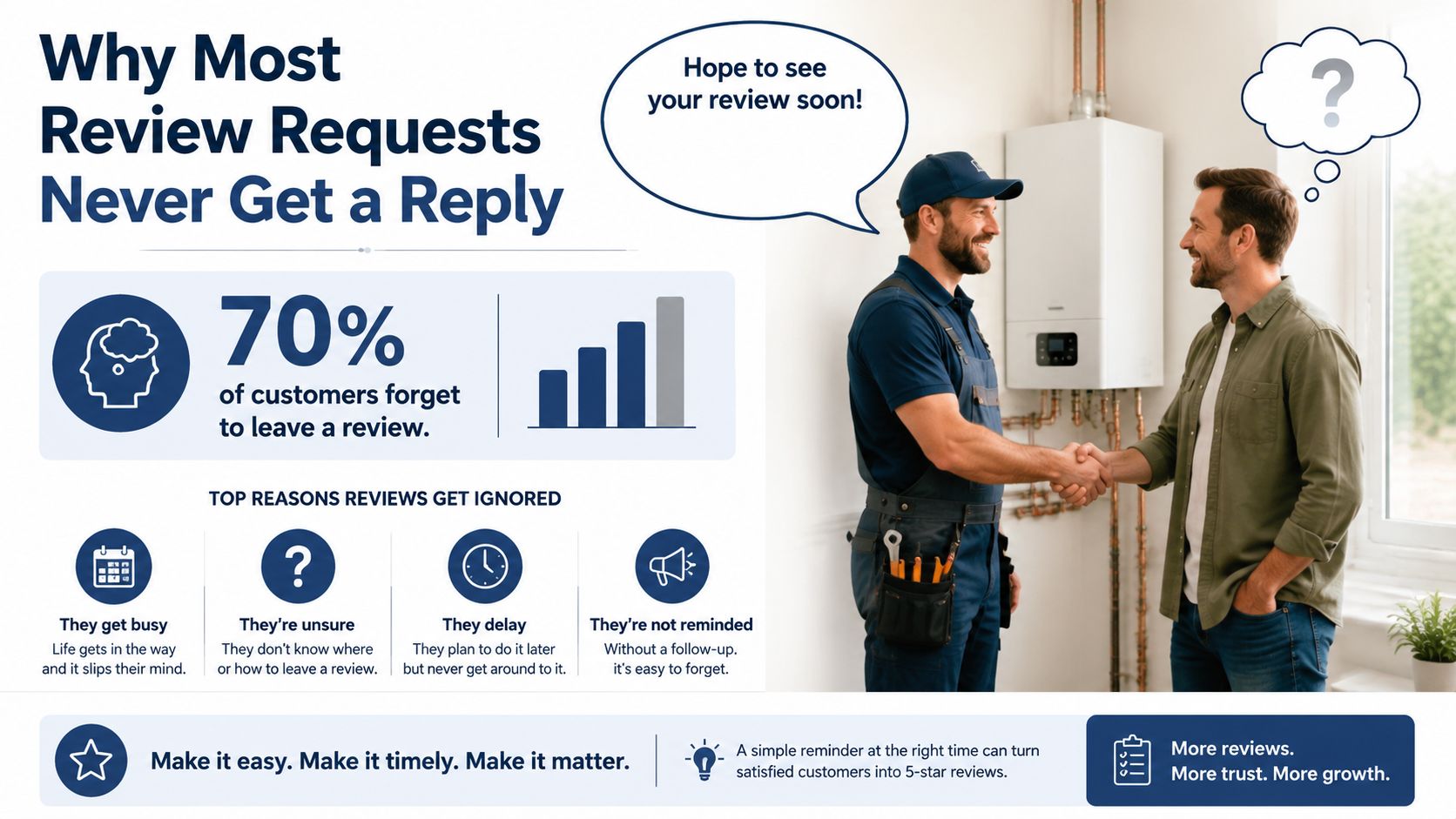
A printed card tucked inside an invoice, a Google link sitting in an email signature, or a generic message sent long after the service has finished all rely on the customer remembering to act later. People won't. They're busy, they've moved on to the next task, and the moment when they felt most positive about your work has passed.
A strong review process captures that moment instead. The plumber should ask while the homeowner is looking at the completed installation and expressing satisfaction. The restaurant should ask shortly after the meal, not at the end of a monthly marketing meeting. The accountant should ask after delivering a useful outcome, not from a random quarterly reminder.
Four failure points to fix
- Poor timing: A delayed request arrives after the customer's enthusiasm has cooled.
- Vague wording: “Please review us” gives no context and sounds like a bulk campaign.
- No direct link: Sending someone to search for your business adds unnecessary steps.
- No escalation path: If the first message is ignored, the process ends instead of using one sensible reminder.
A repeat customer who never leaves a review represents more than missed praise. Their experience could have helped a future customer choose you, supplied useful language for your Google Business Profile and strengthened the evidence surrounding your local presence. Reviews matter especially for one-off purchases, experience goods and higher-value services such as hotels and travel, according to the same UK government analysis. That makes the post-service request particularly important for businesses where customers don't buy often.
Operator's rule: Don't hope satisfied customers remember. Ask while the result is visible, make the link immediate and record what happened.
The next issue is timing. A request sent at the wrong point can underperform even when the wording is perfectly sound.
Timing Your Review Request for the Highest Response
Review requests lose force quickly. UK-focused invitation data records median response rates of 27.4% when sent within one hour, 22.1% within 24 hours, 11.6% after 48 hours to seven days, 5.8% after eight to 30 days, and 1.9% beyond 30 days. (UK review-invitation timing playbook)
That creates a simple operating principle: trigger the request from the customer's completed experience, not from a calendar routine. For a trade, that means the job completion event. For a hotel or restaurant, it means the relevant stay or visit ending. For a solicitor, consultant or accountant, it might be the delivery of a completed piece of work or the point when the client confirms the outcome is useful.
| Timing Window | Email Response Rate | SMS / WhatsApp Response Rate | Best Sector Fit |
|---|---|---|---|
| Within 1 hour | 27.4% | 27.4% | Trades and hospitality |
| Within 24 hours | 22.1% | 22.1% | Professional services and appointments |
| 48 hours to 7 days | 11.6% | 11.6% | Follow-up requests |
| 8 to 30 days | 5.8% | 5.8% | Late recovery campaigns |
| Beyond 30 days | 1.9% | 1.9% | Re-engagement only |
The table uses the published timing benchmarks as a practical guide, not a guarantee that every channel will perform identically. Your own results will depend on consent, customer relationship, message quality and how naturally the channel fits the interaction.
Match the trigger to the business
For trades and hospitality, ask in person at completion, then send an SMS or WhatsApp message within a short period with the direct Google review link. The spoken request creates context. The message removes the need for the customer to remember the URL.
Professional services often lack a clear doorstep moment. Trigger the request when the invoice is sent, a project is delivered or an appointment outcome is confirmed. Don't batch all requests once a week. That turns a fresh customer experience into an old administrative task.
Feefo reports an average review-request response rate of 33% and recommends a short, mobile-friendly message, with the review link placed immediately after the ask. (Feefo guidance on improving response rates)
Ask when the customer has experienced the outcome, then send the link before the moment becomes ordinary.
Channel-Specific Templates That Convert
Choose the channel already used in the customer relationship. A tradesperson can ask face to face, then follow up by SMS. A salon or restaurant using WhatsApp Business can keep the message warmer. A professional firm can place a short email inside its completion or invoice workflow.
Keep the wording neutral. Invite an honest account of the experience while steering clear of rating direction.
In-person request
Template:
“Would you share your honest Google review?”
Use this after the customer confirms that the job is complete or says they are satisfied. It fits plumbers, electricians, builders and other service businesses. Open the review page on a tablet or send the link immediately. The request feels conversational, and “honest” makes clear that praise is not required.
SMS template
Template:
“Hi [First name], thanks for choosing [Business name]. Please leave an honest Google review: [short link]”
Send this after a completed trade visit, appointment or collection. Put the tap-friendly link directly after the request. Leave out an invoice summary, service catalogue and competing calls to action. One message should lead to one action.
WhatsApp template
Template:
“Hi [First name], thanks for visiting [Business name]. Would you share your honest review? 😊 [short link]”
This suits salons, restaurants and trades that already use WhatsApp Business. One friendly emoji is enough. Identify the business and make the action obvious, rather than starting a long conversation that pushes the link out of view.
Email template
Subject:
“Your honest review”
Message:
“Hi [First name], thanks for choosing [Business name]. Would you share an honest review of your experience? [Leave a Google review]”
Use one ask and one button. Skip the header image, especially when customers commonly read messages in Outlook. A plain, lightweight email keeps attention on the review action and feels more personal.
Feefo's mobile-friendly review request advice supports keeping the request short. Where possible, keep the core ask to fewer than 10 words, then place the review link immediately after it.
Two UK copy rules matter:
- Never imply positivity: Avoid “leave us a five-star review” and “tell everyone how brilliant we are”.
- Never condition a benefit: Do not offer a discount, gift or other advantage in return for a particular rating or review.

UK Compliance and What You Must Never Offer
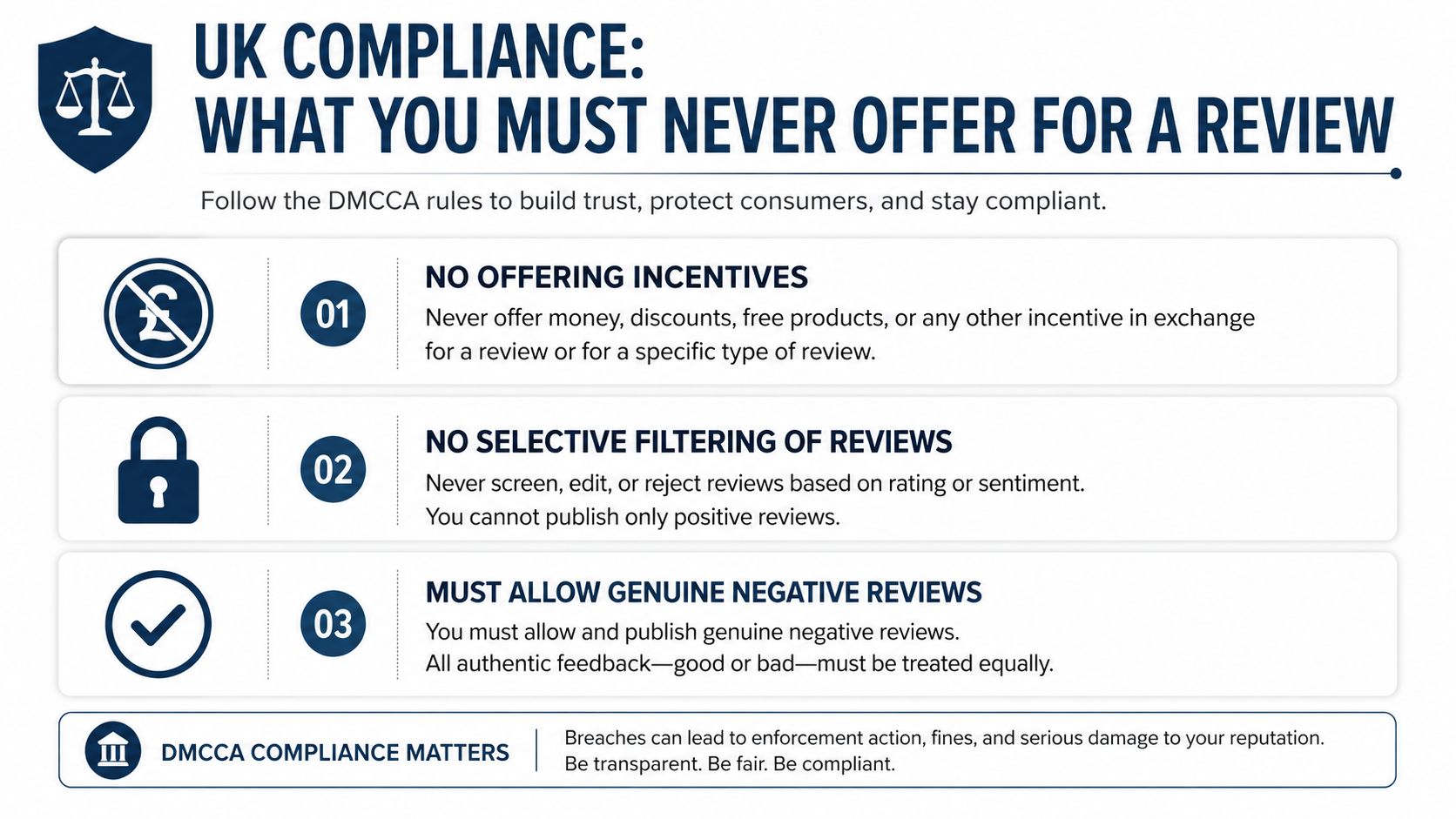
A review request is both a legal-risk surface and a marketing message. Wording choices determine which side dominates. The Digital Markets, Competition and Consumers Act 2024, known as the DMCCA, prohibits fake reviews and concealed incentivised reviews. Government guidance requires businesses to take reasonable and proportionate steps to prevent fake reviews appearing, and forbids publishing consumer reviews or information derived from them in a misleading way. See the CMA guidance on fake reviews before changing your workflow.
For a deeper look at the listing foundations that make review requests effective, see our guide to Google Maps business listing management. The government's business guidance on reviews and social media endorsements is the right reference for checking how your team asks, publishes and responds.
Wording that crosses the line
Avoid these practices:
- Rating demands: “Please leave us a five-star review.”
- Selective asking: Sending requests only to customers expected to be delighted.
- Conditional rewards: “Leave a positive review and receive a voucher.”
- Review editing incentives: Offering something in exchange for changing the wording or rating.
- Manufactured feedback: Asking staff, relatives or people without a genuine customer experience to post.
- Concealed incentives: Offering a benefit without clearly stating its connection to the review.
The UK government's fake-review research estimated that 11% to 15% of reviews in three common product categories on widely used e-commerce platforms were likely fake. The categories were consumer electronics, home and kitchen, and sports and outdoors. (UK research on fake online reviews) The operational lesson is simple: build requests around genuine customer experiences, then accept the response customers choose to give.
Audit your next campaign
Before sending another message, check five points:
- Coverage: Are you asking customers consistently rather than filtering for likely positive responses?
- Neutrality: Does the wording invite an honest review without steering its rating or content?
- Rewards: Is any benefit connected to writing, editing or rating a review?
- Destination: Does the link take customers directly to the genuine review page?
- Handling: Can your team accept and respond to negative feedback without suppressing it?
The UK Competition and Markets Authority has been checking compliance. A 2025 enforcement update described a web sweep of more than 100 review publishers, advisory letters to 54 firms, and possible fines of up to 10% of annual global turnover for breaches of consumer-review prohibitions. (CMA enforcement update discussed by Greenberg Traurig) Treat the review workflow as part of Google Business Profile management, with consistent asking, transparent handling and a clear audit trail.
Follow-Up Sequences and Handling the No
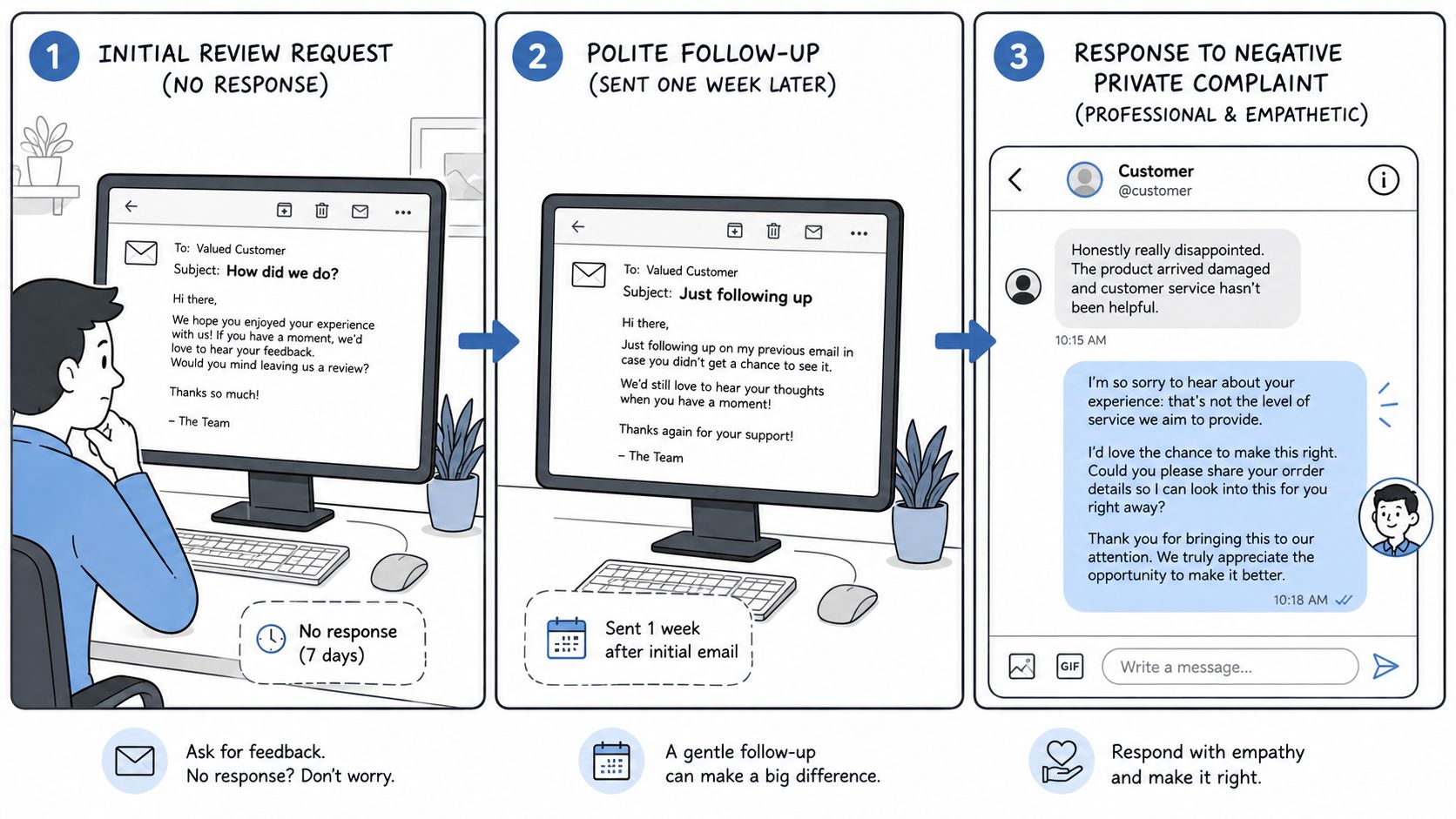
One ignored message doesn't mean the customer objected. It often means the timing was inconvenient, the message was missed or the customer intended to act and forgot. Follow up once through a different channel, then make one final reminder and stop.
A sensible sequence looks like this:
- At completion or invoice send: Ask neutrally and provide the direct review link.
- After 48 to 72 hours: Send one short nudge through another suitable channel. If the first request went by email, use SMS or WhatsApp where you have permission.
- Around day 10: Send a final gentle reminder with a one-tap URL.
- After that: Stop contacting the customer about the review.
The sequence should be recorded automatically. VisiLocali's Review Analyser can identify customers who weren't asked and those whose first request went unanswered, so the re-ask list comes from workflow data rather than someone's memory. It can also compare review quantity, frequency and content against relevant competitor profiles, giving the team a practical way to spot gaps. See Google review management guidance for the wider operational context.
Respond properly when the answer is no
If a customer says no, thank them and leave it there. Don't ask why, send another link or make them defend their decision.
A private complaint deserves a service-recovery conversation, not a second review request. Acknowledge the issue, ask for the relevant details, assign ownership internally and resolve what you can. Never make public-review removal a condition of help.
For a plumbing firm, the workflow might be an in-person ask after the boiler is tested, an SMS later that day, a WhatsApp reminder after a few days and no further contact after the final reminder. For a dental practice, trigger the first email after the appointment or treatment outcome is confirmed, use a brief SMS follow-up for non-responders and keep the language neutral throughout.
Turning Reviews into Local Ranking Wins
Review collection shouldn't end when a customer taps “Post”. It should feed a wider Google Business Profile optimisation loop.
Start with the signals you can monitor consistently: review velocity, recency, topic diversity, owner reply rate and the language customers naturally use. Don't force keywords into the request. A genuine review mentioning a boiler installation, emergency plumbing, a dental appointment or a local service area is more useful than a scripted sentence that sounds manufactured.
Build the loop around real customer language
When a review arrives, reply promptly and specifically. Mention the service the customer discussed and the location when it fits naturally, but don't stuff place names into every sentence. Use recurring customer questions to improve your Google Business Profile Q&A, and use positive feedback to prompt relevant photo requests where appropriate.
Your operating loop should look like this:
- Ask: Trigger a compliant request at the point of completion.
- Measure: Track new reviews, recency, topics and unanswered feedback.
- Compare: Check where your profile differs from nearby competitors.
- Act: Improve profile details, publish useful posts, answer questions and respond to reviews.
- Repeat: Keep the workflow running instead of launching occasional bursts.
Review quantity alone won't tell you what to do next. A competitor comparison may show that your profile has useful service detail but weak recent activity. Another may have regular reviews but unanswered customer questions. The practical value comes from turning those gaps into assigned tasks.
For a grounded view of the relationship between reviews and local visibility, read this analysis of whether reviews help local rankings. Treat rankings as an operational dashboard, not a vanity score. If your visibility changes across different parts of the service area, a single city-centre search may hide the problem.
Start a 14-day free trial of VisiLocali to track Google Business Profile rankings, compare your profile side by side with competitor profiles and receive AI insights and recommendations. Use the data to identify the next review, profile or content action that can improve your local visibility, then put it into practice this week.
