 Skip to content

A local service business can have the best Google Business Profile in its area and still lose clicks to a competitor with a better-organised website.
That’s because Google doesn’t just look at your GBP listing in isolation: it checks whether your website backs up what your profile claims.
The way your site is structured, how its pages link together, and whether it speaks clearly to the areas you serve all feed into how Google decides who ranks where on Maps and in the local pack.
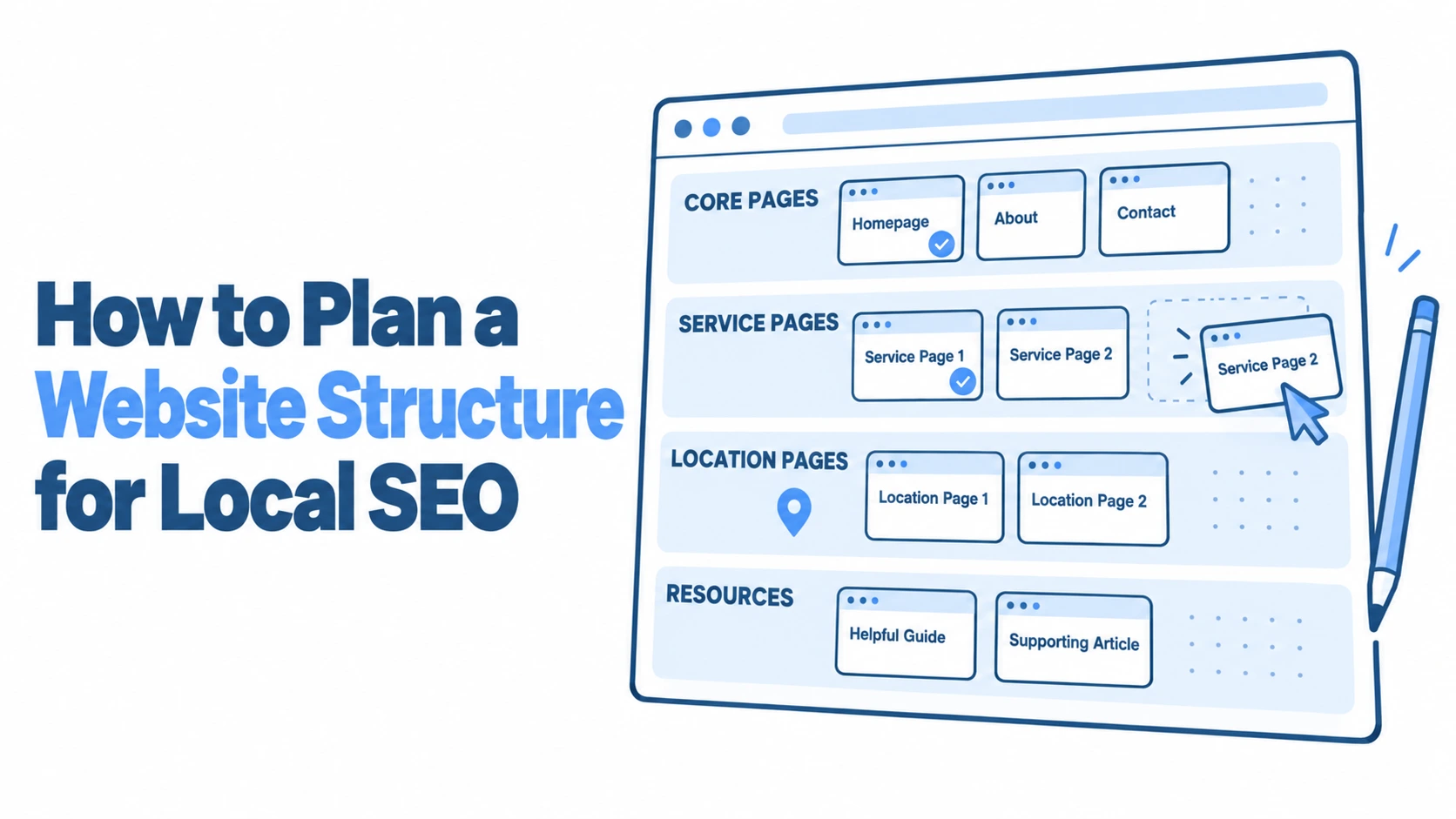
If you’ve been wondering how to plan a website structure for local SEO, the answer starts well before you open a page builder.
It starts with understanding what your potential customers are actually searching for, and then building a site architecture that makes those connections obvious to both humans and search engines.
This guide walks through the practical steps, from mapping out your keyword strategy to measuring whether your structure is actually working.
Foundations of Local SEO Information Architecture
Getting your site structure right isn’t about following a rigid template. It’s about creating a logical framework that tells Google exactly what you do, where you do it, and why you’re the right result for a searcher in a specific area.
Understanding Geo-Targeted User Intent
People searching locally don’t all search the same way. A homeowner in Bristol looking for a plumber might type “emergency plumber near me,” while someone in Leeds might search “boiler repair Headingley.” These searches carry different intent: one is urgent and proximity-driven, the other is service-specific and neighbourhood-focused.
Your site structure needs to account for both patterns. Pages built around broad service terms capture the “near me” traffic (especially when paired with a well-optimised GBP), while location-specific pages pick up the longer-tail, area-focused queries. The mistake most businesses make is building one generic services page and hoping Google figures out the rest. It won’t.
Think about the journey your customer takes. Someone searching “blocked drain Glasgow Southside” wants to land on a page that mentions Glasgow Southside specifically, describes the drain services you offer there, and gives them a way to contact you immediately. A generic “Our Services” page that lists twelve different things you do across all of Scotland won’t cut it.
Mapping Keywords to Local Service Areas
Before you build a single page, you need a keyword map: a simple spreadsheet that pairs each service you offer with each area you serve. For a locksmith covering Manchester, that might look like “emergency locksmith Didsbury,” “lock change Chorlton,” “security survey Salford,” and so on.
This exercise reveals how many pages your site actually needs. A business offering five services across six neighbourhoods might need thirty location-service combination pages, plus parent pages for each service and each area. That sounds like a lot, but each page serves a distinct search intent, and Google rewards that specificity.
Tools like VisiLocali’s Local Rank Tracker can show you exactly where you’re visible and where you’re not across your target area. If the geo-grid reveals strong rankings in your immediate postcode but nothing two miles away, that’s a clear signal you need dedicated content for those weaker zones. The keyword map becomes your build plan.
Designing a Scalable Location Page Hierarchy
Once you know what pages you need, the question becomes how to organise them so the site stays clean, logical, and easy for Google to crawl.
Single-Location vs Multi-Location URL Structures
If you operate from one physical location, your structure is relatively straightforward. Your homepage targets your primary area, your service pages target service-plus-location combinations, and you might add a handful of pages for nearby towns or neighbourhoods you also serve.
Multi-location businesses need a different approach. The standard pattern is to create a /locations/ parent directory, with individual location pages nested underneath: /locations/manchester/, /locations/leeds/, /locations/bristol/. Each location page then links to service pages specific to that area. This creates a clear hierarchy that Google can follow without confusion.
The key principle: every location page should be genuinely unique. Copy-pasting the same content and swapping out the city name is a fast track to thin content penalties. Each page needs local details: directions, nearby landmarks, area-specific testimonials, and service nuances relevant to that community.
Creating City and Neighbourhood Landing Pages
City-level pages work as hub pages. They introduce your business’s presence in that city, summarise the services available, and link down to more specific neighbourhood pages. Think of them as the table of contents for everything you do in that area.
Neighbourhood pages go deeper. A plumbing company in Edinburgh might have a city page at /edinburgh/ and neighbourhood pages at /edinburgh/morningside/ and /edinburgh/leith/. The neighbourhood pages can reference local issues (hard water problems in certain postcodes, older pipe systems in Victorian tenements) that make the content genuinely useful rather than just a keyword exercise.
This two-tier approach works well because it mirrors how people actually search. Some type the city name, others get more specific. You’re covered either way.
Integrating Service-Area Business (SAB) Pages
Many local service businesses don’t have a shopfront customers visit. Tradespeople, mobile mechanics, and home care providers travel to the customer. Google treats these as service-area businesses, and the site structure should reflect that.
SAB pages should focus on the areas you travel to, not a physical address. Create pages for each service area that describe what you offer there, typical response times, and any area-specific considerations. A pest control company might note that properties near canals in certain Birmingham neighbourhoods are more prone to rat problems: that kind of local detail signals genuine expertise.
The URL structure for SABs typically follows /areas-we-serve/[area-name]/ or /[service]/[area-name]/. Either works, but stay consistent. Mixing URL patterns confuses both crawlers and users.
Optimising Internal Linking for Local Relevance
A well-planned page hierarchy means nothing if the pages aren’t properly connected. Internal linking is how you tell Google which pages are related and which ones carry the most importance.
Using Breadcrumbs to Establish Geographical Context
Breadcrumb navigation does two things simultaneously: it helps users understand where they are on your site, and it gives Google a clear hierarchy signal. A breadcrumb trail reading Home > Manchester > Boiler Repair tells Google that your boiler repair page sits within your Manchester service area.
Implement breadcrumb structured data (BreadcrumbList schema) alongside the visible breadcrumbs. This can generate enhanced search results that show the geographical path, making your listing more clickable. Most modern CMS platforms support breadcrumb markup through plugins, so this is typically a quick win.
Make sure your breadcrumb structure matches your actual URL structure. If the URL says /manchester/boiler-repair/ but the breadcrumb says Home > Services > Boiler Repair, you’re sending mixed signals about whether the page is primarily about the service or the location.
Strategic Footer Navigation for Local NAP Data
Your footer appears on every page, which makes it prime real estate for local signals. Include your full NAP (Name, Address, Phone) data consistently across the site. If you have multiple locations, the footer can link to a locations hub page rather than trying to cram every address in.
Some businesses use a dynamic footer that displays the NAP data relevant to the location section the user is browsing. If someone is on your /glasgow/ pages, the footer shows your Glasgow address and phone number. This requires a bit more development work but creates a stronger local signal on each page.
Don’t overload the footer with dozens of location links. A clean footer with your primary NAP, links to your main location pages, and essential legal pages is far more effective than a keyword-stuffed wall of city names.
Cross-Linking Services with Specific Locations
This is where most local business websites fall short. They have service pages and location pages, but the two exist in separate silos with no connections between them.
Every service page should link to the locations where that service is available. Every location page should link to the services offered there. And where you have combined service-location pages, those should link both up to their parent pages and across to related combinations.
For example, your “Bathroom Fitting” service page should contain contextual links like “We offer bathroom fitting across South Manchester, including Didsbury, Chorlton, and Withington.” Each of those area names links to the relevant location-service page. This web of connections helps Google understand the full scope of your business and strengthens the authority of every page in the network.
Technical Elements for Local Visibility
Structure and linking are the foundation, but a few technical elements can significantly amplify your local signals.
Implementing LocalBusiness Schema Markup
Schema markup is code that explicitly tells search engines what your business is, where it’s located, and what it offers. The LocalBusiness schema type (and its more specific subtypes like Plumber, Electrician, or Dentist) should be present on your homepage and each location page.
Your schema should include your business name, address, phone number, opening hours, service area, and geo-coordinates. For multi-location businesses, each location page gets its own LocalBusiness schema with that specific branch’s details.
A common mistake: using Organisation schema instead of LocalBusiness. Organisation is for companies that don’t serve a local area. If you want to appear in local search results and on Google Maps, LocalBusiness (or a relevant subtype) is what you need. Validate your markup using Google’s Rich Results Test after implementation to catch errors before they affect your visibility.
Mobile-First Design for On-the-Go Local Searches
Over 75% of local searches happen on mobile devices, and Google uses mobile-first indexing, meaning it evaluates the mobile version of your site for ranking purposes. If your site structure works beautifully on desktop but collapses into a confusing mess on a phone, your rankings will suffer.
Test your location pages on actual mobile devices, not just browser emulation tools. Can a user find your phone number within two seconds of landing? Is the call-to-action button visible without scrolling? Does the navigation make it easy to switch between locations or services?
Page speed matters enormously for mobile local searches. Someone searching “emergency electrician near me” at 10pm isn’t going to wait four seconds for your page to load. Compress images, minimise JavaScript, and consider using a content delivery network. Google’s Core Web Vitals thresholds are non-negotiable for competitive local rankings in 2026.
Supporting Local Authority through Content Silos
Your service and location pages form the commercial backbone of your site. Content silos build the authority that makes those pages rank.
Developing Local News and Community Blog Hubs
A blog that publishes generic industry articles does very little for local SEO. A blog that covers local topics, however, creates genuine local relevance signals. Write about community events you’ve sponsored, local regulations that affect your industry, or seasonal issues specific to your area.
A roofing company in Newcastle might publish a post about how the 2025/26 winter storms affected properties in Jesmond, with advice on what homeowners should check. That post naturally links to the company’s roof repair service page and their Newcastle location page, strengthening both.
Organise blog content into local hubs. If you serve multiple cities, create blog categories for each one. This keeps your local content clustered rather than scattered, which helps Google understand the geographical relevance of your content library.
Showcasing Regional Case Studies and Testimonials
Case studies are one of the most underused local SEO assets. A detailed write-up of a job you completed in a specific area, with photos and the customer’s feedback, creates a unique page that targets local search terms naturally.
Structure each case study with the location prominently featured: “Kitchen Renovation in Harrogate: Victorian Terrace Transformation” is far more useful for local SEO than “Recent Project #47.” Include the neighbourhood, the type of property, the specific challenges, and the outcome. These pages attract long-tail local traffic and provide social proof simultaneously.
Testimonials work similarly. Rather than dumping all reviews on a single page, consider organising them by location. A potential customer in Solihull is more persuaded by reviews from other Solihull residents than by a generic wall of five-star ratings. VisiLocali’s GBP Audit Tool can help you identify whether your review profile has gaps in certain areas, which can inform where to focus your case study and testimonial efforts.
Measuring and Refining Your Local Site Structure
Building the structure is only half the job. You need to know whether it’s actually working, and where it needs adjustment.
Start by tracking rankings at the local level, not just city-wide. A business might rank well in its immediate postcode but be invisible three miles away. VisiLocali’s Local Rank Tracker uses geo-grid technology to show your visibility across your entire target area, revealing exactly which location pages are performing and which need attention.
Monitor your Google Search Console data for each location page individually. Look at impressions and clicks for location-specific queries. If your /sheffield/plastering/ page gets impressions but few clicks, the title tag or meta description might need work. If it gets no impressions at all, the page might have indexing issues or insufficient content.
Check your crawl stats regularly. A site with hundreds of location pages can develop crawl budget problems if pages are thin, duplicated, or poorly linked. Use server log analysis or crawl tools to confirm Google is actually discovering and indexing your location pages. Pages that aren’t indexed don’t rank: it’s that simple.
Revisit your keyword map quarterly. Search behaviour shifts, new competitors enter your area, and your business evolves. A page you built for “solar panel installation Leeds” might need updating as the local market changes. Your site structure should be a living system, not a one-time project.
The businesses that consistently outperform their local competitors aren’t necessarily spending more on SEO. They’re the ones whose website structure makes it effortless for Google to understand what they do and where they do it. Every page has a purpose, every link has a reason, and every location is properly represented.
If you’re ready to see where your current structure is falling short, VisiLocali offers a 14-day free trial across all plan tiers. The GBP Audit and Local Rank Tracker together give you a clear picture of what’s working, what’s missing, and what to fix first: built by a local SEO specialist with over a decade of experience helping businesses like yours get found. Card details are required at sign-up to prevent trial misuse, but you can cancel anytime during the trial period.
