 Skip to content
Most local service businesses treat their website like a single shopfront: one homepage, a few service pages, and maybe a contact form.
But if you’re a plumber covering Leeds, Bradford, and Wakefield, or an estate agent operating across multiple London boroughs, a flat site structure is quietly costing you visibility.
Search engines need clear geographic signals to connect your services with the people searching for them in specific areas.
Building a geographic page hierarchy for local SEO is one of the most effective ways to capture that intent, and it’s far less complicated than most guides make it sound.
The trick is doing it properly so you don’t end up with dozens of thin, duplicate pages that Google ignores entirely.
Understanding Geographic Hierarchies for Search Visibility
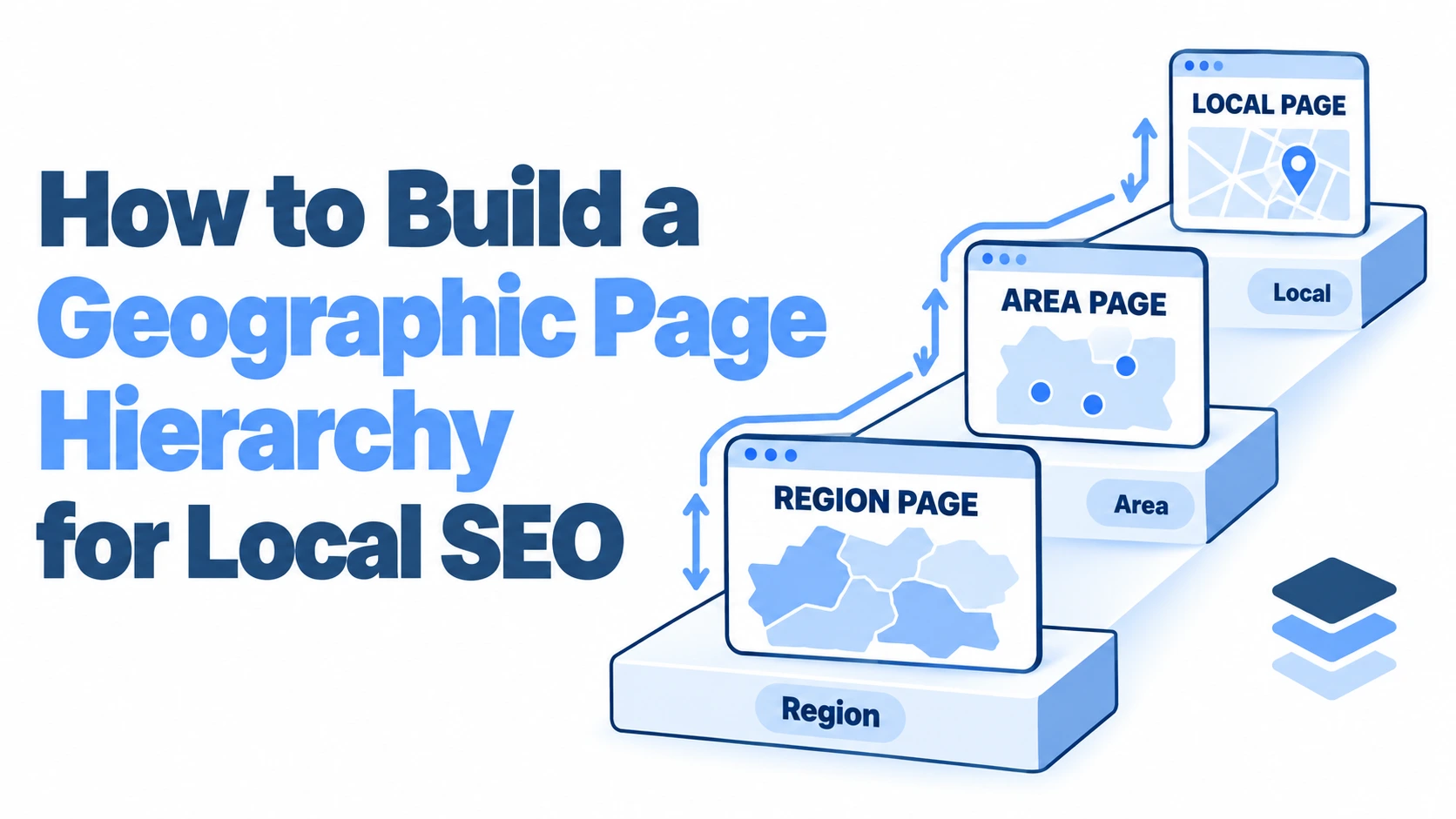
A geographic page hierarchy is simply an organised structure of location-specific pages on your website, arranged from broad service areas down to individual towns or neighbourhoods. Think of it like a tree: the trunk is your primary region, the branches are counties or cities, and the leaves are the specific communities you serve.
The reason this matters is straightforward. When someone in Headingley searches for “emergency electrician near me,” Google is looking for signals that your business actually serves Headingley. A generic “We cover West Yorkshire” page gives Google something to work with, but a dedicated Headingley page with relevant local content gives it far more confidence.
The Role of Location Pages in Local SEO Strategy
Location pages serve a dual purpose. They tell search engines exactly where you operate, and they give potential customers in those areas a reason to choose you over a competitor with a vaguer geographic footprint.
A well-built location page isn’t just a service description with a town name swapped in. It should reference local landmarks, mention specific challenges relevant to that area (Victorian plumbing in older terraces, for instance), and ideally include reviews or case studies from customers in that location. This is what separates pages that rank from pages that sit in Google’s index gathering dust.
For businesses already managing a Google Business Profile, location pages create a natural bridge between your GBP and your website. When your GBP listing for a specific area links to a dedicated, content-rich page rather than your homepage, it reinforces geographic relevance across both platforms.
How Search Engines Interpret Regional Intent
Google has become remarkably good at understanding regional intent. A search for “roof repair Bristol” triggers a completely different set of results than “roof repair Bath,” even though those cities are only 15 miles apart. Google treats each location as a distinct market with its own competitive set.
This is why a single “Areas We Cover” page with a bullet-pointed list of 30 towns rarely performs well. Google can’t extract meaningful geographic signals from a list. It needs dedicated content for each area to confidently match your page with location-specific queries.
The Google Search Central documentation on local business structured data reinforces this: providing clear, structured location information helps search engines understand where your business operates and what services you offer in each area.
Designing a Scalable URL Structure
Getting your URL structure right from the start saves enormous headaches later. Changing URLs after pages are indexed means redirects, potential ranking drops, and a generally messy migration. Spend the time planning this properly before you build a single page.
Top-Level Service Areas and County Landing Pages
Your URL structure should mirror your geographic hierarchy. Start with your broadest service areas as top-level subfolders:
/areas/west-yorkshire//areas/south-london//areas/greater-manchester/
These county or regional landing pages act as hubs. They should provide an overview of your services across the region, link down to individual city and town pages, and include enough unique content to stand on their own. Aim for at least 400 words of genuine, useful content on each hub page: not keyword-stuffed filler, but information that someone researching your services in that region would actually find helpful.
City and Neighbourhood Level URL Subfolders
Below your regional hubs, nest city and neighbourhood pages:
/areas/west-yorkshire/leeds//areas/west-yorkshire/leeds/headingley//areas/south-london/croydon//areas/south-london/croydon/south-croydon/
This nesting creates a logical path that both users and search engines can follow. A crawler landing on your Headingley page can trace the breadcrumb up to Leeds, then to West Yorkshire, building a complete picture of your geographic coverage.
One common mistake is going too granular too quickly. If you’re a small locksmith covering six towns, you don’t need neighbourhood-level pages for each one yet. Start with town-level pages, build them out with genuine content, and only add neighbourhood pages once you have enough real material (customer stories, local knowledge, area-specific service details) to make them worthwhile.
Optimising On-Page Content for Specific Regions
This is where most geographic page strategies fall apart. Businesses create 20 location pages, swap out the town name in each one, and wonder why none of them rank. Google’s helpful content system is specifically designed to identify and demote this kind of templated, low-value content.
Incorporating Hyper-Local Keywords and Landmarks
Each location page needs to feel like it was written by someone who actually knows the area. Reference specific landmarks, roads, and local features that residents would recognise.
For a pest control company in Edinburgh, a page targeting Morningside might mention the older tenement buildings common in the area and how their stone construction creates specific entry points for rodents. A page targeting Leith might focus on the waterfront commercial properties and the different pest challenges they face.
Include hyper-local keyword variations naturally throughout the content:
- Street names and well-known roads
- Local council references (useful for compliance-related services)
- Nearby landmarks that people use as geographic anchors
- Postcode areas where relevant
Creating Unique Value Propositions for Different Boroughs
Your services might be identical across every area you cover, but the reasons people need them often differ. A damp-proofing company in Manchester could highlight different concerns for customers in Didsbury (period properties with original features worth preserving) versus Salford Quays (modern apartments with ventilation issues).
Think about what makes each area distinct from your customers’ perspective. What are the common property types? What local issues affect demand for your services? Are there seasonal patterns specific to certain areas? This kind of specificity is impossible to fake with a find-and-replace template.
Integrating Local Reviews and Case Studies
Nothing builds geographic credibility faster than real customer evidence from the area. If you completed a kitchen renovation in Harrogate, write a brief case study about it and feature it on your Harrogate page. Include the customer’s first name and general location (with their permission, obviously).
Pull relevant Google reviews that mention specific locations and feature them on the corresponding pages. A review saying “They fixed our boiler in Chapel Allerton within two hours” is worth more on your Chapel Allerton page than any amount of generic sales copy.
This is one area where tools like VisiLocali’s GBP Management Tool can save significant time. Rather than manually tracking which reviews mention which locations, you can manage your review responses and profile content from one place, then use those insights to inform your location page content strategy.
Technical Implementation and Internal Linking
A geographic page hierarchy only works if the technical foundations are solid. Poor internal linking, missing schema markup, or broken breadcrumbs can undermine even the best content.
Establishing a Logical Breadcrumb Trail
Breadcrumbs should mirror your URL structure exactly. A visitor on your Headingley page should see:
Home > Areas > West Yorkshire > Leeds > Headingley
This isn’t just a usability feature. Google uses breadcrumb markup to understand page relationships and often displays breadcrumbs directly in search results. Implement breadcrumb structured data using JSON-LD to ensure search engines can parse your hierarchy correctly.
Every page in your hierarchy should have a clear parent. Orphaned location pages that aren’t connected to a regional hub lose much of their hierarchical value.
Utilising Local Business Schema Markup
Schema markup tells search engines exactly what your business does and where. For each location page, implement LocalBusiness schema that includes:
- Business name and type
- The specific service area the page covers
- Contact details relevant to that area
- Opening hours (if they vary by location)
- Geographic coordinates for the service area
If you operate from a physical premises in certain areas but serve others remotely, use the appropriate schema properties. The areaServed property is particularly useful for service-area businesses that don’t have a shopfront in every town they cover.
Managing Internal Links Between Service and Location Pages
Your service pages and location pages should cross-reference each other naturally. Your “Boiler Installation” service page should link to relevant location pages (“We install boilers across Leeds, including Headingley, Roundhay, and Horsforth”). Equally, your Headingley location page should link to specific service pages.
This creates a web of topical and geographic relevance that helps search engines understand both what you do and where you do it. Avoid linking every location page to every other location page: that dilutes link equity and looks unnatural. Instead, link between pages that share a logical relationship (sibling towns within the same county, or parent-child relationships in your hierarchy).
A practical internal linking pattern looks like this:
- Regional hub links to all city pages within it
- City pages link to their parent hub and to sibling cities
- City pages link to neighbourhood pages beneath them
- All location pages link to relevant service pages
- Service pages link to your highest-priority location pages
Mapping Google Business Profiles to Your Hierarchy
Your website hierarchy and your Google Business Profile should work together, not exist as separate entities. Each GBP listing should link to the most relevant location page on your site rather than defaulting to your homepage.
If you have multiple GBP listings (one per physical location), each listing’s website link should point to the corresponding location page. For service-area businesses with a single GBP, link to your primary regional hub page and ensure that page clearly connects to all the areas you cover.
VisiLocali’s Local Rank Tracker is particularly useful here. Its visual ranking grids show you exactly where your business appears on Google Maps across different points in your target area. You might discover that you rank well in central Leeds but drop off completely in the northern suburbs. That kind of insight tells you precisely which location pages need more attention and where your geographic hierarchy has gaps.
The GBP Audit Tool can also highlight whether your profile information aligns with what’s on your location pages. Inconsistencies between your GBP categories, service descriptions, and website content can confuse search engines and weaken your local rankings. Running an audit helps identify those mismatches before they become a problem.
Measuring Success and Refining Local Authority
Building a geographic page hierarchy isn’t a one-off project. It requires ongoing measurement and refinement based on real performance data.
Tracking Keyword Rankings by Postcode
Traditional rank tracking gives you a single position for a keyword, but local rankings vary dramatically depending on the searcher’s location. Someone searching “plumber near me” in LS6 sees completely different results than someone in LS16, even though both postcodes are in Leeds.
Geo-grid rank tracking solves this by checking your rankings from multiple points across your service area and displaying the results on a visual map. This reveals the true shape of your local visibility: where you’re strong, where you’re invisible, and where competitors dominate.
Track rankings for your primary keywords across each area in your hierarchy. If your Roundhay page ranks well for “electrician Roundhay” but your Horsforth page barely appears, that tells you exactly where to focus your content improvement efforts. A tool built around this kind of location-specific tracking, like VisiLocali’s Local Rank Tracker, makes this process far more practical than manually checking from different locations.
Analysing Conversion Rates Across Different Regions
Rankings are only half the picture. A location page that ranks well but doesn’t generate enquiries has a content or conversion problem, not a visibility problem.
Set up goal tracking in your analytics platform to measure conversions by landing page. Compare conversion rates across your location pages to identify which ones are working and which need improvement. Common issues with low-converting location pages include:
- Weak or generic calls to action
- No social proof from the specific area
- Missing contact details or unclear next steps
- Content that reads like it was written for search engines rather than humans
Pay attention to which areas generate the highest-value enquiries, not just the most traffic. A neighbourhood page that brings in two high-value leads per month might be more important to your business than a city-level page that generates ten low-quality enquiries.
Building Your Hierarchy the Right Way
The difference between a geographic page hierarchy that drives real business results and one that wastes your time comes down to three things: genuine local content, proper technical structure, and ongoing measurement. Skip any one of these and the whole system underperforms.
Start with the areas that matter most to your business. Build those pages out with real substance: local knowledge, customer evidence, and specific service details. Get the technical foundations right with clean URLs, breadcrumbs, and schema markup. Then measure what’s working and expand from there.
If you’re unsure where your local visibility currently stands or which areas represent the biggest opportunities, VisiLocali offers a 14-day free trial across all plan tiers. The platform was developed by a local SEO specialist with over 10 years of experience, and it’s designed to turn ranking data into clear actions rather than just showing you numbers. Card details are required at sign-up to prevent trial abuse, but it’s a practical way to see exactly where your geographic gaps are before you start building pages to fill them.
