 Skip to content

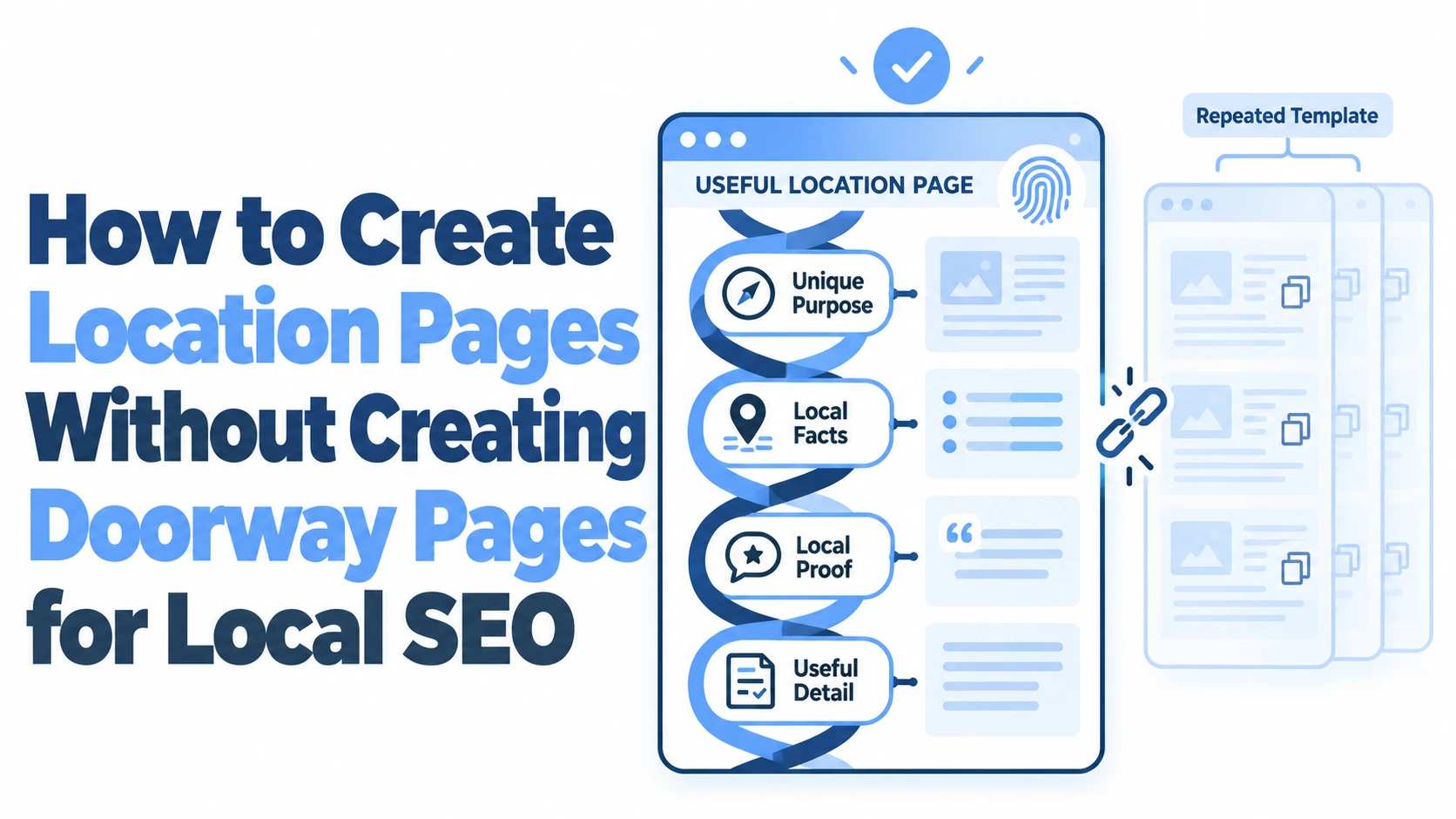
Every local service business with multiple locations faces the same tension: you need dedicated pages for each area you serve, but Google’s spam policies explicitly penalise doorway pages designed to rank for different locations without offering distinct value.
Getting this balance right is the difference between dominating local search results and watching your entire site lose visibility overnight.
The good news is that building location pages that genuinely help users, rather than pages that simply swap out city names in a template, is entirely achievable.
It requires more effort than the copy-paste approach, but the results are far more durable.
This guide walks through the practical steps to create location-specific pages that satisfy both Google’s quality standards and the real people searching for services near them, covering content strategy, technical setup, user experience, and ongoing compliance.
Understanding the Distinction Between Doorway Pages and Location Pages
The line between a helpful location page and a spammy doorway page is thinner than most business owners realise. Both types of pages target location-specific queries. Both often live in a similar URL structure (e.g., /services/plumbing/leeds/). The critical difference lies in whether the page exists to serve the user or to manipulate search rankings.
The Google Spam Policy Definition of Doorway Pages
Google’s spam policies define doorway pages as pages created primarily to rank for specific search queries and funnel users toward a single destination. The key signals Google looks for include: multiple pages targeting different locations that all push visitors to the same conversion page, pages with no unique or useful content beyond swapped-out location names, and pages that exist as an intermediate step rather than a genuine destination.
A legitimate location page, by contrast, functions as a standalone resource. Someone searching for “emergency electrician in Bristol” should land on a page that tells them something specific about your electrical services in Bristol: your response times in that area, the types of properties you typically work on there, how to reach your nearest team. If the page could just as easily say “Manchester” or “Glasgow” with no other changes, it’s a doorway page.
Why Standard Templated Content Risks Algorithmic Penalties
The most common mistake is building location pages from a single template where only the city name and a few surface details change. A plumbing company might create 30 pages, each reading “We provide expert plumbing services in [CITY]. Our team of qualified plumbers in [CITY] are available 24/7.” This approach triggers Google’s thin content and doorway page filters because the pages offer no differentiated value.
Google’s systems have become increasingly sophisticated at detecting this pattern. The March 2024 core update and subsequent 2025 refinements specifically targeted sites with large numbers of low-quality, templated location pages. Businesses that had relied on this tactic saw dramatic ranking drops, sometimes losing visibility across all their location pages simultaneously. The algorithmic penalty doesn’t just affect the doorway pages themselves: it can undermine trust signals for your entire domain.
Developing Unique Localised Content That Provides Real Value
Creating location pages that avoid doorway page classification requires genuine investment in local content. Each page needs to stand on its own as a useful resource for someone in that specific area. This is where most businesses either give up or take shortcuts, but the effort pays off significantly in sustained local rankings.
Incorporating Specific Local Knowledge and Hyper-Local Details
The strongest location pages read as though they were written by someone who actually works in that area, because ideally, they were. For a roofing company serving Leeds, a good location page might mention the prevalence of Victorian terrace housing in Headingley and the specific roofing challenges those properties present, or reference the weather patterns coming off the Pennines that accelerate slate deterioration.
Think about what someone living in that area would find genuinely useful:
- Local regulations or planning considerations specific to the council area
- Common property types and the service challenges they present
- Nearby landmarks that help customers locate your team or premises
- Seasonal factors that affect demand (coastal areas dealing with salt corrosion, for instance)
This kind of hyper-local detail is nearly impossible to fake at scale, which is precisely why Google values it. A page that mentions the Harbourside area of Bristol and discusses how the damp conditions near the waterfront affect boiler maintenance is clearly not a template with a city name swapped in.
Showcasing Regional Case Studies and Client Testimonials
Nothing differentiates a location page faster than real stories from real customers in that area. If you completed a kitchen renovation in Chorlton, Manchester, write about it. Include the specific challenges of the project, the customer’s situation, and the outcome. A single detailed case study with before-and-after context provides more unique value than 500 words of generic service descriptions.
Testimonials work best when they reference the location naturally. “We called them out to our shop on Whiteladies Road and they arrived within 40 minutes” tells both Google and potential customers that this business genuinely operates in that area. Collect these testimonials actively from customers in each service area and assign them to the relevant location page.
Customising Service Descriptions for Local Market Needs
Your services might be broadly the same across locations, but the way people use them often differs. An estate agency’s location page for a commuter town should emphasise different selling points than one for a city centre: school catchment areas versus nightlife proximity, garden sizes versus transport links.
Rewrite your service descriptions for each location page with the local audience in mind. A pest control company might focus on fox-related issues in urban London boroughs while highlighting agricultural pest management for rural Cambridgeshire pages. This isn’t about inventing differences that don’t exist: it’s about honestly reflecting how your services meet the specific needs of each community.
Technical Elements for High-Quality Location Landing Pages
Strong content alone won’t maximise the performance of your location pages. The technical foundation matters just as much, both for search engine comprehension and for converting visitors into customers.
Implementing Local Business Schema Markup Effectively
Structured data helps search engines understand exactly what your location page represents. Each page should include LocalBusiness schema (or a more specific subtype like Plumber, Electrician, or Dentist) with accurate details for that specific location.
The essential schema properties to include are:
- Name, address, and phone number for that location
- Opening hours specific to that branch or service area
- Geographic coordinates (latitude and longitude)
- Service area definitions if you don’t have a physical premises in that location
- Aggregate rating data if you have location-specific reviews
One common error is applying identical schema across all location pages with only the address changed. If your opening hours, phone numbers, or service offerings differ by location, the schema must reflect those differences. Google cross-references schema data with your Google Business Profile information, so inconsistencies can undermine trust.
Optimising Google Maps Integrations and NAP Consistency
Every location page should include an embedded Google Map showing your service area or premises location. But the map alone isn’t enough: your Name, Address, and Phone number (NAP) must be consistent across the page, your Google Business Profile, and every directory listing.
NAP inconsistencies are one of the most common local SEO problems, and they’re particularly damaging when you have multiple locations. If your Manchester page lists “Unit 4, Piccadilly Trading Estate” but your Google Business Profile says “4 Piccadilly Trade Est,” search engines struggle to confirm these refer to the same business. Tools like VisiLocali’s GBP Audit can flag these discrepancies by analysing your profile against what’s published elsewhere, identifying exactly where inconsistencies exist so you can fix them systematically rather than guessing.
Strategic Internal Linking to Main Service Categories
Location pages shouldn’t exist in isolation. They need to connect meaningfully to your site’s broader architecture. Each location page should link to your main service pages, and your main service pages should link back to relevant location pages.
The internal linking structure should make geographic and topical sense. Your main “Boiler Installation” page might link to location pages for each area you serve, while each location page links back to the relevant service categories. This creates a logical hierarchy that helps both users and search engines understand the relationship between your services and the areas you cover. Avoid creating location pages that only link to a single contact form or phone number: that’s a classic doorway page signal.
User Experience Factors That Signal Quality to Search Engines
Google increasingly uses user behaviour signals to assess page quality. A location page that frustrates visitors or feels like a dead end will struggle to maintain rankings, regardless of how well the content is written.
Avoiding Navigation Dead-Ends and Funnel Loops
A doorway page typically has one purpose: push the visitor toward a conversion action with no other useful options. A quality location page, by contrast, gives visitors multiple pathways. Someone landing on your “Locksmith Services in Glasgow” page might want to read about your emergency callout process, check your pricing, browse recent work in their area, or find your nearest team member’s direct number.
Include clear navigation to related content: other services you offer in that area, your about page, your blog posts relevant to that location. The page should feel like part of a complete website, not a standalone landing page floating in space. If a visitor hits the back button within seconds because there’s nothing useful beyond a phone number and a contact form, that behaviour tells Google the page isn’t meeting user expectations.
Using Original Photography Instead of Stock Local Images
This is where many businesses cut corners, and it shows. Stock photos of a city skyline or a generic “local area” image do nothing to build trust or demonstrate local presence. Original photography of your team working in that area, your local premises, or completed projects for local customers provides genuine differentiation.
A heating engineer’s location page for Sheffield that includes photos of actual installations in Sheffield homes is inherently more trustworthy than one using a stock photo of someone holding a spanner. If professional photography isn’t in the budget for every location, even smartphone photos of real work carry more weight than stock imagery. Google’s systems can identify stock photos, and while using them isn’t penalised directly, original images contribute to the overall quality signals that distinguish your page from templated competitors.
Measuring Success and Maintaining Compliance Over Time
Building quality location pages is not a one-off project. As you add more locations and Google’s algorithms evolve, ongoing monitoring and maintenance are essential to avoid sliding into doorway page territory.
Monitoring Search Console for Thin Content Warnings
Google Search Console is your early warning system for content quality issues. Check the “Manual actions” section regularly for any thin content or doorway page notifications. But don’t wait for manual actions: the “Pages” report under “Indexing” reveals which of your location pages Google has chosen not to index, which is often the first sign that they’re being classified as low-quality or duplicate.
If you notice that Google is indexing your Manchester and Birmingham location pages but consistently excluding your Nottingham and Leicester pages, that’s a strong signal those excluded pages need more unique content. VisiLocali’s Local Rank Tracker can complement this data by showing you exactly where your business ranks across different locations on a visual grid, making it clear whether your location pages are actually translating into local visibility or sitting dormant.
Track these metrics monthly for each location page: organic impressions, click-through rate, average position, and the ratio of indexed to submitted pages. A declining trend across multiple location pages often precedes a broader algorithmic correction.
Iterative Content Audits to Prevent Scaling Risks
The risk of creating doorway pages increases as you scale. When a business goes from five location pages to fifty, maintaining unique content quality becomes exponentially harder. Schedule quarterly content audits specifically focused on your location pages.
During each audit, compare your location pages side by side. If you can swap the location name on any two pages and the content still makes sense, those pages need work. Look for:
- Paragraphs that appear verbatim across multiple pages
- Case studies or testimonials that have been duplicated rather than location-specific
- Service descriptions that haven’t been customised for the local market
- Outdated information (a reference to a 2024 local event on a page that hasn’t been touched since)
Set a minimum content threshold for each location page: at least 400 words of truly unique content that couldn’t apply to any other location. Pages falling below this threshold should be either improved or consolidated. Some businesses find it more effective to have 15 excellent location pages than 40 mediocre ones, especially when Google’s quality filters are becoming more aggressive each year.
Building Location Pages That Last
The fundamental principle behind creating location pages without falling into the doorway page trap is straightforward: every page must earn its place in search results by offering something genuinely useful to someone in that specific area. Template-swapping is fast but fragile. Investing in real local content, proper technical implementation, original media, and ongoing quality monitoring creates pages that perform well and stay compliant as Google’s standards tighten.
For businesses managing multiple locations, keeping track of how each area page performs can feel overwhelming. VisiLocali was built by a Local SEO specialist with over 10 years of experience specifically to solve this kind of challenge: its GBP Audit identifies what’s holding each location back, while the Local Rank Tracker shows visibility across your service areas on a visual grid so you can see exactly where you’re strong and where you need to improve. If you want to see where your location pages stand right now, you can start with a 14-day free trial on any plan: card details are required at sign-up, but it’s a practical way to get clarity before committing.
